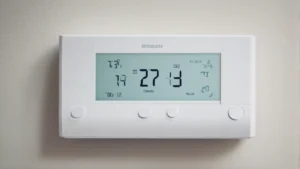
Top Communication Protocols for Smart Heater Control Systems
On this page 5 sections
You buy a smart heater, plug it in, and realize it only talks to Google Home but your whole house runs on Apple HomeKit. Or you get a Wi-Fi thermostat that drops connection every time the microwave runs. That frustration comes down to one thing: the communication protocol your hardware speaks. Get this choice wrong, and your heater acts dumb. Get it right, and you can set schedules, trigger geofencing, and even protect a freezer compressor from short cycling.
This article focuses on the top communication protocols for smart heater control systems actually worth your attention in 2026 — Wi-Fi, Zigbee, Z-Wave, Thread, and Matter. I’ll explain what each does well, where they fall short, and how to pick the one that matches your ecosystem and budget. By the end, you’ll know exactly what to look for on the spec sheet so you don’t end up with a paperweight.
Something like the meross Smart Temperature Controller 15A 1800W gives you a taste of what a well-chosen Wi-Fi protocol can do. It connects directly to your home network, works with Apple Home, Alexa, Google Home, and SmartThings, and includes compressor protection — a feature often overlooked but critical for refrigeration and AC equipment. It’s a solid entry point if you already have a strong Wi-Fi network and don’t want an extra hub.
Wi-Fi, Zigbee, and Z-Wave — The Workhorses

Most smart heater controls fall into one of three older camps. Wi-Fi is everywhere: your phone already speaks it, and no extra hardware is needed. A Wi-Fi thermostat uses your router and the internet for remote access. Range is limited by your router’s signal, but modern mesh networks solve that. Downside? Wi-Fi can be power hungry — battery-only devices struggle, so most Wi-Fi thermostats need a direct power source. And if your internet goes down, cloud-dependent models lose remote control. Some, like the meross controller, run local logic that keeps schedules working offline, but many don’t.
Zigbee uses a mesh network. Each device acts as a repeater for others, so range grows as you add more. A single Zigbee thermostat can talk to a sensor on the other side of a big house because every plugged-in Zigbee bulb or plug passes the signal along. The downside: you need a hub or coordinator (like a SmartThings hub or Amazon Echo Plus) to bridge to your phone. Zigbee runs on 2.4 GHz, same as Wi-Fi, so interference can happen in dense apartments.
Z-Wave is similar to Zigbee but runs on a different frequency (around 900 MHz in the US). That lower frequency passes through walls better and avoids Wi-Fi congestion. Z-Wave also mandates strict certification, meaning devices from different brands almost always work together. But Z-Wave is slower on data — 100 kbps vs Zigbee’s 250 kbps — and hubs are still required. Z-Wave has a smaller device catalog than Zigbee for heater controls.
Thread and Matter — The New Standards
Thread fixes many Zigbee and Z-Wave pain points. It’s an IP-based mesh protocol — every Thread device gets its own IPv6 address. That means it talks directly to the internet without needing a proprietary bridge. Thread uses low power, so battery sensors last years. But Thread devices still require a border router (a Thread-capable smart speaker or hub) to connect to your Wi-Fi network. The big win? Thread is built for reliability. If one node dies, the mesh reroutes in milliseconds. Major players like Apple, Google, and Amazon back it.
Matter is the application layer that sits on top of Thread, Wi-Fi, or Ethernet. It’s not a radio protocol — it’s a unified language. A Matter-certified thermostat speaks the same commands whether your phone runs Apple Home, Google Home, or Alexa. That solves the ecosystem lock-in problem. In theory, you buy any Matter heater control and it just works with your existing setup. In practice, early Matter devices had bugs, but the 2026 revisions fixed most of them. For new builds or expansions, Matter over Thread is the safest future-proof bet.
| Protocol | Range | Hub Required? | Power Use | Best For |
|---|---|---|---|---|
| Wi-Fi | Limited by router / mesh | No | Higher | Heaters near router, cloud automation |
| Zigbee | Mesh — grows with nodes | Yes | Low | Multi-room setups, battery sensors |
| Z-Wave | Mesh — 900 MHz, wall-friendly | Yes | Low | Homes with thick walls, small device count |
| Thread | Mesh — self-healing | Yes (border router) | Very low | Future-proof, Matter ecosystem |
Choosing the Right Protocol for Your Setup
Your decision hinges on three things: existing hubs, power source, and ecosystem loyalty. If you already own an Amazon Echo Plus or a SmartThings hub, Zigbee or Z-Wave devices will feel seamless. If you run Apple Home on a HomePod mini, you have a Thread border router built in — so a Thread thermostat makes the most sense. If you rent an apartment and want the simplest install, a Wi-Fi controller like the meross is hard to beat because you don’t add any hardware.
Power matters too. Battery-powered thermostats often skip Wi-Fi because they’d drain cells every few weeks. Zigbee and Thread can run a year on two AA batteries. But if your heater is near an outlet, power isn’t a constraint. The meross controller plugs directly into a wall outlet, so its Wi-Fi chip runs happily off line voltage.
Don’t overlook your router quality. A weak Wi-Fi router can cause dropouts that make you blame the thermostat. If you go Wi-Fi, invest in a mesh system or at least a strong single access point. For Zigbee and Z-Wave, the hub does the heavy lifting — your Wi-Fi only carries the hub’s traffic, so router quality matters less.
Security also differs. Wi-Fi devices that connect to cloud servers can expose data if the manufacturer’s backend is weak. Zigbee and Z-Wave local mesh traffic is not exposed to the internet unless the hub bridges it. Thread with Matter can run fully locally — no cloud required — which is ideal for privacy-conscious users. The data safety guide I wrote covers this in more detail.
If you’re building from scratch, I recommend zigbee or Thread for sensors and Wi-Fi for devices that need continuous power and fast updates. That hybrid approach gives you the best of both: long battery life on sensors, instant response on thermostats.
Frequently Asked Questions
Can I use a Wi-Fi thermostat without an internet connection?
Most Wi-Fi thermostats need internet for remote control, but many keep working locally after setup. The meross controller, for example, stores schedules on the device itself — if the internet drops, it still follows its timers. But you lose phone control until the connection returns. Always check the product specs for local offline capability.
Do I need a separate hub for Zigbee or can my phone connect directly?
Your phone cannot talk Zigbee directly. You need a hub that bridges Zigbee to your Wi-Fi network. Some smart speakers (Echo Plus, Echo Show 10) have built-in Zigbee hubs. Others require a dedicated dongle like a Zigbee USB stick paired with Home Assistant. Z-Wave has the same requirement.
Is Matter backward compatible with older Zigbee or Z-Wave devices?
Only if the manufacturer updates the device’s firmware. Matter does not natively speak Zigbee or Z-Wave radios. Some hubs (like Hubitat or SmartThings) offer Matter bridges that translate between old protocols and Matter, but each individual Zigbee sensor won’t become Matter-certified without a hardware change. Plan for Matter as a future purchase, not a retrofit.
Which protocol has the fastest response time for a heater?
Wi-Fi and Thread both respond in under a second for local commands. Zigbee and Z-Wave are slightly slower — usually 1–2 seconds — because the mesh adds tiny delays. For heater controls, that difference barely matters. You won’t notice a 1-second lag when turning on a space heater. For time-sensitive things like reptile heat lamps, the speed difference is irrelevant.
Can I mix protocols in the same house?
Yes, and many people do. You just need a controller or hub that speaks multiple protocols. Home Assistant, Hubitat, and SmartThings all support Wi-Fi, Zigbee, Z-Wave, and sometimes Thread. You can have a Zigbee temperature sensor trigger a Wi-Fi heater controller. The complexity rises, but so does flexibility. If you don’t want to tinker, stick to one protocol family.
What to Do With This Info
- Check your existing hub — a HomePod Mini or Echo Plus dictates whether Thread or Zigbee is free to use.
- Prioritize local control for reliability — devices with offline schedules don’t break when your ISP glitches.
- Don’t buy a thermostat without compressor protection if you control an AC or refrigerator — the meross model includes it, but many don’t.
- Match protocol to your home size — Wi-Fi mesh for open floor plans, Zigbee or Z-Wave for multi-story with thick walls.
- Look for Matter certification on new purchases to future-proof against ecosystem switching.
- Read the smart control systems work guide at HeaterGuides for a full system overview.
- Consider buying one device first — test the protocol in your actual home before committing to a whole house full of the same.