Smart Control Systems for Heaters: 7 Key Benefits You Need
On this page 7 sections
You walk through the door on a freezing January evening. The house feels like a meat locker. You crank the thermostat up to 78, then stand over a floor vent shivering while it takes forty minutes to get warm. That scene plays out in millions of homes every winter. It doesn’t have to.
Smart control systems for heaters turn that old routine upside down. Instead of you reacting to the cold, your system starts warming the house before you even leave work. It learns which rooms you use and which you don’t. It knows when you’re away, when you’re asleep, and when you’re about to walk in. And it does all this automatically, without you touching a dial.
By the time you finish this article you’ll understand the seven concrete benefits these systems deliver, what real-world savings look like, what sensors and protocols make them tick, and how to pick the right setup for your home. This isn’t generic advice — it’s the kind of detail you need before spending money on a smart thermostat.
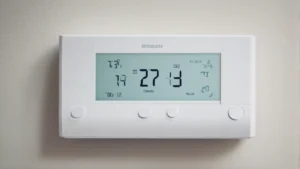
One of the most straightforward ways to get these benefits is with a unit like the Check price on Amazon. It’s WiFi-enabled, Energy Star Certified, and promises up to 23% annual heating and cooling savings compared to a fixed 72-degree hold. The color touchscreen and free software upgrades mean the unit gets smarter over time. I’ll reference real numbers like those throughout this guide so you know what’s possible.
1. Energy Savings That Actually Show Up on Your Bill

The headline number from ecobee — 23% savings versus a constant 72-degree hold — isn’t marketing fluff. A smart control system uses sensors to detect occupancy, door openings, and temperature swings that a dumb thermostat ignores. When nobody’s home, the system drops the temperature 5 to 10 degrees automatically. That’s where the real savings live.
But the savings depend on your habits. If you work from home and rarely leave for more than an hour, you won’t see 23%. You might see 10-12%. The bigger win comes from the schedule optimization — the system learns that you like it cool at night and warm at 7 AM, then pre-heats the house using the cheapest possible energy mix (if you have a heat pump or dual-fuel system).
One thing the brochures don’t mention: you might need a C-wire (common wire) for full functionality. The ecobee unit ships with a Power Extender Kit (sold separately) that solves that problem for homes without one. Check compatibility before you buy — about 15% of older homes will need the kit.
2. Remote Access and Real-Time Adjustments
You’re on a work trip and realize you left the heat cranked. Without a smart system, you either race home or burn the money. With a smart control system for heaters, you pull out your phone, tap the ecobee app, and drop the temperature to 55 until you return. That single feature can pay for the thermostat in one winter.
The same app gives you a live view of your home’s temperature, humidity, and equipment runtime. You can adjust from bed, from the car, from another continent. The mobile app integration is seamless — no separate hub, no extra login. Most modern systems support both iOS and Android.
There’s a psychological benefit too. You stop wondering “did I lower the heat?” and just check your phone. That peace of mind alone justifies the upgrade for many people.
3. Automation That Adapts to Your Life
Old programmable thermostats let you set four time slots per day. That’s fine if you leave at 8 AM and return at 6 PM every single day. Real life doesn’t work that way. Smart control systems use machine learning to watch your patterns over a week or two, then build a schedule that matches your actual comings and goings.
The ecobee model, like many competitors, also lets you create custom comfort settings. You can set a “Home” profile that keeps the living room warm and the bedrooms cool, or a “Sleep” profile that drops all temperatures by 4 degrees. The automated features extend to geofencing — your phone’s location tells the system you’re 15 minutes away, and it fires up the heat so you walk into a comfortable house.
The system doesn’t stop learning after the first week. It adjusts seasonally, noticing that you start using the fireplace in December and that the kitchen gets warmer when you cook. Each month, the schedule gets more accurate.
4. Detailed Energy Reports and System Health Alerts
You get a monthly email showing how many hours your heater ran compared to last month, the outside temperature that drove that usage, and tips for improvement. That kind of feedback turns your heating system from a black box into something you understand and control.
More importantly, smart control systems can detect problems early. If your furnace short-cycles (turns on and off too frequently), the system flags it. If the temperature differential between floors exceeds a threshold, you get an alert. That’s the difference between a $50 sensor swap and a $3,000 emergency repair call on Christmas Eve.
Some systems even track humidity levels and warn you when they’re too high (potential mold) or too low (dry air, static shocks). The data alone makes these systems worthwhile for anyone who’s ever been surprised by a heating bill.
Comparison: Smart vs. Traditional Thermostat
| Feature | Smart Control System (WiFi Thermostat) | Traditional Programmable Thermostat | Manual Thermostat |
|---|---|---|---|
| Energy savings (typical) | 10–23% | 5–10% | 0–5% |
| Remote adjustment | Via phone app, any location | None | None |
| Learning / auto-scheduling | Machine learning, geofencing | Manual 4-time-slot program | None |
| System health alerts | Filters, short-cycling, humidity | None | None |
| Installation complexity | Moderate (may need C-wire kit) | Easy (battery or wired) | Trivial |
| Upfront cost | $100–$250 | $25–$60 | $10–$30 |
| Long-term value | Pays for itself in 1–3 winters | Modest payback | None |
Frequently Asked Questions
Do I need a C-wire to install a smart thermostat like the ecobee Essential?
Most smart thermostats require a common wire (C-wire) to provide constant power. If your existing system doesn’t have one, the ecobee Power Extender Kit (PEK) can often work around it. The kit is sold separately. About 85% of systems are compatible according to ecobee’s compatibility checker, but you should verify before buying.
Can I install a smart control system myself or should I hire an electrician?
If you’re comfortable turning off your HVAC system’s breaker, removing two screws, labeling a few wires, and following color-coded instructions, you can do it yourself in 30-45 minutes. The ecobee app walks you through each step. If your wiring is unusual (e.g., older systems with no C-wire and no easy access), pay an electrician $100-$150 and avoid the headache.
How much money will I really save with a smart heater control?
Typical users report 10–23% reduction in heating costs. The exact number depends on your climate, home insulation, and daily schedule. Someone who leaves home for 8 hours a day in a moderate climate will see higher savings than a retiree home 24/7. Use the system’s built-in reports to track your own numbers after the first month.
Does a smart thermostat work with a heat pump or radiant floor heating?
Most modern units support heat pumps, including those with auxiliary electric resistance heat. For radiant systems (hydronic in-floor), you need a thermostat rated for those systems — do not use a standard forced-air thermostat. Check the product specs carefully. The ecobee Essential is designed for forced-air systems (gas, electric, heat pump, oil).
Will my smart thermostat still work if the internet goes down?
Yes. The thermostat stores your schedule locally and continues to run it. You lose remote control via the app until the internet returns, but the heating system itself keeps working. The unit does not depend on cloud servers to maintain temperature. That’s a critical design consideration that separates good products from terrible ones.
Seven Takeaways You Can Act On Today
- Get a WiFi thermostat with built-in sensors for occupancy and temperature — that’s what drives the 10–23% savings.
- Check your system’s compatibility online before buying. Enter your existing thermostat wires into ecobee’s checker to see if you need a C-wire kit.
- Install the unit yourself if you’re handy; otherwise budget $100–$150 for professional installation.
- Set up geofencing on your phone immediately — it’s the single feature that saves you the most money without any thought.
- Review the monthly energy report for the first three months. Use the insights to tweak your schedule for even better performance.
- Avoid buying the cheapest smart thermostat you find — missing features like humidity control or multi-zone support will frustrate you later.
- Turn off the smart learning if your schedule is utterly irregular (shift worker, always changing). Manual scheduling works better in those cases.