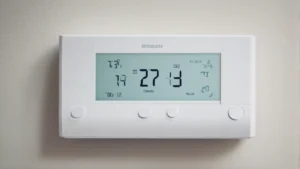
Smart Control Systems for Heaters: Programming Options Explained
On this page 5 sections
You bought a new space heater. It’s sitting on the floor. You walk over, twist a dial, and wait. That’s the old way. The new way is pulling out your phone, tapping once, and walking into a warm room twenty minutes later. That’s what a smart control system for heaters does. But not all smart controls are the same. Some just let you turn things on and off. Others let you build complex schedules, sense when you leave the house, or link up with your existing smart home gear.
This article breaks down the actual programming options you’ll find on modern smart heaters. You’ll learn what each method is good for, where it falls short, and how to pick the one that fits your routine. No fluff. Just the stuff you need to know before you buy.
One example worth a closer look is the Check price on Amazon. It packs WiFi, a remote, and a touch panel into a unit that can mount on the wall or sit on the floor. That flexibility alone makes it a practical choice for rooms where you don’t want a clunky box taking up space. We’ll refer to it throughout because it does a lot that typical heaters don’t.
What Can You Actually Program?
Heater programming falls into a few broad categories. The simplest is a basic timer. You set it to run for 1, 2, or 4 hours, and it shuts off. That’s fine for a bedroom at night, but it’s dumb. A smarter approach uses schedules tied to your daily life.
App-Based Scheduling
Most WiFi heaters, including the GiveBest model, come with a mobile app. You open it, pick days of the week, set time windows, and choose temperatures. For example, you can tell the heater to run at 68°F from 7:00 to 8:30 AM, then drop to 60°F until 5:00 PM, then warm up to 72°F right before you get home. The app does the math. You don’t have to think about it again until daylight saving time messes with your schedule.
One thing to watch: some apps only let you set one schedule per day. Others let you stack multiple time blocks. If your day is irregular—say you work shifts—look for an app that supports multiple schedules or a “geofencing” option instead.
Geofencing and Presence Detection
Geofencing uses your phone’s location. When you leave a defined radius (say, half a mile from home), the heater turns off or drops to an eco temperature. When you come back inside that radius, it fires up again. This is huge for energy savings. You don’t heat an empty room. The downside? It relies on your phone having location services on and a stable data connection. And if you share the house with other people, the system picks one phone as the “master.” If that person leaves and forgets their phone, the heater shuts down while everyone else is still inside.

Some heaters, like the GiveBest, include an ECO mode that works with a built-in thermostat. That’s different from geofencing. ECO mode adjusts power output based on the room’s actual temperature. It doesn’t know if you’re home, but it saves energy by not overshooting your set point. That’s a good backup for when geofencing isn’t practical.
Voice Control and Routines
If you have an Amazon Echo or Google Home, you can skip the app entirely. “Alexa, turn the heater to 70 degrees.” That’s fast. But voice control is terrible for precision scheduling. You can’t say “warm the room every weekday at 6 AM” and expect it to stick. That’s what routines are for. You build a routine in the smart speaker app that triggers the heater at set times or when a sensor detects motion. It’s more reliable than voice for repeating tasks.
The GiveBest heater works with Alexa and Google Assistant. That means you can tie it into a larger routine—turn on the heater, dim the lights, and start your morning playlist all at once.
Connectivity and Compatibility: The Hidden Gotchas
Smart controls need a way to talk to your phone and your home network. Here’s where people get tripped up.
| Connection Type | Range / Speed | Best Use Case | Common Limitation |
|---|---|---|---|
| WiFi (2.4 GHz) | Long range through walls | Remote control from anywhere | Not compatible with 5 GHz-only routers |
| Bluetooth | ~30 feet | Direct phone control, no internet needed | You must stay within range to adjust |
| Zigbee / Z-Wave | Mesh network, 100+ feet | Smart home hub integration | Requires a separate hub |
| Infrared Remote | Line of sight, ~20 feet | Quick adjustments from your seat | No automation, no scheduling |
The GiveBest heater uses 2.4 GHz WiFi only. That’s normal for most smart home devices. 5 GHz signals don’t travel through floors and walls as well, so manufacturers stick with 2.4. If your router broadcasts both bands under one name (called “band steering”), the heater might have trouble connecting. A quick fix is to separate the bands in your router settings or give the heater its own 2.4 GHz guest network.
Bluetooth-only heaters are cheaper, but you lose remote access. You can’t turn it on from work. Zigbee and Z-Wave are great if you already have a hub like SmartThings or Hubitat—they keep everything offline and fast—but the heater itself costs more. Most people are better off with a solid WiFi heater that includes a human-readable app.
Automation Features That Actually Save Money
The real value of a smart control system for heaters isn’t just convenience. It’s the energy you don’t waste. Let’s look at three automation features that directly cut your electric bill.
Adaptive Start
Some smart heaters learn how fast your room heats up. If you set a schedule for 7:00 AM to be 70°F, the heater figures out it needs to switch on at 6:37 AM to reach that target exactly on time. No guessing. No waking up to a cold room because you miscalculated by ten minutes. This feature often goes by “smart schedule” or “adaptive intelligence.” Check the product specs. The GiveBest ECO mode does something similar—it modulates power once the room hits the target temp—but I’m not sure it includes true adaptive start. Read the fine print on the app.
Window Detection
You open a window in winter. The temperature drops fast. A dumb heater keeps blasting full power, trying to heat the outdoors. A smart heater with a fast temperature sensor catches the drop and shuts off automatically. That’s a small feature that can save a surprising amount over a whole season. Not all heaters have it. The GiveBest doesn’t advertise it, but its overheat protection and thermostat respond to temperature changes quickly enough to mimic the effect in most cases.
Energy Monitoring
A few premium heaters show you exactly how much power they’ve used in the last day, week, or month. You can see that running the heater for three hours in the morning costs $0.42 versus $0.75 if you left it on all day. That feedback changes behavior. The GiveBest app doesn’t list energy monitoring in the provided specs, but many WiFi heater apps include it as a standard feature. If that’s important to you, confirm it before buying.
Real Questions People Ask About Smart Heater Programming
Can I use a smart heater without WiFi?
Yes, but you lose the “smart” part. The GiveBest heater has a remote control and a touch panel. You can still set the timer, change modes, and adjust the thermostat without any internet. WiFi only adds the ability to control it from outside your home and set schedules through the app. If your WiFi goes down, the heater keeps working based on its last settings.
How do I set a daily schedule on a heater that doesn’t have an app?
If the heater only has a mechanical timer knob, you’ll have to physically walk over and adjust it each time. That’s not a schedule. You want a unit with a digital thermostat and at least a 24-hour timer. Better yet, buy one with WiFi and use the app once to set repeating days. It takes two minutes.
Does geofencing actually save money compared to a regular schedule?
It depends on your routine. If you leave and return at roughly the same time every day, a schedule works just as well. But if your schedule shifts (you work from home sometimes, go out for errands unexpectedly), geofencing adapts. One study suggested geofencing cuts heating costs by 10–30% compared to a fixed schedule in households with unpredictable patterns. The savings come from not heating an empty house when you forgot to turn the heater off.
What happens if I lose internet while I’m away?
The heater stays in its current state. It won’t turn on or off based on a schedule because the app can’t send commands. But most heaters, including the GiveBest, store the last schedule locally. So if you already set a schedule and the internet goes down, the schedule still runs from the heater’s internal memory. The limitation is you can’t change anything remotely until your internet comes back.
Can I control multiple smart heaters from one app?
Yes, if they all come from the same brand and use the same app. The GiveBest app should let you add multiple units and control them individually or group them into zones. Some brands limit you to a handful of devices per account. A workaround is to use a mobile app compatible smart control system that supports multiple brands through a hub like Alexa or SmartThings. But that adds complexity. Stick with one brand unless you enjoy troubleshooting.
Six Things to Do After You Set Up Your Smart Heater
- Test the schedule for a full week. Adjust start times by 5 minutes if the room isn’t comfortable when you walk in.
- Turn on ECO mode if available. Let the thermostat do the work rather than running full power all day.
- Keep your router’s 2.4 GHz band active. Don’t just rely on 5 GHz, or your heater will drop connection.
- Mount the heater according to the manual. Wall-mounted units like the GiveBest need to be level and away from curtains. That’s not a programming tip, but it affects how well the thermostat reads the room.
- Set a geofence radius of at least 500 feet. Too small and the heater may turn on while you’re still parking the car, wasting heat.
- Check for firmware updates in the app every couple months. Manufacturers fix bugs that cause schedules to glitch or heaters to fail to respond.
- If you have kids or pets, verify the tip-over and overheat protection work. The GiveBest is ETL-listed, so those features are tested. Don’t skip a quick manual test.
Smart heater programming is still a young feature set. The GiveBest Smart Wall Heater nails the basics—scheduling, remote control, and ECO mode—without costing a fortune. Pair it with a solid home network and you’ll wonder why you ever walked to a dial in the first place.