Dead batteries, lost power, and bad settings cause most thermostat problems, so start by checking the display, the breaker, and the mode. If the thermostat still will not respond after that, the fault is usually the thermostat itself, the wiring, or the equipment it controls.
A thermostat failure can leave you too cold, too hot, or paying for a system that runs the wrong way at the wrong time. The mistake is expensive in comfort first, then in energy use, and sometimes in equipment wear if the system short cycles all day.
Most fixes are plain: restore power, clear bad settings, clean the sensor area, or replace a weak thermostat before it keeps misreading the room.
The essentials
Check power first: batteries, breaker, furnace switch, and the display.
Compare the thermostat reading with a separate thermometer placed nearby.
If the thermostat is near a supply vent, window, lamp, or sunny wall, the reading can be wrong.
Short cycling often points to a dirty filter, bad placement, or a thermostat that is set up badly.
Replace the thermostat when the screen, buttons, or temperature reading keep failing after basic checks.
Thermostat Troubleshooting
Thermostat troubleshooting starts with power and settings: check the display, batteries, breaker, furnace switch, operating mode, and setpoint before touching wiring. A thermostat not working, not responding, or showing other thermostat problems often needs one simple correction; getting it wrong can leave the house cold, waste electricity or fuel, or make the system short-cycle and wear faster.
Before You Touch Anything
Your thermostat may control electric heat, a gas furnace, an air conditioner, or more than one system. Don’t remove the cover or touch wires until power is off at the correct breaker and you know what the equipment is; gas connections, line-voltage heat, and unfamiliar wiring belong to a qualified technician.
60-Second Checks
Display is lit and showing a room temperature.
Batteries are fresh, if the thermostat uses them.
The heating or cooling breaker is on and hasn’t tripped.
The furnace service switch, usually near the unit, is on.
Mode is set to HEAT for heating or COOL for air conditioning.
Fan is set to Auto unless you intentionally want it running.
Heat setpoint is above room temperature, or cooling setpoint is below it.
No schedule, setback, vacation mode, or temporary hold is blocking the call for heat or cooling.
Worked Example
Say the room is 68°F, but the thermostat is set to 64°F. The furnace can appear broken because it is waiting for the room to fall below 64°F; raising the setpoint to 68°F or 69°F should create a heating call. A setting 4°F too low can look exactly like a failed furnace when the equipment hasn’t been asked to run.
Normal numbers on the screen don’t prove the reading is accurate. A sensor above a supply vent, beside a lamp, in sunlight, or in a draft can tell the thermostat the room is warmer or cooler than the part where you are sitting.
In short
Start with what the thermostat can see and what you can change safely: power, batteries, mode, fan, schedule, and setpoint. If those checks pass but the system still ignores a clear call, the fault may be in the thermostat, wiring, or controlled equipment.
What You’ll Need
Only the parts and tools that make sense for the fault in front of you.
Temporary Room Heat
R.W.FLAME Mini Ceramic Heater
Use it for temporary spot heat if the thermostat won’t start the central system. Its built-in thermostat, remote, and timer let you control one room, but plug it directly into a wall outlet and keep it clear of combustibles.
The usual thermostat malfunction causes are dead batteries, a tripped breaker, a switched-off furnace service switch, the wrong mode, or a schedule that keeps overriding your setting. Confirm each with a glance or one button press before assuming the thermostat itself has failed.
1
Change the batteries
Replace every battery with fresh batteries of the type marked in the compartment, then wait for the display to return. A dim, blank, or reset display points strongly toward battery power.
2
Check the breaker
Look for a tripped HVAC breaker in the panel, switch it fully off, then back on once. If it trips again, leave it off and call a qualified technician rather than repeatedly resetting it.
3
Check the equipment switch
Verify the furnace or air-handler service switch is on. It often resembles a light switch near the unit, and someone may have turned it off during cleaning or maintenance.
4
Correct the mode and setpoint
Choose HEAT or COOL as needed, then raise the heating setpoint or lower the cooling setpoint by 3°F. Give the system a few minutes to respond; many systems have a built-in delay.
5
Cancel the schedule or hold
Press Cancel, Run, Resume, or the equivalent control to end a temporary hold or aggressive setback. A programmed schedule can quietly return the thermostat to an unhelpful temperature.
Myth
A working display proves the thermostat is working.
Fact
A lit display only proves that the screen has power. The thermostat can still have a bad sensor, an incorrect mode, a schedule override, or a failure to send the proper heating or cooling signal.
Smart Thermostats
Some smart thermostats need a reboot after a power interruption; follow the model’s restart procedure rather than pulling wires. Wi-Fi trouble alone usually won’t stop heating when the thermostat has power and is wired correctly, though remote control and app updates may fail. For a model-specific reset, see how to reset a smart thermostat.
Placement And Sensor Errors
An electric thermostat that isn’t accurate is often reading its little patch of wall correctly while that patch is warmer or colder than the room. Sunlight, a lamp, a supply vent, a drafty hall, an exterior wall, or a nearby kitchen appliance can fool the sensor; rapidly changing readings usually point to one of those local air or heat sources, or a loose sensor connection.
Compare the display with a separate thermometer held at the same height, away from drafts, for 15 minutes. A difference of 3°F or more suggests calibration trouble, aging parts, or poor placement. Some old mechanical thermostats have an adjustment lever, while most digital models don’t offer user calibration.
What you notice
Likely reason
What to check
Wall says 72°F; couch feels much warmer
Warm air pools near the thermostat
Compare temperatures at both locations
Reading jumps several degrees quickly
Sun, vent air, draft, or loose sensor
Move the thermometer beside the thermostat and watch for 15 minutes
Display freezes during cold weather
Power interruption or a cold location
Check the display, batteries if fitted, and whether the thermostat is on an exterior wall
A thermostat measures its sensor location, not the whole room.
A frozen display in cold weather doesn’t prove the furnace, boiler, or heat pump is dead. A cold exterior wall can chill the thermostat, while a weak connection or interrupted power can stop the display; if the reading stays wrong after the same-height comparison, placement or the thermostat itself needs attention.
From HeaterGuides · our own guidePage 7 is a thermostat schedule that saves without leaving you cold.Winter Heating Bill CutterSee what every heater in your home really costs, heat the rooms you use, and cut the waste in 30 days.Cost-per-hour tables for every heaterThermostat schedule and draft-proofing planRunning-cost and bill calculator (Excel)$14.99$9.99Get it for $9.99See what's inside and watch the 2-minute video →14-page printable PDF + Excel calculator · instant download · 30-day refund
Wiring And Equipment Problems
If the thermostat is powered and responds but the HVAC system doesn’t act, suspect the low-voltage circuit or equipment next. Loose wires, corroded terminals, a broken common wire, or a failed control board can cause a thermostat connection failure even when the screen looks normal.
Power Off First
Shut off power at the HVAC disconnect or breaker before removing the thermostat cover, and inspect visible wiring only. Stop and call a technician if you see burnt insulation, a loose subbase, exposed damage, or a breaker that trips again.
1
Shut off power
Turn off the furnace, boiler, heat pump, or air-handler power at its service switch or breaker.
2
Remove the cover
Take off only the thermostat cover, without pulling wires from the wall.
3
Photograph the labels
Capture each wire and its terminal label before touching anything.
4
Check the connections
Look for a loose R, C, W, Y, or G connection and visible corrosion. Don’t work on bare terminals.
5
Restore power and test
Replace the cover, restore power, and test one call for heat or cooling.
A thermostat can click while the furnace, boiler, heat pump, or air handler does nothing because the fault is downstream: a blown low-voltage fuse, failed transformer, control board, relay, motor, or safety lockout. In that case, the sensor and thermostat may be good; HVAC thermostat troubleshooting has moved to the equipment.
Stop Replacing Fuses
Repeated fuse blowing or a dead low-voltage transformer usually signals a short or equipment fault. More button pressing won’t repair it, and a technician should trace the circuit before power is restored again.
When To Replace Or Call A Technician
Diagnosing a bad thermostat starts with the display, batteries, breaker, and settings; if the home thermostat still isn’t working properly after those checks, the thermostat may have failed or the HVAC system may be at fault. A wall thermostat is probably malfunctioning when its buttons fail, it loses settings, or its temperature reading stays wrong after you check its placement.
1
Try the safe fixes
Install fresh batteries if the model uses them, restore power at the breaker, and reset the thermostat once. A simple battery or loose low-voltage wire issue can be fixed by a homeowner who can identify the connection without guessing.
2
Know the stop point
Call a licensed HVAC technician if low-voltage wiring is damaged, the control board looks burned, or the furnace or heat pump won’t respond. Gas equipment, 240 V electric heat, and boilers deserve professional service rather than trial-and-error wiring.
3
Replace repeated failures
Replace the thermostat if the display stays blank after fresh batteries and power checks, the buttons fail, the reading remains wrong after placement checks, or settings keep disappearing. If the same fault returns after a reset and battery swap, stop patching it.
Repair
Makes sense for dead batteries, a reset, or a clearly identified wire issue
Keeps a compatible control already suited to the HVAC system
Replace
Won’t cure a failed sensor, worn buttons, or repeated memory loss
A wiring mistake can damage the equipment or create a safety hazard
A smart thermostat can still be the wrong fix: some systems need a C wire or compatible staging, so a plain replacement that matches the existing equipment may be the better buy. You can fix a thermostat yourself only when the fault is simple and clearly identified; otherwise, the service call is cheaper than a damaged control board.
Special Cases
Smart, radiant, and mechanical thermostats fail in different ways, so night-and-day smart thermostat troubleshooting starts with power while radiant hot water troubleshooting starts with patience. A blank smart thermostat screen is a power problem first, even if Wi-Fi was the complaint.
Check the schedule
A schedule can change the temperature while the thermostat hardware works perfectly. Check temporary holds, programmed periods, and away settings before chasing a sensor or wiring fault.
1
Refresh a smart thermostat
Reboot the thermostat, reconnect Wi-Fi, and reset the schedule if the display works but remote control or temperature changes are wrong. Follow the model’s manual for the exact reset sequence.
2
Allow radiant heat time
Radiant hot water systems respond slowly because the water, pipes, and floor or radiators hold heat. The room may take a while to catch up after a setpoint change, so a working thermostat won’t produce instant warmth.
3
Use the proper override
Most systems use a temporary hold or manual hold, not a secret bypass. The exact buttons depend on the model; use its manual, especially for a System 2000 furnace.
4
Check older controls
Disc thermostats and other mechanical controls can drift or stick as they age. Replacement is often more practical than trying to correct a worn mechanism.
Why does my thermostat have power but not turn the heat on?
Check that the thermostat is set to Heat and that the setpoint is above the room temperature. A programmed schedule, compressor-style delay, open furnace door switch, or switched-off service switch can also prevent a call for heat. If the thermostat clicks but the furnace stays silent, the problem is likely beyond the display.
How do I know if my thermostat is bad or if the furnace is the problem?
A thermostat that stays blank, ignores button presses, or loses its settings points toward the thermostat or its power supply. If the display responds and you hear a call for heat, but the furnace never starts, check the furnace switch, breaker, filter, and diagnostic light before replacing the thermostat. Turn off power before removing the thermostat cover, and call a technician for wiring tests if you aren’t trained to make them.
What causes a thermostat to read the wrong temperature?
A thermostat can read incorrectly when sunlight, a supply register, a drafty wall, or nearby electronics warms or cools the sensor. Poor placement and a calibration offset can create a steady error, while a failing sensor often produces readings that jump or disagree with a separate thermometer. Compare readings at the thermostat for several minutes before changing the calibration.
Can I override a thermostat on my heating system?
Most programmable thermostats let you use Hold, Manual, or a temporary temperature change to override the schedule. Smart thermostats may also have an app lock, owner restriction, or equipment delay that blocks changes. Don’t bypass the thermostat with jumper wires unless the system is de-energized and you know the control circuit; a wrong connection can damage equipment.
Before you go · a welcome giftGet the Winter Heating Bill Cutter for $4.99See what every heater in your home really costs, heat the rooms you use, and cut the waste in 30 days. Normally $14.99; your welcome price saves $10.00. We'll email your link right now.or buy it now for $9.99 without the gift →One email with your link now. We never share your address.

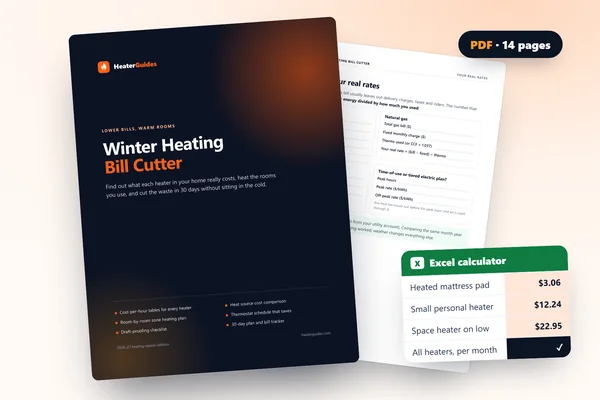 Winter Heating Bill CutterSee what every heater in your home really costs, heat the rooms you use, and cut the waste in 30 days.Cost-per-hour tables for every heaterThermostat schedule and draft-proofing planRunning-cost and bill calculator (Excel)