Smart Thermostat Adjustments to Slash Energy Bills – Expert Tips
On this page 7 sections
- But does changing a few degrees really save money?
- When should those adjustments kick in?
- What about geofencing and room sensors?
- The one adjustment most people ignore: fan and differential settings
- Comparing your options: three approaches to temperature control
- Five real questions people ask about smart thermostat adjustments
- Five actions you can take today to start slashing your bills
You know the feeling. That first winter bill arrives and you wonder if someone turned on a space heater in the attic. Or summer hits and the AC runs nonstop, turning your budget into a puddle. The usual advice is vague: ‘set it and forget it.’ But that doesn’t tell you what temperature to set or when. By the end of this article, you’ll know exactly which settings matter, how to schedule them, and one hardware upgrade that pays for itself inside a year.
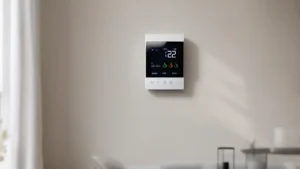
A device like the Check price on Amazon handles the heavy lifting automatically. It learns your schedule, adjusts when you’re gone, and claims savings up to 23% compared to keeping a steady 72°F. But even if you own a different model, the adjustments I’ll walk through apply to any smart thermostat. Let’s get into the numbers.
But does changing a few degrees really save money?
Short answer: yes. The Department of Energy says you save about 1% on your heating bill for every degree you lower the thermostat over an eight-hour period. In summer, it’s the same deal – raise the setpoint by a degree and your AC works less. A seven-degree setback overnight adds up to roughly 7% savings per day. Over a whole heating season, that’s serious cash.
Most people keep their home at 72°F year-round. That’s a waste. In winter, 68°F while you’re awake and 62°F while you sleep is perfectly comfortable with a sweater and a blanket. In summer, 78°F when you’re home and 85°F when you’re out keeps the humidity in check without running the compressor all day. A smart thermostat makes those changes automatic. That’s the first and biggest adjustment: use temperature setbacks that match your daily rhythm.
For a deeper dive on the mechanics, read how smart thermostats save energy – the physics is simpler than you think.
When should those adjustments kick in?
Timing is everything. You don’t want the house to cool down at 3 PM when you walk in the door at 5. And you don’t want the heat to crank up at 5 AM if you don’t get out of bed until 7. The best schedule is one that matches your actual hours in each zone of the house.
A typical winter schedule looks like this:
6:30 AM – wake up to 68°F
8:00 AM – away mode at 62°F
5:30 PM – home again at 68°F
10:30 PM – sleep at 62°F
For summer, flip it: 78°F when home, 85°F away, 80°F for sleep (a cooler bedroom helps you fall asleep, but a whole-house setback is fine). The key is to start the recovery before you arrive. Smart thermostats learn how long your system takes to heat or cool, so they start early enough to hit the target exactly on time.
If you’re still using a traditional programmable thermostat, you might want to compare the two approaches. Check out this breakdown of smart vs traditional thermostats to see why a wifi model wins on convenience.
What about geofencing and room sensors?
Geofencing uses your phone’s location to trigger away mode automatically. You leave the house, the thermostat drops back. You come home, it warms up. No manual scheduling needed. It’s a nice upgrade if your daily routine varies.
Room sensors are another level. A single thermostat in the hallway reads 72°F, but your bedroom might be 68°F and your sunroom 80°F. Smart thermostats can use multiple sensors to average the temperature across rooms or prioritize the rooms you’re actually in. Some models, like the ecobee, support this with optional sensors. The result? You stop heating or cooling empty rooms. That cuts waste without sacrificing comfort.
One thing to watch: geofencing can cause short cycling if your system is oversized. The thermostat might try to recover too fast. Most modern smart thermostats have a ‘smart recovery’ feature that avoids this. Check your settings – if you hear the system turn on and off more often than usual, lengthen the recovery time.
 Winter Heating Bill CutterSee what every heater in your home really costs, heat the rooms you use, and cut the waste in 30 days.Cost-per-hour tables for every heaterThermostat schedule and draft-proofing planRunning-cost and bill calculator (Excel)
The one adjustment most people ignore: fan and differential settings
Temperature isn’t the only knob you can turn. Two hidden settings make a big difference: fan runtime and cycle differential (sometimes called ‘cycle rate’).

Most thermostats run the fan only when the heat or AC is running. But running the fan for a few minutes each hour – even when the system is off – evens out room temperatures and circulates air. That can reduce the need for extra heating or cooling. Set the fan to run 10-15 minutes per hour in mild weather. In extreme weather, keep it auto.
The differential controls how far the temperature can drift before the system kicks in again. A narrow differential (say 0.5°F) makes the system cycle on and off constantly. That wastes energy and wears out equipment. A wider differential (1.5°F to 2°F) lets the system run longer but less often. Longer runs are more efficient. Your smart thermostat likely defaults to a reasonable differential, but check the advanced settings. If you see ‘cycle rate’ set to 3 cycles per hour, try 2. You’ll save money without noticing a temperature swing.
For more on how run times affect your bill, read about thermostat cycle duration.
Comparing your options: three approaches to temperature control
| Approach | Typical savings | Effort required | Best for |
|---|---|---|---|
| Manual adjustments | 5–10% if consistent | High – you have to remember | Someone home all day with good habits |
| Basic programmable thermostat | 10–15% | Medium – set once, but easy to override | Steady schedule, same hours daily |
| Smart thermostat (geofencing + sensors) | Up to 23% vs holding 72°F | Low – sets itself after learning | Varied schedule, multiple occupants |
The ecobee Smart Thermostat Essential falls into the third row. It includes Energy Star certification, a color touchscreen, free software upgrades, and the Power Extender Kit for homes without a C-wire. You can check compatibility on the ecobee website – it works with 85% of systems.
Five real questions people ask about smart thermostat adjustments
Will a smart thermostat work with my old HVAC system?
Most modern smart thermostats are compatible with standard gas furnaces, heat pumps, and central AC. The ecobee model works with 85% of systems. You’ll need to check online using the manufacturer’s compatibility checker. If your system uses line voltage (like baseboard electric heat) or is a very old millivolt system, it probably won’t work. Stick to low-voltage setups.
How much can I really save with a smart thermostat?
The savings depend on your old habits. If you previously held a constant 72°F, switching to a smart thermostat can save up to 23% on heating and cooling annually. That’s based on the ecobee’s comparison to a fixed hold. If you already used a programmable thermostat well, the gain is smaller – maybe 5-10%. The real benefit is consistency: the thermostat won’t forget to setback.
Do I need a C-wire to install a smart thermostat?
Many smart thermostats require a common wire (C-wire) for power. But the ecobee Smart Thermostat Essential solves this with an optional Power Extender Kit (PEK) sold separately. The kit installs at your furnace and uses existing wires to power the thermostat. No need to run new wiring. Check if your system has spare wires first.
Can I control the thermostat when I’m away from home?
Yes. Smart thermostats connect to your home wifi and pair with a mobile app. You can change the temperature, see energy usage, and adjust schedules from anywhere. The ecobee app also shows real-time energy consumption tracking, so you can see how your adjustments affect the bill.
Is it hard to install a smart thermostat myself?
Most installations are straightforward, especially if you have a C-wire. The ecobee includes clear instructions and a trim kit to cover old wall marks. If you’re handy with a screwdriver and can turn off power to your HVAC system, you can do it in under an hour. No special tools needed. If you don’t have a C-wire, the PEK adds maybe 20 minutes at the furnace.
Five actions you can take today to start slashing your bills
- Set your thermostat to 68°F in winter when awake, 62°F when asleep or away. In summer, target 78°F home, 85°F away.
- Schedule the temperature changes to start recovery 30 minutes before you wake or return home – let the smart thermostat learn the optimal start time.
- Enable geofencing if your thermostat supports it, so it automatically goes to away mode when everyone leaves.
- Increase the cycle differential to 1.5°F or 2°F to reduce short cycling, especially in spring and fall.
- Program the fan to run 10 minutes per hour during mild weather to balance temperatures without running the heat or AC.
- Check your system’s compatibility and consider upgrading to a smart thermostat like the ecobee Smart Thermostat Essential – check current price on Amazon to see if it fits your budget.
- Track your energy consumption weekly in the app. If you see a spike, adjust your schedule or differential – you’ll know what works because you can see the data.