How Smart Thermostats Cut Energy Bills by 20%+
On this page 6 sections
You get your monthly electric bill, stare at the number, and wonder how a house that feels lukewarm can cost that much. You fiddle with the old thermostat, set it back when you leave, but the savings never seem to stick. You’re not alone. Most people waste between 10 and 30 percent of their heating and cooling energy every year because their thermostat doesn’t adjust to how they actually live.
A smart thermostat changes that. It uses sensors, scheduling, and sometimes learning algorithms to match your HVAC runtime to your real occupancy and preferences. The result: typical savings of 20 to 23 percent on heating and cooling costs. That’s real money — hundreds of dollars a year for most homes. But the number isn’t automatic. It depends on your habits, your home, and how you set the thing up.
This article walks you through exactly how those savings happen, when they fall short, and what features actually move the needle. You’ll get specifics, not vague promises. And you’ll see why a model like the one below is a strong choice for most households.
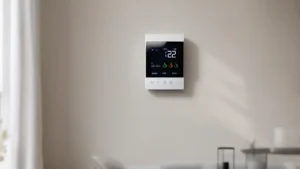
One model that delivers on that promise is the Check price on Amazon. It’s Energy Star certified and claims up to 23 percent annual savings compared to a hold of 72°F. It works with 85 percent of HVAC systems, including homes without a C-wire (with a separately sold Power Extender Kit). The color touchscreen and app make it easy to adjust, and free software upgrades keep it current for years.
How That 20%+ Number Actually Works
The Department of Energy says you can save up to 10 percent a year on heating and cooling just by turning your thermostat back 7 to 10 degrees Fahrenheit for 8 hours a day. That’s the baseline. Smart thermostats stack multiple layers on top of that to push savings past 20 percent.
First, they do setbacks automatically. You don’t have to remember to turn down the heat when you leave for work or go to bed. The thermostat knows your schedule or uses motion sensors to detect when the house is empty. Instead of a single 8-hour setback, you get two or three per day — overnight, during work hours, and sometimes during a midday errand. Doubling the setback hours roughly doubles the savings.
Second, they stop wasting energy on unoccupied rooms. A standard thermostat measures temperature in one spot. If your hallway is 68 but the bedrooms are 72 because the sun hit them, the furnace keeps running. Smart thermostats with remote sensors (like the ecobee offers) average out or prioritize occupied rooms. This alone can shave another 5 to 10 percent off your bill in a multi-story house.
Third, they optimize run cycles. A smart thermostat doesn’t just turn the system on and off based on temperature. It can delay a cycle during peak energy demand times, preheat or precool your home before you arrive, and adjust fan run times to spread conditioned air more evenly. All these micro-adjustments add up.
A real-world example: A homeowner in Ohio set their old thermostat to 70 during the day and 66 at night. They switched to a smart thermostat with geofencing — system went to 62 when the house was empty (9 hours a day) and back to 68 when they got home. Their heating bill dropped 24 percent that winter. The only change was the thermostat.
When You Actually Get 20% vs When You Don’t
The 20 percent number gets thrown around a lot, but it’s not universal. Let’s talk about the conditions where it holds up.
You’ll see the biggest savings if you leave the house for work or school at least 6 to 8 hours a day. That’s the classic commuting schedule. If you’re home all day — remote worker, retired, stay-at-home parent — your savings will be lower. The thermostat can still save you 5 to 10 percent by setting back overnight and managing efficient cycles, but the big daytime setback is gone.
You’ll also see bigger savings in extreme climates. In a mild coastal area where you run the AC only a few weeks a year, the absolute dollar savings might be small, even if the percentage looks good. In the Midwest or Northeast where you heat for six months and cool for three, that 20 percent translates to serious money.
Your HVAC system age matters. An old, inefficient furnace or AC doesn’t respond as well to setbacks because it takes longer to recover. You might still save money, but the payback period stretches out. A smart thermostat works best with systems that are reasonably efficient already — think SEER 13 or higher for AC, 80% AFUE or higher for furnaces.
And then there’s the human factor. If you override the thermostat constantly — keep hitting “hold” at your preferred temperature — you gut the savings. Smart thermostats give you data, but they can’t force you to use it. The people who save the most are the ones who let the schedule run and use the app to review their energy reports each month.
If you want a deeper comparison of how smart thermostats stack up against old-school models, check out this guide on smart thermostats vs traditional.
The Smart Thermostat Features That Matter Most
Not all smart thermostats are built the same. Some rely on learning algorithms, others on rigid schedules, and a few use room sensors to give you zone-like control. Here’s a breakdown of three common approaches, with a table to compare them directly.
| Method | How It Saves Energy | Best For | Potential Drawbacks |
|---|---|---|---|
| Basic Schedule (e.g., ecobee) | Programmable setbacks and geofencing; you set the times | People with predictable daily routines | Takes a few minutes to set up; no auto-learning |
| Learning (e.g., Nest) | Observes your habits over a week, builds a schedule automatically | People who want “set it and forget it” | Can be slow to adapt to schedule changes; may not fit chaotic lives |
| Zone-like with sensors | Remote sensors prioritize occupied rooms; skips energy waste in empty spaces | Multi-story homes, homes with uneven temperatures | Extra sensors cost money; need batteries or wiring |
The ecobee Smart Thermostat Essential uses the schedule-plus-sensors approach. You program your weekday and weekend times, then let motion sensors and geofencing handle the rest. It’s predictable and transparent — you know exactly when the temperature will change. That’s a big advantage if you don’t want the thermostat making decisions you don’t understand.
For a detailed look at the energy-saving mechanisms behind these devices, read how smart thermostats save energy.
 Winter Heating Bill CutterSee what every heater in your home really costs, heat the rooms you use, and cut the waste in 30 days.Cost-per-hour tables for every heaterThermostat schedule and draft-proofing planRunning-cost and bill calculator (Excel)
Setting Up Your Smart Thermostat for Maximum Savings
Getting the hardware installed is step one. You also need to configure it right. Here are the three biggest levers you can pull.
Stop using the hold function. The biggest mistake people make is finding a comfortable temperature and pressing hold. That turns your smart thermostat into a dumb thermostat. Let the schedule run. If you need to adjust temporarily, use the “temporary override” option — it automatically reverts at the next scheduled change.
Set aggressive but safe setbacks. In winter, 62°F while you’re away or asleep is fine for most homes. 60°F works too, but watch for freezing pipes in very cold climates. In summer, 78°F during the day and 82°F when you’re out is a good starting point. Don’t go so far that the system struggles to recover — a 10-degree setback is the sweet spot.
Use the energy reports. Most smart thermostats give you a monthly breakdown of runtime, outside temperature, and estimated savings. The ecobee app shows this clearly. If you see a spike in runtime, check your schedule or look for a window or door that’s leaking air. The report becomes a diagnostic tool.
If you need help with wiring or C-wire issues, check the how to install smart thermostats guide. The ecobee works with a Power Extender Kit (sold separately) for homes without a C-wire — that’s a common setup that takes about 20 minutes to install.
Frequently Asked Questions
Will a smart thermostat save me money if I’m home all day?
Yes, but less. You lose the daytime setback, so your savings come from overnight setbacks and better efficiency during runtime. Expect 5 to 10 percent instead of 20+. Still worth it, especially if you have a multi-story home where sensors can skip unoccupied rooms.
How long does it take for a smart thermostat to pay for itself?
Typically 1 to 2 years. If your heating and cooling bill averages $150 a month, a 20 percent savings saves $360 a year. Most smart thermostats cost between $100 and $250. Check current prices on Amazon for the exact model you’re considering.
Do I really need multiple sensors?
Only if your home has uneven temperatures — sun-facing rooms that get hot, basement rooms that stay cold. One thermostat in the hallway doesn’t know that. Adding a couple of sensors can knock another 5 percent off your bill. In a single-story open floor plan, one sensor is usually enough.
Can a smart thermostat work with my old HVAC system?
Most work with 85 percent of systems, including many older ones. The ecobee compatibility checker on their support page can tell you for sure. The main issues are lack of a C-wire (which the Power Extender Kit solves) or high-voltage systems (like baseboard electric heat). Most smart thermostats are designed for low-voltage forced air systems, heat pumps, and boilers.
Does the ecobee Smart Thermostat Essential work without a C-wire?
It can, but you’ll need the Power Extender Kit sold separately. That’s a small device that installs in your furnace control panel and uses the existing wires to provide power. Many homes built before 2026 lack a C-wire, so this is a common requirement.
Putting This Into Practice
- Pick a smart thermostat certified by Energy Star — the ecobee model cited here qualifies and shows up to 23% savings.
- Program at least two setbacks per day: one for sleep (e.g., 62°F in winter) and one for away hours (e.g., 60°F). Use geofencing to trigger the away setback automatically.
- Install remote sensors in problem rooms — bedrooms that get too hot or a basement office that stays cold. Average the data or prioritize occupied spaces.
- Review your monthly energy report. Look for rising runtime that doesn’t match weather — that’s a sign of an air leak or a failing system.
- Avoid the hold button like the plague. Use temporary overrides that expire automatically.
- If you have an old system, check compatibility first. The ecobee compatibility checker takes two minutes and saves you a return headache.
- Expect a payback period of 1 to 2 years. After that, those 20+ percent savings go straight into your pocket.