That orange horseshoe-shaped light with an exclamation point pops up on your dash. Low tire pressure. You fill the tires, but the light stays on. Or maybe you just got new tires and the sensors need to be recognized by your car.
This is where TPMS programming reset options come into play. You need to understand how to sync your sensors to your vehicle. Doing it right means no more annoying warning lights and properly inflated tires for better gas mileage.
This guide walks through TPMS reset methods. You will learn the difference between a simple relearn and full sensor programming. We look at the tools that work and the ones that waste your time. By the end, you will know exactly what to do the next time that light refuses to turn off.
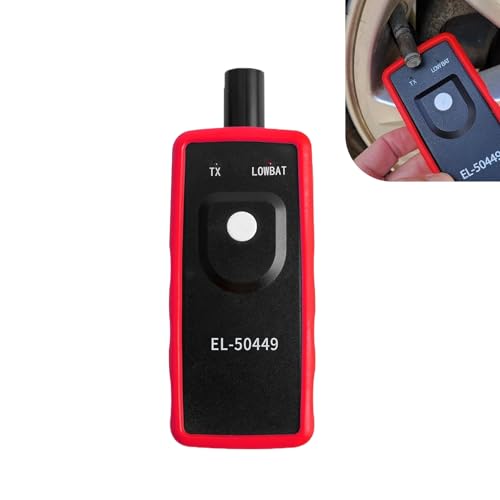
For GM owners, the process is straightforward with the right gear. The VXDAS TPMS Relearn Tool is built specifically for 2026-2026 Chevy, Buick, GMC, Opel, and Cadillac vehicles. It is a dedicated device that triggers the sensors one at a time, saving a trip to the dealership. You can check the current price and compatibility for your specific model on Amazon.
What Does ‘Programming Reset Options’ Mean for TPMS?

Let’s clear up the jargon first. Resetting (or Relearning) is what you do when the sensors are already installed. You put the car into Learn Mode, then trigger each sensor in order — left front, right front, right rear, left rear. The car’s computer learns the ID of each sensor.
Programming is something else. That is when you copy the sensor ID from an old sensor to a new one, or program a blank sensor to work with a specific car. This usually requires a separate tool or a trip to a tire shop.
This guide focuses on resetting (relearn). Most DIYers need to know how to do this after a tire rotation or a sensor replacement. For a broader look at how these concepts apply elsewhere, check out this Programming Guide for a different kind of system.
Why bother? Proper tire pressure gives you better gas mileage, safer handling, and longer tire life. The TPMS is a safety system, not a suggestion.
The Three Main Paths for Resetting Your TPMS
You have options. Let’s compare them honestly. Each path has clear trade-offs.
Method 1: The Factory Menu (Magnet or Dash Sequence)
Some cars let you trigger a relearn using a magnet held over the valve stem. Others use the steering wheel buttons to navigate a menu. It is free.
The downside? It is slow. You might spend 10-15 minutes holding a magnet in place or clicking through menus. One mistake and you start over. Newer GM models have Reset Programming Settings buried deep in the infotainment screen.
Method 2: Universal TPMS Tools (Autel, Bartec)
These are the big tablets you see at tire shops. They read sensor IDs, trigger sensors, and can program new sensors. They are powerful.
The downside? They cost $200 to $600. That is overkill if you own just one or two cars. The menus are complicated. You have to select the make, model, and year before you can trigger a sensor.
Method 3: Dedicated Vehicle-Specific Tools
This is the sweet spot for most owners. A tool like the VXDAS OEC-T5 does one thing well. It triggers GM sensors for a relearn. It is small, lives in your glove box, and takes 1-2 minutes.
It does not program new sensors. It just triggers the relearn process. This is exactly what you need 90% of the time. No menus. No scrolling. Just a button press.
| Method | Cost | Speed | Ease of Use | Best For |
|---|---|---|---|---|
| Factory Menu / Magnet | Free | Slow (10-15 min) | Frustrating | One-time use, patient owners |
| Universal Tablet Tool | $200 – $600+ | Fast (2-5 min) | Complex menus | Tire shops, fleet managers |
| Dedicated Tool (VXDAS OEC-T5) | Low (check Amazon) | Fast (1-2 min) | Very simple | GM owners, DIY home mechanics |