Smart Thermostat Programming for Summer Energy Savings
On this page 6 sections
It’s July, and your air conditioner runs almost nonstop. You keep the thermostat at 74°F, but the electric bill keeps climbing. You wonder if there’s a better way — something smarter than just setting a temperature and hoping for the best.
There is. Smart thermostat programming for summer energy savings isn’t about picking a magic number. It’s about matching your cooling to when you actually need it, and using your thermostat’s features to handle the rest. By the end of this article, you’ll know how to build a summer schedule that saves real money, how humidity plays a bigger role than you think, and what to look for in a thermostat that makes it all easy.
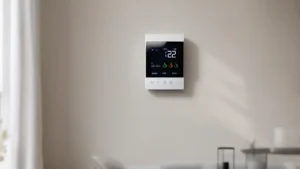
Let’s start with the hardware that can pull this off. A good option is the ecobee Smart Thermostat Essential (ASIN: B0DT9MC2Z9). It’s Energy Star Certified, works with 85% of systems, and promises savings up to 23% on heating and cooling costs compared to holding a steady 72°F. You control it through a color touchscreen or the app, and it learns your schedule automatically. If your home lacks a C-wire, you can buy the Power Extender Kit separately — the thermostat itself handles most installations.
How Temperature Setbacks Actually Save Power
Your AC works hardest when it has to fight a big temperature difference. The bigger the gap between inside and outside, the more energy it consumes. That’s where setbacks come in — letting the house warm up when you’re not home, then cooling it back down before you return.
The U.S. Department of Energy recommends a setback of 7°F to 10°F for eight hours a day. For summer, that means setting the thermostat to 78°F or 80°F while you’re at work, then programming it to drop to 74°F about 30 minutes before you walk in the door. Studies show this can cut annual cooling costs by 5% to 15%. The exact number depends on your climate, home insulation, and AC efficiency.
One common fear is that the AC will “work harder” to recover from a big setback, negating the savings. That’s a myth — it’s like worrying that driving slower to save gas will make the engine work harder the next time you accelerate. Heat gain through your walls and windows happens at a constant rate, so keeping the house cooler all day lets in more heat slowly. The recovery period is short, and the total runtime is lower overall.
A smart thermostat makes this easy because it tracks how long your house takes to recover. The ecobee, for example, learns that and adjusts the start time so you arrive to a comfortable home without over-cooling.
Building a Summer Schedule That Actually Works
A schedule is only useful if it matches your real life. Here’s a sample schedule for a typical workday:
- 6:00 AM – 8:00 AM (Wake up) — 74°F. You’re home, getting ready.
- 8:00 AM – 5:00 PM (Away) — 80°F. No one is there.
- 5:00 PM – 10:00 PM (Home) — 74°F. Cool down before you arrive and stay comfortable through the evening.
- 10:00 PM – 6:00 AM (Sleep) — 72°F. Many people sleep better in cooler rooms, but raising it a couple degrees still saves energy compared to keeping 74°F all night.
That’s a basic manual schedule. But smart thermostats like the ecobee add two powerful features: occupancy sensing and geofencing. The built-in motion sensors detect when a room is empty and trigger an automatic setback, even if your scheduled away time hasn’t started yet. Geofencing uses your phone’s location — when you leave a certain radius, the thermostat switches to away mode. When you cross back, it starts cooling.
These features save extra energy because they handle the unpredictable: a late meeting, a Saturday trip to the store, or a day working from home. Without them, you’d have to remember to override the schedule manually, and most people don’t.
If you’re wondering how to set up these schedules on your specific thermostat, check out programming tips for smart thermostats that walk through the steps for several brands.
Beyond Temperature: Humidity, Fan Settings, and Smart Integration

Temperature tells only part of the story. Humidity makes the air feel warmer than it is. At 80°F with 60% humidity, you’ll feel sticky and uncomfortable. At 80°F with 40% humidity, it’s tolerable. Your AC dehumidifies as it runs, but it’s not very efficient at it — especially if you set the fan to ON continuously instead of AUTO.
Here’s the rule: Run the fan on AUTO during summer. When the fan runs constantly, the moisture that condensed on the evaporator coils gets blown back into the house. The room cools but stays damp. On AUTO, the fan shuts off after each cooling cycle, allowing the condensation to drain away. Some smart thermostats let you program a minimum fan runtime per hour (like 10 minutes per hour) to circulate air without ruining dehumidification — a decent compromise if you need air movement.
Smart thermostats with humidity sensors, like the ecobee, can trigger cooling based on humidity, not just temperature. You can set a maximum indoor humidity level — say 55% — and the thermostat will run the AC to pull moisture out even if the temperature hasn’t reached your setpoint yet. This is especially useful in humid climates like the Southeast or Gulf Coast.
Integration with other smart devices also helps. A ceiling fan, when paired with a smart switch, can turn on automatically when the room is occupied. Window shades can close during peak sun hours to reduce solar heat gain. These small actions compound with your thermostat programming to lower the cooling load further.
For a deeper look at how these technologies work together, read about smart technologies for HVAC energy savings.
 Winter Heating Bill CutterSee what every heater in your home really costs, heat the rooms you use, and cut the waste in 30 days.Cost-per-hour tables for every heaterThermostat schedule and draft-proofing planRunning-cost and bill calculator (Excel)
Comparing Scheduling Methods for Summer Savings
Here’s a table that breaks down the main approaches to thermostat scheduling, so you can pick what fits your situation.
| Method | Estimated Savings | Setup Effort | Best For |
|---|---|---|---|
| Manual programming (fixed schedule) | 5-10% | Low | People with consistent daily routines |
| Smart scheduling + occupancy sensors | 10-18% | Medium | Households with variable occupancy |
| Geofencing (phone location) | 8-15% | Medium | People who carry their phone everywhere |
| Learning thermostat (e.g., ecobee’s smart features) | 10-23% | Low after initial setup | Anyone wanting minimal manual effort |
The ecobee Smart Thermostat Essential offers both occupancy sensing and geofencing, and its learning algorithms adapt to your pattern over a week or two. That puts it in the 10-23% savings range when used properly.
Frequently Asked Questions
Should I set my thermostat to one temperature and never touch it?
No. A fixed temperature runs the AC same amount regardless of whether you’re home. The whole point of programming is to reduce runtime when cooling isn’t needed. Even a simple two-period schedule (home/away) saves money compared to holding a constant temperature.
Does raising the temperature at night really save energy if I need it cool to sleep?
It can. Many people sleep best between 65°F and 68°F, but that’s very cold for a house in summer. A good compromise is 72°F with a ceiling fan. The fan’s moving air makes you feel about 4°F cooler, so 72°F feels like 68°F. Running the fan costs pennies per hour compared to the AC.
How often should I change my air filter during summer?
Every 30 days in peak cooling season, minimum. A dirty filter forces your AC to work harder, lowers dehumidification, and can cause the system to freeze up. A clean filter is the single cheapest way to improve efficiency.
Will a smart thermostat work with my old HVAC system?
Most will, but compatibility depends on the number of wires and the system type (heat pump, gas furnace, electric only). The ecobee works with 85% of systems. If you’re unsure, check the compatibility list on the brand’s support page. You can also find more guidance on smart thermostats vs traditional thermostats for energy efficiency to see what you need to know before buying.
Do I need a C-wire for a smart thermostat?
Not always. The ecobee includes a Power Extender Kit (sold separately) that works without a C-wire. Many older homes lack a C-wire, so this is a common hurdle. The PEK installs at the furnace and provides power over the existing wires. It’s not complicated, but does require a little electrical comfort.
What to Do Starting Tomorrow
You don’t need to overhaul your entire home. A few direct steps will cut your summer cooling bill noticeably:
- Set your thermostat to at least 78°F when you’re away for more than four hours. Each degree below 78°F adds about 6-8% to your cooling costs.
- Use the AUTO fan setting during summer to preserve dehumidification.
- Replace your HVAC filter every 30 days during peak season.
- Install a smart thermostat that learns your schedule and uses occupancy sensing or geofencing. The ecobee Smart Thermostat Essential is a strong pick — check the current price on Amazon to see if it fits your budget.
- Pair your thermostat with a smart ceiling fan or automated blinds if possible. The combination amplifies savings.
- Run the AC at night at 72°F, but use a fan to make it comfortable at a lower setting.
- Monitor your energy usage through the thermostat’s app for a few weeks. The data will show you where you can tighten your schedule further.