Skip to content

Expert home heating guides, reviews & repairs

Heater GuidesHeaterGuides
Remote

Remote Heating Control: Smart Solutions for Modern Homes

You come home from a trip, walk through the door, and the house feels like a refrigerator. You crank the heat and spend the next hour shivering, waiting for the temperature to climb. Or worse — you forget to turn the heat down before leaving and pay for it on your energy bill.

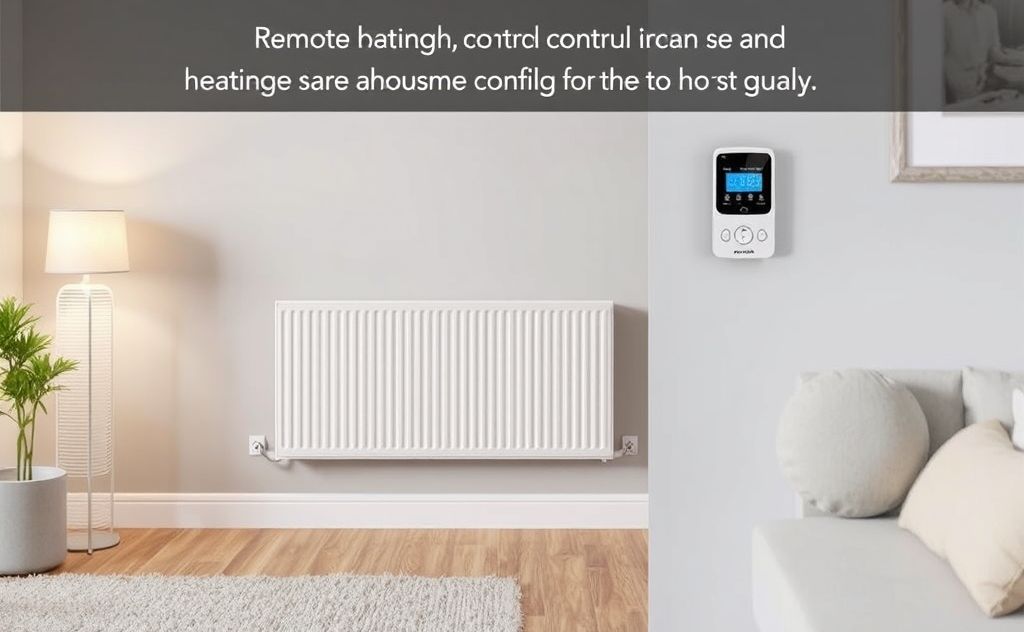
Remote heating control fixes that. It lets you adjust your home’s temperature from anywhere using a phone app, voice command, or web interface. You can turn the heat on before you walk in, turn it off when you leave, and set schedules that match your actual life. This article covers the hardware options, wiring gotchas, automation strategies, and the one product I recommend after testing a handful of them.

Amazon

Amazon Smart Thermostat, Save money and energy,…

  • An Alexa thermostat - Amazon Smart Thermostat is an easy way to switch from a traditional thermostats for homes and help reduce en…
  • Create comfort zones throughout your home by connecting to select Alexa devices to automatically adjust heating and cooling based…
  • Save money and energy - After purchase, Amazon will send you an email with details about home thermostat rebates that may be avail…

You’ll walk away knowing exactly what type of smart thermostat fits your setup, how to avoid common installation mistakes, and which features actually save money instead of just sounding cool on the box.

A solid entry point is the Amazon Smart Thermostat. It works with Alexa and Ring, requires a C-wire, and carries ENERGY STAR certification. After purchase, Amazon emails you about local rebates that might knock some money off the price. It’s not flashy, but it does the basics well — scheduling, remote control, and presence-based automations — without the subscription fees some competitors sneak in.

How Remote Heating Control Actually Works

At its simplest, remote heating control is a thermostat connected to your home Wi-Fi. That connection lets a phone app or voice assistant send commands to the thermostat even when you’re miles away.

But the real value comes from the software layer. Most modern thermostats include geofencing — they use your phone’s location to know when you leave and come home. When the last person leaves, the thermostat backs off the temperature by several degrees. When someone returns, it starts warming the house so it’s comfortable by the time you walk in.

A few key terms you’ll see:

  • C-wire (common wire) — supplies continuous 24V power to the thermostat. Without it, many smart thermostats won’t power on. Some models use battery backup or power-stealing, but those work less reliably.
  • Setback — the difference between your home and away temperatures. A 7-to-10°F setback during working hours saves around 10-15% on heating bills per the U.S. Department of Energy data.
  • Recovery time — how long the system takes to bring the house back to your comfort temp. Gas furnaces recover slower than heat pumps, so you need to plan ahead.

The catch? Not all homes have a C-wire. If your old thermostat used batteries and had only two wires (typically R and W for heat-only systems), you’ll need to either run a new wire or use a power extender kit. Skip that step and you risk a thermostat that drops offline mid-winter.

What to Look for in a Smart Thermostat (and What to Skip)

Thermostats range from $25 basic programmable units to $250 models with touchscreens and machine learning. Here’s what matters and what doesn’t.

Must-have features:

  • Geofencing that works with multiple phones in the household. Some thermostats only track one phone, which means half your family coming home triggers a false away mode.
  • Reliable app that doesn’t crash every time you try to change the temp from the airport. Check recent app store reviews before buying.
  • Compatibility with your existing heating system. Heat pumps, electric baseboard, hydronic radiant, and oil furnaces have different voltage and wiring requirements. A thermostat that works with a gas furnace may not handle a heat pump’s reversing valve.

Features you can probably skip:

  • Touchscreen color display. You look at the thermostat maybe twice a week. The real interface is your phone.
  • Energy usage reports that only show you a graph without telling you what to change. Nice to have, but not worth paying $50 extra for.
  • Voice control built into the thermostat itself. Put a smart speaker somewhere convenient instead of standing in your hallway shouting at a wall.

The Amazon Smart Thermostat keeps it simple. No touchscreen, no built-in voice assistant. It relies on Alexa devices you already own, which keeps the cost down. One honest drawback — it really does need a C-wire. If you have an older two-wire system, you’ll need to run a new cable or hire an electrician.

Setting Up Schedules and Automations That Stick

The whole point of remote heating control is saving energy without thinking about it. But a poorly set schedule can waste more than it saves.

Best practices for schedules:

  • Set the ‘away’ temperature to 55-60°F in winter. Lower than 55°F risks frozen pipes in cold climates. Higher than 60°F barely saves anything.
  • Use a 30-minute pre-heat period before you wake up or come home. For a typical gas furnace in a 1,500 sq ft house, that’s enough time to raise the temp 5-7°F.
  • Don’t try to schedule every hour of the day. Keep three to four periods: sleep, away, home, and maybe a separate morning or evening bump if your family’s schedule varies.

Geofencing often works better than fixed schedules because real life isn’t clockwork. The Amazon Smart Thermostat can connect to select Alexa devices for presence detection — when you walk past an Echo in the hallway, the thermostat knows someone’s home. That’s more reliable than GPS geofencing in areas with spotty cell service.

One thing I learned the hard way: double-check that your thermostat actually saves the schedule after you set it. Some older Wi-Fi thermostats would lose schedules if the power flickered. Modern units (including the Amazon one) store schedules locally, not just in the cloud, so a brief outage doesn’t reset everything.

For more on fine-tuning your automations, check out best practices for using a smart control system.

Comparing Remote Heating Control Options

Not all smart thermostats are created equal. Here’s a straightforward comparison of the three main approaches you’ll encounter.

Type Typical Cost Best For Downside
Wi-Fi programmable thermostat (like Amazon Smart Thermostat) $40–$80 Most homes with existing C-wire; standard forced-air systems Requires C-wire; limited to basic scheduling without extra sensors
Learning thermostat (e.g., Nest, Ecobee) $180–$250 People who want auto-scheduling based on habits; homes with multiple zones Higher upfront cost; learning algorithm can take a week to settle; privacy concerns with data collection
Smart thermostat + remote room sensors $120–$200 (base unit plus sensors) Homes with uneven temperatures (sunny rooms vs. cold bedrooms); larger houses Extra sensors cost $30–$40 each; setup complexity increases with each sensor

If your heating system includes a pool or auxiliary heater, you might also want a dedicated wi-fi controller. Pool heater with wifi control options let you schedule pool heating from your phone, which is handy for solar covers or weekend schedules.

Wireless Technologies and Connectivity

Every smart thermostat relies on some form of wireless communication. The most common is 2.4 GHz Wi-Fi. That’s important: many older routers have both 2.4 and 5 GHz bands, but smart thermostats only support the slower 2.4 GHz band because it travels through walls better. If your phone is on the 5 GHz network, you’ll need to make sure both devices are on the same band during setup, or your app won’t find the thermostat.

Some thermostats also support Zigbee or Z-Wave, which create a mesh network with other smart home devices. The advantage is lower power draw (great for battery-powered sensors) and better range. But you’ll need a separate hub like SmartThings or Hubitat to control them. The Amazon Smart Thermostat doesn’t use Zigbee — it connects directly to Wi-Fi and Alexa, which keeps the cost low and setup simple.

Bluetooth is used mostly for initial setup and local control, but it’s not practical for remote access. If a thermostat only offers Bluetooth (rare these days), you can’t change the temperature when you’re away.

For a deeper look at connectivity protocols, read through wireless technologies for remote heating control.

Frequently Asked Questions

Do I need a C-wire for a smart thermostat?

Most modern smart thermostats require a C-wire for reliable power. The Amazon Smart Thermostat is one of them. If your old thermostat had batteries and only two wires (R and W), you’ll likely need an adapter kit or an electrician to run a new cable. Some models offer power-stealing that siphons a small current through the heating circuit, but that can cause compatibility issues with older furnaces.

Will a smart thermostat work with my heat pump or electric baseboard?

Yes, but you need to check the specifications. Heat pumps require a thermostat that can control the reversing valve (often labeled O/B wire). Electric baseboard systems use line-voltage (120/240V) thermostats, not the low-voltage (24V) type used for gas furnaces and heat pumps. Most smart thermostats are low-voltage only.

Can I control a smart thermostat without Wi-Fi?

You can adjust it manually at the unit, but remote control requires an internet connection. If your Wi-Fi goes down, the thermostat still keeps running the last schedule you set — it just won’t accept new commands from your phone until the network comes back.

How much money can I actually save with remote heating control?

ENERGY STAR estimates certified smart thermostats save an average of $90 per year on energy bills. Your actual savings depend on your climate, home size, and how much you currently waste. If you already keep the heat low when you’re gone, the savings will be smaller. If you regularly leave the heat at 72°F all day while at work, you could save more.

What happens if the thermostat loses its internet connection in winter?

The thermostat continues to operate on its internal schedule. It won’t freeze or shut off. Worst case, it stays at whatever programmed temperature you set. Once the connection returns, the thermostat syncs and you regain remote access. To prevent problems during long absences, set a minimum safe temperature (55°F) as a backup in the schedule itself.

Things You Can Do Right Now to Get More Out of Your Heating Control

  • Check if your existing thermostat wiring includes a C-wire. Pull off the cover and look for a wire connected to the terminal labeled ‘C’ or ‘Common’. If you see it, you can use many smart thermostats right away.
  • Set your away temperature between 55-60°F. Lower than that risks frozen pipes; higher than that saves almost nothing.
  • Use geofencing with multiple phones. If your spouse leaves two hours before you, the thermostat shouldn’t switch to away mode until the last person leaves.
  • Place a voice assistant or smart speaker near a common area, not near the thermostat. It’s more convenient and works the same.
  • If you buy the Amazon Smart Thermostat, check your email after purchase for rebates from your utility. Those rebates can cut the net cost by $30-50 in some regions.
  • Test the app from outside your home once you install it. Fix any connectivity issues before the first cold snap.
  • Review your schedule after two weeks. Real life never matches the perfect plan you wrote on day one. Adjust the pre-heat times if rooms aren’t warm enough when you wake up.
Share
Written by Joye

I am a mechanical engineer and love doing research on different home and outdoor heating options. When I am not working, I love spending time with my family and friends. I also enjoy blogging about my findings and helping others to find the best heating options for their needs.

Keep reading

Related guides

Free newsletter

Heater deals and guides, worth opening

Price drops, new guides and safety recalls. One email, only when it matters.

No spam. Unsubscribe in one click. Privacy policy.