Skip to content

Expert home heating guides, reviews & repairs

Heater GuidesHeaterGuides
Remote

Smart Remote Heating Control: Ensure Full Compatibility

You buy a smart thermostat excited to control your home’s heat from your phone. You open the box, pull off the old unit, and stare at a tangle of wires that don’t match the instructions. That sinking feeling? It’s the most common mistake people make with remote heating control. They assume every thermostat fits every system.

This guide walks you through what compatibility actually means for Smart Remote Heating Control: Ensure Full Compatibility. You’ll learn which systems work, why the C-wire keeps tripping people up, and how to check your setup before spending money. No vague advice – just the facts and numbers you need to get it right the first time.

Sensi

Sensi Smart Thermostat, Wi-Fi, DIY, Alexa, Energy…

  • PRIVACY PROTECTION*: Sensi won’t sell your personal information to third parties
  • EASY DIY INSTALLATION: Use the built-in level and step-by-step app instructions for a quick installation. Works with HVAC equipmen…
  • SAVE ABOUT 23% ON HVAC ENERGY*: The ENERGY STAR-certified Sensi smart thermostat can help you save energy with features like flexi…

One device that makes this easier is the Sensi Smart Thermostat (ST55). It’s designed for DIY installation and works with most HVAC equipment without needing a C-wire in many cases. Its Energy Star certification can help you save about 23% on HVAC energy, and they won’t sell your personal data to third parties. Not a bad mix of practicality and privacy.

What ‘Compatibility’ Really Means for Remote Heating Control

Compatibility is not one checkbox. It’s three separate systems talking to each other: your heating/cooling equipment, the thermostat’s electrical requirements, and the wireless network in your home.

Heating systems come in a few flavors. Most homes in North America use a 24-volt low-voltage system – the small wires connected to a standard thermostat. These work with almost all smart thermostats, including the Sensi. But older homes, electric baseboard heaters, and some hydronic (radiator) systems use line-voltage (120V or 240V) controls. Those require a special line-voltage smart thermostat, and most of the popular Wi-Fi models won’t work.

Then there’s heat pumps. If you have a heat pump, you need a thermostat that supports O/B reversing valve control. Not all do. The Sensi supports heat pumps, but always double-check the spec sheet for your specific model.

Wireless matters too. Most smart thermostats run on 2.4 GHz Wi-Fi. If your router only broadcasts 5 GHz, or you have a mesh network that mixes bands, you might need to enable a separate 2.4 GHz network. Some thermostats (including the Sensi) also work with Alexa for voice control – useful if your hands are full of groceries.

A quick analogy: Think of the C-wire like a dedicated power cord for your thermostat. Without it, the thermostat has to sip power from other wires, like running a laptop off a USB port instead of a wall outlet. It can work, but it’s less reliable.

The Three Critical Checks Before You Buy

You can avoid compatibility headaches by running through three checks. Takes ten minutes.

Check 1: System type. Is it a gas furnace, electric air handler, heat pump, boiler, or something else? Look at the labels on your existing equipment. If you see ‘millivolt’ (common with gas fireplaces and some boilers), standard smart thermostats won’t work. You’ll need a millivolt-compatible model.

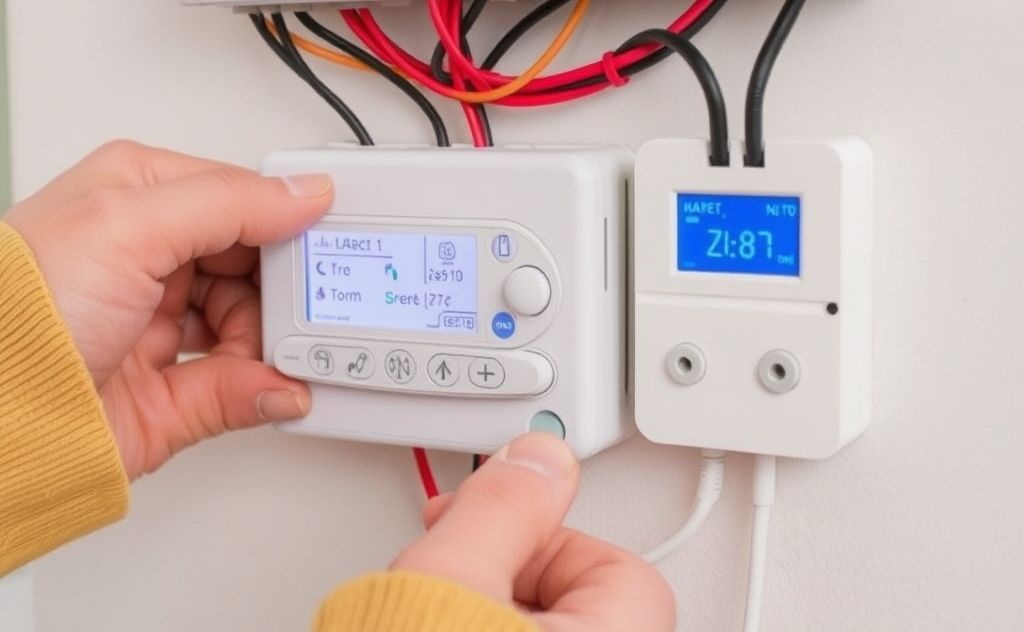
Check 2: Existing wiring. Remove your old thermostat faceplate. Count the wires and note their labels. R, W, G, Y, C – those are standard. If you have only two wires (typically R and W for heat-only systems), most smart thermostats won’t have power to run Wi-Fi. The Sensi can sometimes work without a C-wire, but it depends on your specific setup. If you have a heat pump, you’ll likely have more wires (O/B, E, etc.).

Check 3: Voltage. Use a multimeter if you have one. Measure between R and C (or R and G). If it’s around 24V AC, you’re good. If you see 120V or 240V, stop – you have line-voltage and need a different product.

System Type Voltage C-Wire Usually Needed? Typical Smart Thermostat Works?
Gas furnace (forced air) 24V Often no (Sensi works) Yes
Heat pump 24V Usually yes Yes, with O/B support
Electric baseboard 120V/240V N/A No – need line-voltage stat
Boiler / radiant (standard) 24V Often no Yes, if zone valves are 24V
Millivolt (gas fireplace) Millivolt No No – needs millivolt stat

Why C-Wire and Power Issues Trip Up Most DIY Installers

The C-wire (common wire) provides constant 24V power to the thermostat. Without it, the thermostat must steal tiny amounts of power when the heating or cooling cycles on and off. This ‘power stealing’ works in many cases, but it’s not foolproof.

I’ve seen setups where the thermostat loses Wi-Fi every few days because the battery couldn’t recharge enough. The Sensi reduces this problem – it’s designed to work without a C-wire in most applications, which is a genuine differentiator. But ‘most’ is not ‘all’. If you have a high-efficiency furnace that cycles frequently, or a heat pump that runs long periods, a C-wire is still safer.

If you don’t have a spare wire in the wall, you have options. Install a C-wire adapter (also called a power extender kit) at the furnace. That adds a wire without running new cable. Or use a plug-in transformer that goes near the thermostat – less elegant but works fine. For a full walkthrough, see our article on integrating remote control into older systems.

One more gotcha: if your system uses a heat pump, the defrost cycle can draw extra power and confuse a power-stealing thermostat. Always check the manufacturer’s compatibility chart for heat pump models.

Wireless Protocols and App Compatibility

Your thermostat talks to your phone over Wi-Fi, but it doesn’t connect directly. It connects to the manufacturer’s cloud service. That means you depends on their servers staying up and their app working on your phone’s OS version.

Stick with major brands like Sensi that have been around years and have reliable apps. The Sensi app lets you set schedules, view usage reports, and get maintenance reminders (like filter changes). It works with Alexa for voice commands, which is handy.

Privacy is another compatibility issue people forget. Some thermostat companies collect and sell your usage data. Sensi’s policy says they won’t sell your personal information to third parties. For more on protecting your information, read our guide on data privacy with smart thermostats.

A final note on wireless range: if your thermostat is in a basement or far from the router, Wi-Fi signal can be weak. Consider a Wi-Fi extender or a thermostat that uses Zigbee/Z-Wave if you already have a hub. But for most homes, 2.4 GHz Wi-Fi reaches just fine – the thermostat doesn’t need high bandwidth.

Frequently Asked Questions

Can I install a smart thermostat without a C-wire?

Yes, many modern thermostats (including the Sensi ST55) can operate without a C-wire in standard gas/electric systems. They use power-stealing technology that works with most single-stage systems. However, performance drops in systems with long cycle times or multiple stages. If you run into issues, add a C-wire adapter – it’s cheap and solves it permanently.

Does my heat pump need a special thermostat?

Not necessarily ‘special,’ but yes, it must support O/B reversing valve control. Look for a thermostat that lists compatibility with heat pumps and supports both cooling and heating modes with auxiliary heat staging. The Sensi works with heat pumps, but always confirm with your specific model number. If you have a two-stage heat pump, you’ll need a thermostat that handles at least two stages of heat and one of cool.

My old thermostat has only two wires. Is it hopeless for smart remote control?

Not hopeless, but it limits your options. A two-wire system typically means heat-only – the thermostat just closes a switch for the furnace. Most smart thermostats need a third wire (C) for power. You can try a model that claims C-wire not required, but results vary. A more reliable route: run a new thermostat wire with at least 5 conductors (cheap and doable with a fish tape) or use a plug-in transformer at the thermostat location. If you want remote control without wiring, consider a wireless relay system instead.

Can I use smart remote control with a boiler or radiant heating?

Yes, if the boiler uses 24V zone valves or a 24V control interface. Most modern boilers and radiant systems do. You connect the smart thermostat to the zone valve or relay. If your boiler uses line-voltage thermostats (120V), you’ll need a step-down transformer or a line-voltage smart thermostat – far fewer options exist. Check the voltage at your existing thermostats; if it’s 24V, you’re golden.

Do I need a separate hub for a Wi-Fi thermostat?

No. Wi-Fi thermostats connect directly to your home Wi-Fi router. You don’t need a Zigbee or Z-Wave hub. The only exception is if you choose a thermostat that uses those protocols on purpose (e.g., for whole-home automation). But for most people, the built-in Wi-Fi is all you need. Just make sure your router broadcasts a 2.4 GHz network – many newer ones do, but sometimes combined with 5 GHz under one SSID. If connection fails, split the bands temporarily during setup.

What to Do Before You Buy a Smart Thermostat

  • Identify your system type, voltage, and number of wires. Take a picture of the old wiring and labels.
  • Check if your system requires a C-wire. If it does, and you don’t have one, plan for an adapter or new wire run.
  • Verify the thermostat supports your heating/cooling stages and heat pump type (if applicable). Most product pages list this under specs.
  • Test your Wi-Fi signal strength at the thermostat location with a phone app. Weak signal = bad remote connection.
  • Look for Energy Star certification if you want guaranteed efficiency savings. The Sensi is certified and claims about 23% HVAC energy savings.
  • Read the privacy policy for any thermostat you consider. You want one that doesn’t sell your data – Sensi explicitly doesn’t.
  • Set a budget that includes any extra parts (C-wire adapter, mounting screws, wire labels). The Sensi usually includes everything you need, but double-check the box contents.
Share
Written by Joye

I am a mechanical engineer and love doing research on different home and outdoor heating options. When I am not working, I love spending time with my family and friends. I also enjoy blogging about my findings and helping others to find the best heating options for their needs.

Keep reading

Related guides

Free newsletter

Heater deals and guides, worth opening

Price drops, new guides and safety recalls. One email, only when it matters.

No spam. Unsubscribe in one click. Privacy policy.