Smart Thermostat Hacks to Slash Your Energy Bills
On this page 5 sections
You set the thermostat when you left for work this morning. The house was 68 degrees. But did the system actually run while nobody was home? Did it crank up the AC an hour before you walked back in, or did it wait until you walked through the door and then struggle to cool down a 78-degree house for 45 minutes? That lag costs money.
Most people install a smart thermostat, connect the app, and call it done. They save a little. But they leave a lot of savings on the table because they don’t tweak the settings that actually matter. Over the next few minutes I’ll walk you through the specific adjustments that turn a smart thermostat from a convenience gadget into a real bill-shrinking tool. You’ll get exact numbers, concrete conditions, and the trade-offs you need to know.
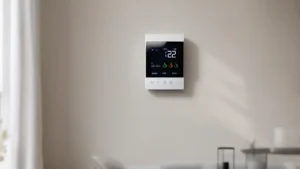
One device that handles this well is the ecobee Smart Thermostat Essential. It’s Energy Star certified and claims up to 23% savings on heating and cooling compared to a 72-degree hold. The color touchscreen and app give you control, and free software upgrades keep it useful for years. Check the current price on Amazon if you’re shopping.
The 4 Biggest Scheduling Mistakes That Waste Your Money
Your thermostat’s schedule is the single biggest lever for savings. Most people set it and forget it. That’s a mistake. Here are the four most common errors I see.
Mistake 1: Using the same temperature all day. If you keep your house at 70 degrees whether you’re there or not, you’re burning cash. The Department of Energy says you can save up to 10% a year by turning the thermostat back 7-10 degrees for 8 hours a day. So set it to 62 at night and when you’re away, then back to 68 when you’re awake and home. That small shift adds up fast.
Mistake 2: Not matching the schedule to your actual routine. If you work from home on Wednesdays but your thermostat still drops to 62, you’ll waste energy reheating later. Use the away/occupied modes manually, or better, let geofencing handle it (next section). The ecobee app lets you tweak each day individually. Don’t just copy Monday to Friday.
Mistake 3: Setting recovery too early. Recovery mode starts heating or cooling before you get home so the house reaches your target temp by the time you arrive. But many thermostats default to a 30-minute recovery. If your house loses heat fast, that might not be enough and you’ll come home to a cold house, then crank it up. Increase recovery to 60 or 90 minutes. The system runs longer but at a lower intensity, which uses less energy than a frantic full-power blast.
Mistake 4: Ignoring the hold button. If you’re home sick or on vacation, the hold function locks the temperature until you change it back. A temporary hold is fine. A permanent hold that overrides your schedule for days will cancel all your careful scheduling. Use the ‘vacation’ mode instead for trips longer than a day.
How to Set Geofencing Without Sacrificing Your Comfort
Geofencing uses your phone’s location to change the thermostat when you leave and return. It sounds perfect, but it has a few traps. Here’s how to get it right.
First, set your geofence radius to at least 500 feet. Too small and the thermostat will switch back and forth as you walk in and out of range. That short-cycles the system and wastes energy. Set it to a quarter-mile or more so the change happens once, confidently.
Second, decide on your away temperature. Don’t go extreme. If you set it to 55 in winter, the system will take hours to reheat, and you’ll be miserable when you walk in. Use a 5-7 degree setback from your normal home temp. For summer, set the away temperature to 80 instead of 78. You’ll still save, but recovery is manageable.
Third, use ‘smart recovery’ or ‘pre-conditioning’ if your thermostat has it. The ecobee Essential learns how long your system takes to heat or cool and starts the recovery early enough that you hit your target exactly when you arrive. This keeps you comfortable without the system running at full tilt.
One smart thermostat save energy study showed that households using geofencing with a proper 5-degree setback cut their HVAC energy use by about 8% compared to using a fixed schedule. The savings come from not heating or cooling an empty house.
Fan Settings and Cycle Length – The Hidden Controls

Most people never touch the fan or cycle settings. That’s a missed opportunity. Your thermostat can run the fan periodically even when the system isn’t heating or cooling. This circulates air and evens out temperature, but it also uses electricity. The fan on a typical furnace draws 300-500 watts. Running it for an extra hour a day adds about $10-15 to your yearly bill if you live in a moderate climate. Not huge, but avoidable if you don’t need it.
Set the fan to ‘auto’ unless you have a specific reason to run it constantly (like balancing a hot upstairs). Some smart thermostats let you set a minimum fan runtime per hour, say 10 minutes. That’s a good middle ground.
Cycle length matters too. Short cycles (less than 5 minutes) mean the system starts and stops repeatedly. Each start draws a surge of power, and the compressor wears faster. Modern smart thermostats vs traditional thermostats often include a ‘minimum cycle time’ setting. Set it to at least 5 minutes for cooling and 3 minutes for heating. The ecobee defaults to a reasonable cycle length, but you can fine-tune it in the installation settings. Longer cycles run at a more efficient part load and keep your house more comfortable.
Check your thermostat’s energy reports. Run them for a week. If you see your system cycling on and off every 3 minutes, you either have an oversized system or your thermostat’s cycle settings are too tight. Either way, fix it.
 Winter Heating Bill CutterSee what every heater in your home really costs, heat the rooms you use, and cut the waste in 30 days.Cost-per-hour tables for every heaterThermostat schedule and draft-proofing planRunning-cost and bill calculator (Excel)
Using Data Reports to Find Hidden Waste
Your smart thermostat collects a lot of data. Use it. The energy report shows how much your system ran each day, the outdoor temperature, and your indoor setpoint. Look for patterns. Did your system run 14 hours on Tuesday but only 8 on Wednesday? Check what changed. Did you leave a window open? Did the schedule hold fail? Dig into it.
One specific trick: compare your runtime per degree-day. A degree-day is the difference between the average outdoor temp and 65°F. If your system runs longer per degree-day than it did last month, something is off. Could be a dirty filter, a refrigerant leak, or a stuck damper. Catching that early saves you from a big repair bill later.
The ecobee app lets you view daily and monthly usage. I check mine once a quarter. Last fall I noticed my heat pump ran 30% more than the year before. Turned out the auxiliary heat strips were kicking on unnecessarily. I adjusted the compressor lockout temperature and saved about $60 that winter.
If your thermostat offers a ‘system monitor’ or ‘equipment status’ screen, look at it. It shows the run time of each stage. If your second stage is running constantly, your first stage is undersized or the thermostat is set too aggressively. Adjust the staging settings to use the first stage longer before calling for the second.
| Hack | Typical Savings | Best For | Caveat |
|---|---|---|---|
| 7-degree night setback | Up to 10% annually | Any home with central HVAC | Recovery takes time; pre-condition helps |
| Geofencing with 5-degree away temp | 8-10% vs fixed schedule | People with irregular hours | Phone battery; radius too small causes short cycles |
| Minimum cycle time (5 min cooling, 3 min heating) | 5-7% efficiency gain | Oversized systems or short-cycling issues | Can make home feel less responsive on mild days |
| Quarterly data report audit | Variable — often $30-60/year | Anyone who wants to catch equipment problems early | Requires checking regularly; some thermostats lack detailed reports |
Does setting the thermostat to a very low temperature cool the house faster?
No. The thermostat only controls whether the system runs. It does not speed up the cooling rate. Setting it to 60 when you want 70 just makes the system run longer than necessary. On a hot day, the AC runs at maximum capacity until the thermostat senses the target temperature. Lowering the setpoint beyond your comfort goal wastes energy. Set it to your desired temperature and wait.
How long does it take for a smart thermostat to pay for itself?
It depends on your energy costs and usage. If you save 15% on an annual heating and cooling bill of $1,200, that’s $180 per year. A thermostat that costs $150 would pay back in about 10 months. If you use the hacks above, you can push savings higher. Realistically, most people break even within a year. But if you ignore the scheduling and geofencing, you might only save 5% and the payback stretches to 18 months.
Can a smart thermostat work with my old HVAC system?
Most can, but you need to check. The ecobee Smart Thermostat Essential is compatible with about 85% of systems. They have an online compatibility checker. The main issue is the C-wire (common wire) that provides power. If you don’t have one, ecobee sells a Power Extender Kit that makes it work. Old two-wire heat-only systems (like some baseboard electric) generally won’t work. Check your existing thermostat wiring first. If you see four or more wires, you’re likely fine.
Does a smart thermostat actually learn my schedule?
Some do, some don’t. The ecobee Essential does not have a learning algorithm like some competitors. Instead you set your schedule manually or through the app. That is not a downside in my opinion – manual scheduling is more precise. The learning thermostats take weeks to adapt and sometimes get it wrong. You’ll get better results by spending 10 minutes setting up a proper schedule from day one. If you want a learning model, look at the higher-end ecobee models, but the Essential is fine if you don’t mind a small setup.
Will a smart thermostat work with a heat pump?
Yes, but watch the auxiliary heat settings. Heat pumps work best with a thermostat that manages staged heating and the backup electric strips. The ecobee handles this well. Make sure you set the compressor lockout temperature so the heat pump runs down to about 35°F before switching to electric heat. Many thermostats default to 40°F, which wastes money. Lower the lockout to 25°F if your climate is mild. Also set the balance point to ‘maximum efficiency’ not ‘maximum comfort’ – that uses less backup heat.
What to Do Tomorrow Morning
- Check your current schedule. Set a 7-degree setback for sleep and away hours. No exceptions.
- Turn on geofencing if your thermostat supports it. Set the radius to at least 500 feet and the away temperature to 5 degrees offset from home.
- Find the minimum cycle time setting. Set it to 5 minutes for cooling and 3 minutes for heating.
- Pull your energy report for the last month. Look for any day where runtime jumped more than 20% above normal. Investigate.
- If you have a heat pump, double-check the auxiliary heat lockout temperature. Increase it if you can.
- Set your fan to ‘auto’ unless you need it for circulation. If you do run it, limit it to 10 minutes per hour.
- Consider the ecobee Smart Thermostat Essential if your current thermostat lacks these features. Thermostat to reduce energy bills is easier when you have the right hardware and know how to configure it.