Smart Thermostats: The Future of Energy Efficiency
On this page 5 sections
You set the thermostat to 68 before leaving for work, but you’re gone ten hours. The house stays empty, the furnace runs all day. That’s money wasted.
Most people assume any smart thermostat fixes this automatically. The reality is less magical. A smart thermostat is a tool — you have to use it right to see real savings.
This article covers what actually works, what doesn’t, and why some common beliefs about smart thermostats are wrong. You’ll learn specific numbers, see a side-by-side comparison of energy-saving approaches, and get answers to questions most articles skip.
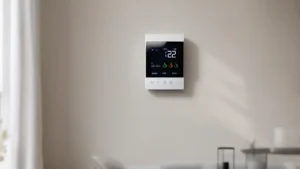
One solid option that covers the basics well is the ecobee Smart Thermostat Essential. It’s Energy Star certified, compatible with 85% of HVAC systems, and includes a power extender kit for homes without a C-wire. You control it from an app, set schedules, and track energy use. For most households, it’s a smart starting point.
Myth #1: A Smart Thermostat Saves Money the Second You Install It
Plug it in, tap a few buttons, and watch the savings roll in — that’s the fantasy. The truth is more nuanced. A smart thermostat left on the factory defaults acts just like an old programmable one with no schedule set. It holds whatever temperature you pick, and that’s not saving anything.
Real savings come from setting back the temperature when you’re away or asleep. The Department of Energy says a 7–10°F setback for 8 hours a day can cut heating costs by 10% annually. Some manufacturers, like ecobee, claim up to 23% savings compared to a constant 72°F hold. But you actually have to program the schedule or enable geofencing to get there.
Another common mistake: leaving the thermostat in “hold” mode. If you set it to 72 and press “hold,” the smart features are effectively disabled. You’ve turned a smart thermostat back into a dumb one. The key is to use the schedule or the geofencing feature so the system adjusts on its own.
For a deeper breakdown of how smart and traditional models compare, check out smart thermostats vs traditional for real usage tips.
Myth #2: You Can’t Use a Smart Thermostat Without a C-Wire
The C-wire, or common wire, supplies continuous power to the thermostat. Many homes built before 2026 don’t have one. That leads people to think they’re stuck with dumb thermostats forever. Not true.
Most modern smart thermostats include workarounds. The ecobee Smart Thermostat Essential ships with a Power Extender Kit (PEK) that installs near your furnace and lets you use the existing wiring. It adds a few minutes to setup but solves the C-wire problem for 24V systems. Other brands use power-stealing techniques, drawing small amounts of power when the system is idle.
That said, not every system is compatible. Heat pumps, millivolt heaters, and high-voltage electric baseboards often require specialized smart thermostats. Always run the manufacturer’s online compatibility checker before buying. It saves you a return trip.
For more on what’s coming in home climate control, read about HVAC technology trends and how smart thermostats fit in.
What Actually Drives Energy Savings — and What Doesn’t
Three main methods are used by today’s smart thermostats: manual scheduling, learning algorithms, and geofencing. Each has pros and cons. Some work better for certain lifestyles than others.
| Approach | Typical Savings | Setup Effort | Best For | Caveat |
|---|---|---|---|---|
| Manual Schedule | 10–20% | Low (set once) | Consistent routines | Forgets if you don’t update it |
| Learning Algorithm | 10–23% after 2 weeks | Medium (initial training) | Unpredictable patterns | Can be slow to adapt to changes |
| Geofencing | 5–15% | Medium (set home/away) | Irregular hours | Requires phone location always on; can trigger false away |
Manual scheduling is the most reliable. You pick times and temperatures once, and the thermostat follows the plan. It’s boring but effective. Learning algorithms claim to save more because they adapt to your habits, but in practice they can take a week or two to figure you out. During that time, savings are minimal.
Geofencing sounds clever — your phone’s location tells the thermostat when you leave and come back. The problem? If your phone battery dies or you forget to keep location on, the system never goes to away mode. And if you have pets, you probably don’t want the house to drop to 55°F when you step out for groceries.
My take: start with a manual schedule and only add learning or geofencing after you’ve seen consistent savings. It’s easier to add features than to fix a setup that doesn’t work.
 Winter Heating Bill CutterSee what every heater in your home really costs, heat the rooms you use, and cut the waste in 30 days.Cost-per-hour tables for every heaterThermostat schedule and draft-proofing planRunning-cost and bill calculator (Excel)
Frequently Asked Questions
Do smart thermostats work with heat pumps?
Yes, most modern smart thermostats support heat pumps, including those with auxiliary or emergency heat. Check the specifications for “heat pump” or “dual fuel” support. The ecobee Smart Thermostat Essential handles conventional heat pumps and includes settings for balance points.
Can I control my thermostat when I’m away?
Yes, that’s one of the main advantages. As long as your thermostat stays connected to Wi-Fi, you can adjust temperature, change schedules, and receive alerts from anywhere using the mobile app. No extra hub required.
Will a smart thermostat work without Wi-Fi?
It will still function as a basic programmable thermostat. You can set schedules directly on the touchscreen. But you lose remote control, energy reports, and auto-updates. For most people, internet connection is worth keeping.
How long does it take to pay for itself?
Typical payback is one to two years if you use the scheduling features consistently. That’s based on average U.S. energy costs and a 10–15% reduction in heating and cooling bills. The ecobee claims up to 23% savings compared to a constant 72°F hold, which could speed up that timeline. Check current energy prices for your area.
Does it work with baseboard or radiator heating?

Not directly. Most smart thermostats are designed for low-voltage 24V systems — gas furnaces, heat pumps, and central air. Baseboard heating often uses line-voltage (120V or 240V) thermostats. You’d need a specific line-voltage smart thermostat, which is a different product entirely. Always confirm your system voltage before buying.
What to Do Now
- Set a heating and cooling schedule from day one. Don’t rely on auto-features alone to save money.
- Use geofencing only if your schedule is predictable. It can waste energy if you come home early or leave unexpectedly.
- Check HVAC compatibility on the manufacturer’s website before buying. A power extender kit solves most C-wire issues, but not all systems.
- Consider a remote sensor if you have hot or cold rooms. Some thermostats, including the ecobee, support room sensors to balance temperatures.
- Look for Energy Star certification — it means the product has been tested for real-world efficiency.
- Factor in installation cost. DIY is easy for most, but you might need a C-wire adapter or trim kit, which can add $20–$40.