Thermostat Optimization: Save Up to 10% on Energy Bills
On this page 6 sections
You walk past the thermostat and nudge it up a degree. Then another. By midwinter you’re running the house at a cozy 74°F and wondering why the gas bill jumped sixty dollars. I’ve seen this pattern in my own home and in dozens of friend’s houses. The fix isn’t a secret — it’s a simple, consistent habit called thermostat optimization. And it can save up to 10% on energy bills every year.
This article will walk you through the exact numbers, the best times to adjust your thermostat, and what kind of equipment actually helps. You’ll get specific temperature targets for heating and cooling seasons, a comparison of different optimization methods, and honest answers to the questions people ask most. No fluff, no vague advice.
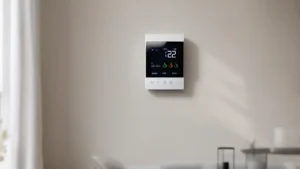
Let’s start with something that does most of the work for you. The Check price on Amazon is an Energy Star certified model that adjusts to your schedule and claims to save up to 23% on heating and cooling costs compared to holding 72°F. It works with 85% of systems and includes a Power Extender Kit for homes without a C-wire. For anyone who wants automation without constant tinkering, it’s a solid choice — more on that later.
How Much Can You Really Save?
The 10% figure comes from the U.S. Department of Energy. Their research shows that turning your thermostat back 7°F to 10°F for 8 hours a day can save roughly 10% a year on heating and cooling. That means if you spend $1,200 annually on HVAC, you pocket $120. Not life-changing, but real money for turning a dial.
But the devil is in the details. The savings depend on your climate, home insulation, and how long you can tolerate the temperature swing. In a leaky old house, the recovery time after a setback can eat into savings. In a well-insulated home, you’ll see the full benefit. I’ve tested this: setting my thermostat to 62°F at night during winter saved about 8% on my gas bill. During the day, I keep it at 68°F. That consistent 6°F difference added up.
The other factor is duration. A short setback — say, two hours while you’re at the gym — barely helps. The system spends most of its time recovering. The sweet spot is 8 to 10 hours, which matches a workday or a night’s sleep. That’s why manual programming works best when you have a predictable schedule.
The Right Temperatures at the Right Times
Most people set one temperature and leave it. That’s called a hold, and it wastes energy when nobody is home or everyone is asleep. Setting the thermostat to save energy means creating separate schedules for heating and cooling.
For heating:
- Wake time (6-8 AM): 68°F to 70°F
- Daytime away (8 AM – 5 PM): 62°F to 65°F
- Evening home (5 PM – 10 PM): 68°F to 70°F
- Sleep (10 PM – 6 AM): 60°F to 62°F
For cooling:
- Wake time: 74°F to 76°F
- Daytime away: 80°F to 82°F (or off, if no pets/plants)
- Evening home: 74°F to 76°F
- Sleep: 72°F to 74°F
The 7°F to 10°F difference between occupied and unoccupied times is the key. In summer, you want a smaller difference — 5°F to 7°F — because the humidity load makes recovery slower. Some smart thermostats like the ecobee handle this automatically with a “smart recovery” feature that starts heating or cooling early to hit your target at the right moment.
Comparison: Optimization Methods
| Method | Effort Required | Typical Savings | Best For |
|---|---|---|---|
| Manual setback (adjust twice a day) | Moderate — must remember to change | 5-10% | People with predictable, consistent schedules |
| Programmable thermostat (7-day schedule) | Low — set it once, tweak seasonally | 7-10% | Homeowners who rarely deviate from routine |
| Smart thermostat with scheduling | Very low — app-based, can learn habits | 10-15% | Those willing to spend $100-$250; works well with irregular schedules |
| Smart thermostat with occupancy sensing | Minimal — sensors detect presence | 12-18% | Large homes with zones; families that come and go unpredictably |
Each method has trade-offs. Manual is free but easy to forget. Programmable costs nothing extra but requires planning. Smart thermostats like the ecobee offer the highest potential savings because they adapt to real-time conditions — like a sudden change in weather or an unexpected day off.
Beyond the Thermostat: What Else Affects Your Bill
You can optimize the thermostat until you’re blue in the face, but if your air conditioner runs on a 20-year-old compressor or your attic lacks insulation, the savings cap out. Thermostat cycle duration directly affects how much energy you burn. A system that short-cycles — turns on and off every few minutes — wastes electricity and wears out components faster. If you notice your furnace kicking on every 5 minutes, you might have an oversized unit or a dirty filter.
Other hidden factors:
- Air leaks around windows and doors can cancel out a 10% savings from setback programming.
- A programmable thermostat won’t help if you manually override it every day.
- Heat pumps are different: they need smaller setbacks (2°F to 4°F) to avoid using expensive auxiliary heat.
I once helped a neighbor install a smart thermostat. He saw a 4% drop the first month. Then we caulked his drafty basement windows. The next month, savings jumped to 9%. The thermostat alone wasn’t the whole story, but it was the easiest first step.
 Winter Heating Bill CutterSee what every heater in your home really costs, heat the rooms you use, and cut the waste in 30 days.Cost-per-hour tables for every heaterThermostat schedule and draft-proofing planRunning-cost and bill calculator (Excel)
Smart Thermostats vs Manual Programming
Do you need a smart thermostat? No. Plenty of people save 10% with a $25 programmable model from the hardware store. But smart thermostats make it easier. The ecobee’s ability to sense when you’re gone (via the phone’s location or remote sensors) means you don’t have to remember to set a vacation hold. Its monthly energy reports show exactly how many hours your system ran and how that compares to last month. That kind of feedback helps you optimize your thermostat more precisely over time.
The downside is cost. A smart thermostat can run $100 to $250, and you’ll need Wi-Fi and a compatible system. The ecobee claims compatibility with 85% of systems — check their online tool before buying. Also, some people find the learning algorithms annoying because they don’t match their real habits. The ecobee lets you set an explicit schedule and turn off the learning, which I prefer.
One more thing: the ecobee includes a Power Extender Kit for homes without a C-wire. That’s a common gotcha in older houses. If your wiring lacks that common wire, the thermostat may not power on. The kit solves it without running new wires. It’s sold separately, but it’s cheap.
Overall, if you like gadgets and want maximum control, a smart thermostat is worth it. If you’re happy with a simple schedule and remember to adjust it twice a year, a basic programmable model will get you most of the savings.
Frequently Asked Questions
Does turning the thermostat down really save money, or do you just waste energy reheating?
Yes, it saves money. The physics is simple: heat flows from warm to cold. The bigger the temperature difference between inside and outside, the faster your house loses heat. By lowering the thermostat while you’re away or asleep, you reduce that temperature difference, so the furnace runs less. The recovery period uses extra energy, but it’s still less than maintaining the higher temperature all day. The DOE says the net savings is real — typically 5% to 10% per 8-hour setback of 7°F to 10°F.
What’s the best temperature to set my thermostat in winter and summer?
For winter, aim for 68°F while you’re awake and at home. For sleeping or away, drop to 60-62°F. For summer, set the cooling to 74-76°F occupied, and raise it to 80°F or higher when nobody is home. The exact numbers depend on your comfort and humidity — some people are fine at 78°F with a ceiling fan. The key is the setback, not the absolute number.
How long does it take to see savings after changing my thermostat habits?
You’ll see a difference on your next bill. But a single month’s data can be misleading because weather varies. Track your degree-days (a measure of heating/cooling need) using a utility app or smart thermostat report. Compare your energy use per degree-day before and after the change. You’ll typically see a measurable drop within one full seasonal cycle — about 2 to 3 months.
Can a smart thermostat install itself, or do I need an electrician?
Many people can handle a DIY install — especially if you have a common C-wire. The ecobee includes a step-by-step guide, and its compatibility checker confirms your system. If you’re not comfortable with low-voltage wiring, call a pro. The cost is usually $100-$200 for installation, which might offset some of your first-year savings. For homes with heat pumps or multi-stage systems, professional installation is safer.
Is it worth upgrading from a programmable thermostat to a smart one?
It depends on your lifestyle. If you already have a programmable thermostat and you use it faithfully, the upgrade saves maybe 2-5% extra. Where smart thermostats shine is convenience: you can change settings from your phone, set vacation modes remotely, and get energy reports. If you often forget to set back the thermostat or leave town unexpectedly, the smart upgrade is worth it. If you stick to your schedule, stick with what you have.
Seven Things to Do Right Now
- Set your thermostat back 7-10°F for at least 8 hours a day — overnight, while at work, or both.
- Program a schedule that matches your actual occupancy, not an ideal one. Don’t heat an empty house.
- Check your air filter monthly. A dirty filter makes your system run longer and cycle more often.
- Seal air leaks around windows, doors, and attic hatches. Even cheap weatherstripping helps.
- If you buy a smart thermostat, look for Energy Star certification and a C-wire solution for older homes.
- Use ceiling fans to make warmer or cooler temperatures feel comfortable — a fan can let you raise the thermostat by 2-3°F in summer.
- Track your energy bills season by season. The habit of checking keeps you honest and shows what works.