Smart Thermostat Settings to Save Energy at Night
On this page 6 sections
You wake up at 3 AM shivering. Or maybe you’re sweating through the sheets. Either way, your thermostat is working against you — and your wallet. Most people set a temperature and forget it. That single number runs all night, wasting energy while you sleep.
But your heating and cooling needs change at night. Your body temperature drops. You’re under blankets. The house doesn’t need the same level of conditioning as it does during the day. The trick is knowing exactly how to program your smart thermostat to capture those savings without ruining your sleep.
This article walks you through the specific settings, schedules, and trade-offs that actually work. You’ll learn why nighttime setbacks matter, how to set them without waking up miserable, and which features on a modern thermostat make the job easier.
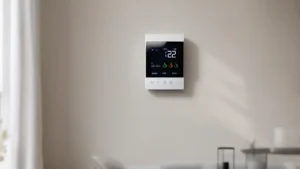
A good smart thermostat makes this simple. The ecobee Smart Thermostat Essential, for instance, adjusts to your set schedule automatically and can save up to 23% on heating and cooling costs compared to a hold of 72°F. It’s Energy Star certified, works with most systems, and lets you change the temperature from the app or its color touchscreen. That kind of control takes the guesswork out of nighttime energy management.
Why Nighttime Is the Best Time to Save

Heat loss through walls, windows, and roofs happens fastest when the temperature difference between inside and outside is biggest. At night, outdoor temperatures drop. If you keep your house at 72°F when it’s 30°F outside, you’re losing heat at a high rate. Dropping the indoor temperature to 65°F shrinks that gap and slows heat loss. Your furnace runs less.
The math is straightforward: for every 1°F you lower the thermostat during a heating season, you cut about 1-2% off your heating bill. An 8-hour night setback of 7-10°F can shave 8-15% off total heating costs depending on your climate and insulation. For cooling, the reverse holds — raising the setpoint by a few degrees at night reduces compressor runtime significantly.
But there’s a practical limit. Set the temperature too low (below 60°F in winter) and you risk frozen pipes in extreme cold. Set it too high in summer (above 80°F) and humidity can become a problem, especially in regions with high dew points. A smart thermostat helps you stay inside the safe and comfortable range.
Programming the Perfect Night Schedule
Most smart thermostats let you create multiple time periods per day. For nighttime savings, you need two key transitions: the setback (when you lower or raise the temperature for sleep) and the recovery (when you bring it back to daytime comfort before you wake up).
Here’s a practical schedule for winter heating:
- Wake time (7 AM): 68-70°F — comfortable for getting out of bed.
- Daytime (8 AM – 10 PM): 68-72°F depending on activity.
- Bedtime (10 PM – 6 AM): 60-65°F — cooler supports sleep and saves energy.
- Recovery start (6 AM): Start warming back to 68°F by 7 AM.
For summer cooling, reverse the logic:
- Daytime: 76-78°F when home, higher when away.
- Bedtime: 78-80°F with ceiling fan on. Your body actually sleeps better in a slightly warm room with airflow than a cold one.
One mistake people make is setting the night temperature too aggressively. A drop larger than 10°F from daytime can force the system to run a long recovery cycle in the morning, which wastes energy and feels uncomfortable. Stick to a 6-10°F setback for heating, and 3-5°F setback (raising the setpoint) for cooling.
If your thermostat supports pre-conditioning — called “smart recovery” or “adaptive recovery” — use it. This feature calculates how long your system needs to reach the daytime temperature and starts early so you wake up to your preferred temp without a cold blast. The ecobee Essential runs this automatically when you set a schedule.
How to Handle Irregular Sleep Patterns
Not everyone sleeps the same hours. Shift workers, parents of newborns, or people with variable schedules need a more flexible approach. That’s where features like geofencing and manual overrides come in.
Geofencing uses your phone’s location to trigger a temperature change when you leave or arrive. If you come home at midnight, the thermostat can start cooling or heating as you drive. For a fixed bedtime, a schedule works better. But if your sleep time shifts, consider using the app to change the schedule on the fly — most smart thermostats let you edit programs from your phone in under 30 seconds.
Another useful trick: set a separate “sleep” comfort setting that you can activate manually from the app or a wall panel when you get into bed. The ecobee Essential has a color touchscreen that makes tapping to a sleep mode quick. Pair that with the energy tracking in the app to see how much you saved each night.
One caveat: if you frequently override the schedule, the savings diminish. The smart thermostat vs traditional advantage comes from consistency. Manual overrides that last several hours undo the benefit. Use temporary holds instead of permanent ones.
| Strategy | How It Works | Best For | Potential Savings |
|---|---|---|---|
| Fixed schedule | Set bedtime and wake time temps | Consistent sleep hours | 8-15% |
| Geofencing / away mode | Auto-adjusts when you leave or return | Unpredictable evening routines | 10-20% if you’re gone long |
| Manual overrides (temporary) | Tap a button at bedtime, reverts later | Late nights or early mornings | 5-10% (depends on compliance) |
| Eco or sleep preset | One-tap to a preconfigured night temp | Simplicity, guest use | Similar to fixed schedule |
The table above is a rough guide. Actual savings depend on your climate, home insulation, and how strict you are with the schedule.
 Winter Heating Bill CutterSee what every heater in your home really costs, heat the rooms you use, and cut the waste in 30 days.Cost-per-hour tables for every heaterThermostat schedule and draft-proofing planRunning-cost and bill calculator (Excel)
Advanced Features That Make Night Savings Effortless
Beyond schedules, modern thermostats pack features that quietly save energy without you thinking about it.
Adaptive recovery (mentioned earlier) is one. Another is humidity sensing. In summer, a smart thermostat that knows indoor humidity can run the AC longer to dehumidify before setting back. Dry air feels cooler, so you can raise the thermostat a degree or two at night and still sleep comfortably. The ecobee Essential tracks energy consumption in the app, so you can see if your adjustments are working.
Motion or occupancy sensors (built into some smart thermostats, optional on others) can detect when no one is in the bedroom and automatically enter an energy-saving mode. If you fall asleep on the couch and never go to bed, the sensor keeps the whole house at a lower temp until movement is detected. That alone can cut wasted conditioning by several hours a week.
For even deeper savings, pair your smart thermostat with a thermostat optimization tips routine: close bedroom doors, use ceiling fans, and seal drafts. Those low-cost habits multiply the effect of your night schedule.
Frequently Asked Questions
What is the best temperature to set my thermostat at night in winter?
Between 60°F and 65°F. Most sleep experts and energy studies agree this range supports deeper sleep while reducing heating demand. Going below 60°F risks pipes in very cold climates and can make waking up unpleasant. If you have infants or elderly people at home, keep it at 65°F — they are more sensitive to cold.
Should I turn off my thermostat completely at night?
No. Turning it off (or setting it to “off”) means the furnace or AC won’t run at all. In winter, the house can cool rapidly, risking frozen pipes and taking hours to recover. In summer, humidity builds up without AC, leading to mold and discomfort. Always use a setback, not a shutdown.
How much can I realistically save by programming a night schedule?
For a typical home in a temperate climate, expect 8-15% off your heating bill and 5-10% off cooling costs. A study by the US Department of Energy found an average 10% savings per year with a 7-10°F nighttime setback. Your savings might be higher if you have poor insulation, because even a small setback saves more when the house leaks heat.
Does a smart thermostat automatically learn my sleep schedule?
Some do. Models with geofencing and learning algorithms (like ecobee’s smart features) can detect patterns over time. But until they learn, you need to set a schedule manually. The ecobee Essential allows you to program a custom schedule in the app in about two minutes. After that, it follows it reliably.
Will a lower temperature at night cause my HVAC system to work harder in the morning?
A reasonable setback (6-10°F) does not strain your system. The recovery cycle runs longer than usual, but total energy consumption is lower because the system was off or running less during the night. The only downside is a slightly longer warm-up time — typically 20-40 minutes. Smart recovery minimizes the comfort impact.
Your Nighttime Energy Plan
- Set your heating to 60-65°F and cooling to 78-80°F during sleeping hours.
- Limit the setback to 10°F max for heating, 5°F for cooling.
- Use a thermostat savings schedule with consistent bed and wake times.
- Enable adaptive recovery so the house reaches your morning temp on time.
- Leverage the ecobee Essential’s app to track energy use and tweak your schedule monthly.
- Combine the schedule with ceiling fans, closed doors, and draft sealing for maximum benefit.
- Test your settings for one week — if you wake up comfortable and see lower usage, keep them.