

Your thermometer is a small but mighty tool. It provides critical data for health, cooking, and industrial processes. Yet, its reliability hinges entirely on one thing: proper maintenance. Neglect it, and you’re trusting a guess. A well-maintained device, however, delivers peace of mind and precise readings every single time.
Think of it like any precision instrument. It needs care. This isn’t about complicated procedures. It’s about simple, consistent habits that protect your investment and ensure accuracy. From cleaning to calibration, each step builds a foundation of trust in the numbers you see.
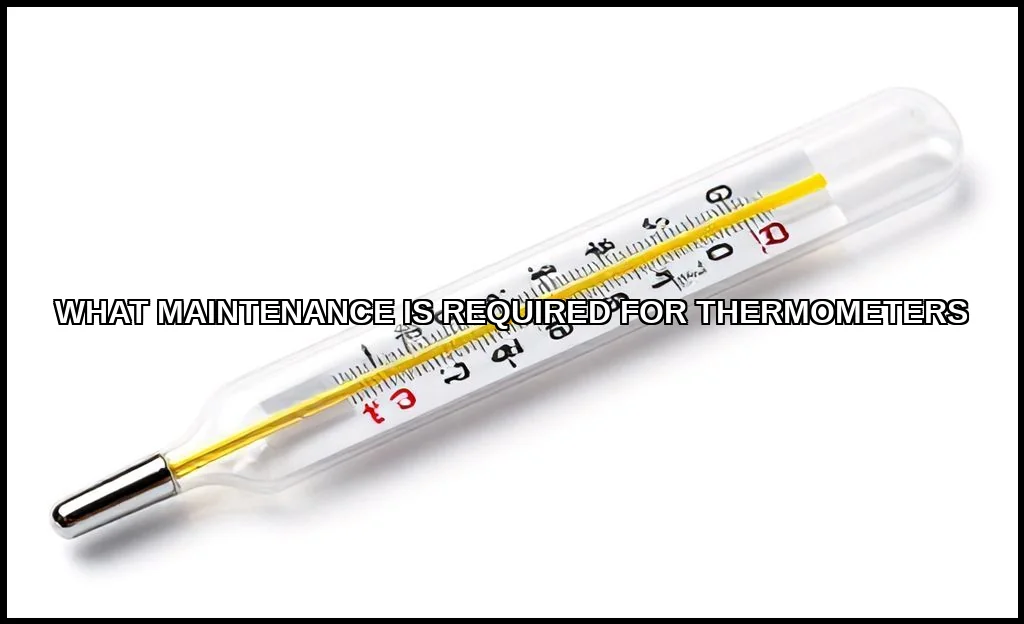
Introduction to Thermometer Maintenance: More Than Just a Wipe
Why does thermometer care matter so much? Contamination, battery failure, and physical damage are the usual suspects behind inaccurate readings. A dirty probe can harbor bacteria, while a dead battery in a digital model renders it useless. Regular upkeep prevents these failures before they happen.
For instance, when dealing with stubborn grime on metal probes or tools, a specialized cleaner can make a world of difference. For this kind of project, many professionals recommend using the Frienda Carburetor Cleaning kit for its effectiveness on tough residues, though it’s just one part of a broader sanitization strategy. The core principle is universal: proactive device upkeep is always simpler than reactive repair.
Step-by-Step Cleaning & Sanitization Guide
Hygiene for thermometers isn’t optional, especially for medical or food-grade devices. The goal is to remove both visible debris and invisible pathogens. The method varies significantly by type.
How to Clean a Digital Thermometer
For oral, rectal, or underarm digital thermometers, follow this process. First, check the manufacturer’s instructionsthey know their device best. A general safe method involves using a soft cloth dampened with mild soap and water. Never submerge the digital display unit unless it’s explicitly rated as waterproof.
Can you use alcohol wipes on a thermometer? For the probe tip, absolutely. Isopropyl alcohol (70% or higher) on a wipe or cotton ball is excellent for disinfection. Wipe the probe thoroughly and let it air dry. This is a key step to sterilize thermometer surfaces between uses.
Infrared Thermometer Maintenance
These contactless devices are easier but still need attention. The lens is the most critical component. Use a soft, dry microfiber cloth to gently wipe away dust and fingerprints. For smudges, slightly dampen the cloth with lens cleaner or water. Never use abrasive chemicals or rough materials. Keeping the lens clean is the single biggest factor in maintaining its accuracy.
The best way to clean a forehead thermometer (a type of infrared) follows the same lens-care principle. A clean lens ensures the infrared sensor reads the skin’s heat radiation correctly, not the dirt on the device.
Probe Maintenance for Food Thermometers
Food thermometer probes face harsh conditions. They go from raw meat to boiling soups. After each use, wash the probe with hot, soapy water. Sanitize it with a mild bleach solution or alcohol wipe. Always ensure it’s completely dry before storage to prevent corrosion or water damage inside the unit. This routine probe maintenance is non-negotiable for food safety.
How to Calibrate for Accuracy: Trust, But Verify
Calibration is the process of checking and adjusting your thermometer against a known standard. It confirms your device tells the truth. Even high-quality thermometers can drift over time due to normal use or minor impacts.
Performing a Thermometer Accuracy Test
The ice water method is a classic, reliable test for probes. Heres how to do it:
- Fill a deep glass with crushed ice and add clean, cold water.
- Stir well and let it sit for a minute to stabilize.
- Insert your thermometer probe into the slurry, ensuring it doesn’t touch the sides or bottom.
- Wait for the reading to stabilize. It should read 32F (0C).
Any significant deviation means it’s time for adjustment or replacement. How often should you calibrate a digital thermometer? For critical uses (like food service labs), before each major use or daily. For home use, every few months or if you suspect a problem is a good rule.
Adjusting Your Device
Some digital models have a reset or calibration function. Refer to your manual. Many simple analog dial thermometers have a calibration nut under the display that you can turn with a small wrench. If your device can’t be adjusted and fails the test, it’s time for a new one. Ensuring accuracy is that important. It’s similar to checking the what your water heater can reach; you need to know the baseline to operate safely and efficiently.
Battery Care & Replacement
For digital and infrared models, power is everything. A weak battery is a prime cause of slow readings, display errors, and outright failure. Thermometer battery replacement is a simple but vital skill.
First, know your battery type. Most use common button cells like LR41 or CR2032. Keep a spare on hand. To replace it:
- Open the battery compartment with a small screwdriver.
- Note the orientation of the old battery (+/-).
- Insert the new battery exactly the same way.
- Close the compartment securely.
Proper digital thermometer care includes removing batteries if you won’t use the device for several months. This prevents potential leakage and corrosion that can permanently damage the electronics. Think of it as putting your tools to bed properly.
Proper Storage & Long-Term Care
How you put your thermometer away directly impacts its lifespan and readiness. This is where long-term thermometer care pays off.
How to Store a Thermometer to Keep It Accurate
The golden rules are simple: clean, dry, and protected. Always clean and sanitize the device before storage. Ensure it’s completely dry to prevent mold or corrosion. Store it in its original protective case or a clean, hard-sided container. This shields it from dust, moisture, and physical damage in a drawer.
Avoid extreme temperatures. Don’t leave it in a hot car or a freezing garage. Extreme heat can damage electronics and sensors, while cold can drain batteries and affect calibration. A consistent, room-temperature environment is ideal. It’s one of the pros of a stable indoor climateit’s better for your tools and gadgets, too.
Creating a Maintenance Schedule
Consistency beats intensity. Set a simple schedule based on how often you use your thermometer.
| Use Frequency | Cleaning | Calibration Check | Battery Check |
|---|---|---|---|
| Daily (Professional) | After each use | Weekly or before critical task | Monthly |
| Weekly (Home Kitchen) | After each use | Every 3-6 months | Every 6 months |
| Occasional (Home Medical) | Before & after each use | If dropped or doubted | At first sign of display dimming |
Stick this schedule on your fridge or in your tool cabinet. It turns good intentions into routine.
A well-maintained thermometer is a trustworthy partner. It’s not about following a rigid, complex protocol. It’s about integrating a few mindful practicescleaning after use, checking calibration periodically, managing power, and storing with care. These habits ensure that when you need a reading, you get the truth, not an approximation. For the most stringent guidelines, especially for medical devices, always consult an official source like the FDA. Your confidence in the device starts with the care you give it. Start today.

I am a mechanical engineer and love doing research on different home and outdoor heating options. When I am not working, I love spending time with my family and friends. I also enjoy blogging about my findings and helping others to find the best heating options for their needs.
Related guides

7 Key Advantages of Digital Thermometers Over Traditional Models
Digital thermometers provide quick, accurate readings, easy-to-read displays, hygienic use, and versatility for oral, rectal, and underarm measurements.…
How to Troubleshoot a Faulty Thermometer in 5 Steps
To troubleshoot a faulty thermometer, first check the battery if it's digital, ensure the probe is clean and…
Master Thermometer Readings for Accurate Weather Forecasts
To interpret thermometer readings in weather forecasting, note the temperature in degrees Celsius or Fahrenheit, considering factors like…
