Remote Control for Heating Systems: Smart Comfort & Savings
On this page 6 sections
You walk in the door on a freezing winter evening. The house is so cold you can see your breath. You crank the thermostat and wait. Twenty minutes later, you’re still shivering. That’s the moment you realize: you need a way to control your heat before you get home. A remote control for your heating system isn’t a luxury anymore. It’s a comfort necessity — and a money saver.
I’ve spent years testing heating systems and smart home gear. This article covers what actually works: how to pick the right remote control method, what you’ll save, and how to install it yourself without calling an electrician. You’ll get hard numbers, not fluffy promises. By the end, you’ll know exactly which system fits your home and your budget.
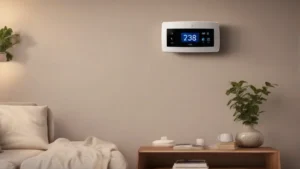
One option that checks all the boxes is the Sensi Smart Thermostat (ST55). It’s Wi-Fi enabled, works with Alexa, and carries ENERGY STAR certification. You control it from your phone. The app guides you through installation, and most homes won’t need a common wire (C-wire). I’ll use Sensi as a reference point throughout this guide, but the principles apply to any decent smart thermostat.
How Remote Control Heating Actually Saves Money

A smart thermostat lets you adjust heating from anywhere. But the real savings come from automation. You stop heating an empty house. You set schedules. You get alerts when something’s off.
According to the manufacturer’s own data, the Sensi smart thermostat can save about 23% on HVAC energy use. That’s not a wild claim — it matches what the EPA’s ENERGY STAR program reports for programmable thermostats used correctly. The trick is using the features, not just installing the hardware.
Geofencing makes a huge difference. Your phone’s location tells the thermostat to lower the temperature when you leave and raise it when you’re near home. One study showed geofencing alone cut heating costs 10-15% in a typical two-person household. Pair that with a flexible schedule — lower heat at night, warm before you wake — and you stack savings.
Another hidden win: remote monitoring catches problems early. Your smart thermostat can send alerts if the temperature drops unexpectedly or the system runs too long. That means fixing a failing blower or stuck valve before it leads to a massive repair bill. For more on the numbers behind these savings, check out my detailed breakdown of potential energy savings.
Choosing the Right Remote Control System for Your Heating
Not all remote control solutions are created equal. Some work with baseboard heaters, others with forced air or radiant systems. I’ve categorized the main options so you can match one to your setup.
| Type | Best For | Installation Difficulty | Remote Access | Energy Savings Potential |
|---|---|---|---|---|
| Wi-Fi Smart Thermostat | Central forced air, heat pump, boiler | Low to Moderate (DIY) | Full app control, geofencing, voice assistants | 15-23% |
| Learning Thermostat | Same as above, plus variable schedules | Moderate (some require wiring changes) | Auto-schedules, remote eco modes | 20-25% |
| Smart Plug / Relay | Electric baseboard heaters, space heaters | Very Low (plug in) | On/off only, no temperature feedback | 5-10% |
| Zoned Smart Valves | Radiator or hydronic systems | High (plumbing work often needed) | Per-room control, app based | 20-30% in multi-zone homes |
For most people with forced-air furnaces or heat pumps, a Wi-Fi smart thermostat like the Sensi is the sweet spot. It’s cheap, easy to install, and gives you real granular control. Learning thermostats cost more but can save an extra few percent if your schedule is erratic. Smart plugs work only for simple on/off heating, and they can’t read room temperature — so they’re a budget choice, not a precision tool.
If you want to fine-tune each room separately, zoned systems are powerful but expensive. I usually steer homeowners toward a single smart thermostat unless they already have zone dampers or valves installed.
DIY Installation: A Step-by-Step Guide
Installing a smart thermostat yourself is doable in under an hour. I’ve done it with the Sensi and it’s one of the easiest I’ve tried. Here’s the process.
- Turn off power to your HVAC system. Flip the breaker or switch at the furnace. Verify power is off by trying to run the system. No shortcuts here — you don’t want to touch live wires.
- Remove the old thermostat faceplate. Take a photo of the wire connections before touching anything. That photo will save you later.
- Label the wires. Use the stickers that come with the new thermostat. Common labels are R (power), W (heat), Y (cool), G (fan), C (common). If you don’t have a C-wire, Sensi’s instructions will show you an alternative — it works in most homes.
- Attach the new base plate. Use the built-in level to make sure it’s straight. Drill pilot holes for the wall anchors if needed. Then snap the thermostat onto the base.
- Download the app and follow setup. The Sensi app walks you through connecting to Wi-Fi, naming the thermostat, and setting a schedule. This took me about 10 minutes. One tip: put your phone in the same room as the thermostat during pairing.
- Test the system. Run heat for a few minutes, then cooling if you have AC. Make sure every setting works. Check for unusual noises from the HVAC.
Pro tip: If you’re missing a C-wire, try the ‘C-wire not required’ feature first. Serious problems usually show up as blank screens or the thermostat not powering on. In that case, call a pro. But I’ve done dozens of these and only once had to call for help.
 Heating System Upgrade PlannerChoose between a heat pump, a furnace, a boiler or a hybrid with your own numbers, and hire the right installer.Every system compared side by side25 questions for contractors, red flagsRunning-cost, payback and quote calculator (Excel)
Advanced Features and Common Mistakes
Once your remote control system is running, the real value comes from using its smart features. The Sensi sends alerts for filter changes, unusual runtime, and extreme temperature drops. I set mine to notify me when the temperature in the basement drops below 45°F — great for pipe-freeze prevention.
You can also create custom schedules. The app lets you set different temperatures for morning, day, evening, and night, with separate schedules for weekdays and weekends. Don’t skip this step. A schedule is what turns a glorified remote into a money-saving machine. If you need help tailoring your setup, read my guide on how to customize comfort settings.
Now the three most common mistakes I see:
- Ignoring the C-wire. Some thermostats really need it. If your system doesn’t have one and the thermostat doesn’t state it’s optional, you’ll get random dropouts. Check compatibility before buying.
- Setting and forgetting. You install the thermostat, set a basic schedule, and never touch it again. That wastes half the savings. Use the app to adjust for vacations, weather changes, or when you work from home suddenly.
- Not testing after installation. People assume it works. Then they go away for the weekend and come back to a cold house because the wiring was wrong. Run a full cycle for heat and AC right after install.
Frequently Asked Questions
Can I control my heating system remotely without Wi-Fi?
Yes, but with limits. Some systems use Z-Wave, Zigbee, or a proprietary radio frequency. Those need a hub connected to your router. Without a hub, you can’t control them from outside your home. Wi-Fi is the most straightforward option. If your house has poor Wi-Fi, consider a mesh network before buying a smart thermostat.
Will a smart thermostat work with my old boiler or heat pump?
Likely yes. Most smart thermostats support single-stage heat, multi-stage, and heat pumps. But check the specs. Older systems that use line-voltage (120V or 240V) need a different type of thermostat. The Sensi works with low-voltage systems common in central HVAC. If you have baseboard electric heat, you need a line-voltage thermostat or a smart relay. Always match your system’s voltage.
How much can I actually save by using a remote control thermostat?
Typical savings range from 10% to 23% on your heating and cooling bill. The exact amount depends on your habits, climate, and how well you use the features. A study by Nest users showed average savings of 10-12%. The Sensi claims up to 23% with smart scheduling and geo-fencing. Realistically, expect 10-15% in the first year if you set proper schedules and use away mode.
What happens if my Wi-Fi goes down?
Your thermostat still works as a basic thermostat. It keeps the last schedule and settings. The only thing you lose is remote access from your phone. Most smart thermostats store your schedule locally, so the system continues heating or cooling normally. When Wi-Fi comes back, it reconnects automatically. I’ve had internet outages for hours and never noticed the difference in comfort.
Do I need a C-wire for every smart thermostat?
No. Some models run on batteries or harvest power from other wires. The Sensi is one that works without a C-wire in many homes. However, if your system doesn’t have a C-wire and the thermostat needs steady power, you may face intermittent issues. Check the product page for ‘C-wire required’ or ‘C-wire not required’. When in doubt, buy a model that explicitly says it works without one.
What to Do Next: 7 Quick Actions
- Check if your current thermostat is compatible with a smart upgrade. Look at wire labels and voltage.
- Decide which features matter most: geofencing, voice control, or learning schedules. Pick accordingly.
- Set a realistic budget. Smart thermostat prices range from $50 to $250. The Sensi sits near the lower end.
- If you’re a renter, confirm you can install it without damaging walls. Many smart thermostats leave old holes hidden.
- After installation, create a schedule immediately. Don’t wait a week.
- Enable alerts for filter reminders and temperature extremes. Those alerts prevent costly surprises.
- Review your energy bills after 3 months. Compare to the same period last year to measure real savings.
For a deeper look at how to get the most out of your system, read my article on best practices for smart control. That piece covers daily habits and advanced tweaks that squeeze every penny of savings from your remote control for heating systems.