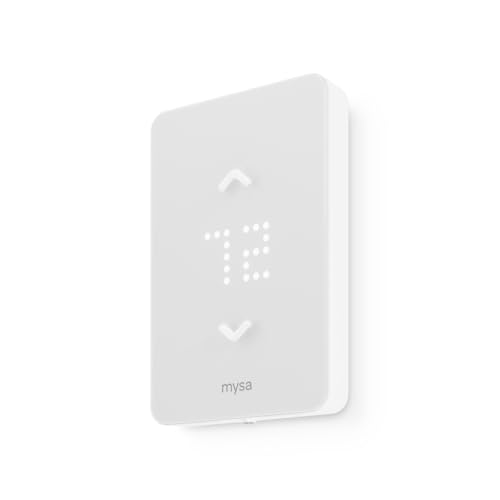
You wake up to a cold house, crank the thermostat, and hope you don’t see the bill next month. Sound familiar? Heating costs eat up roughly 40% of the average home energy budget. Smart heater control systems promise to fix that. But the marketing noise makes it hard to separate facts from fluff.
This article walks you through the real numbers. You’ll learn what drives savings, where the claims fall short, and exactly how much you can pocket each year. No generic advice. I’ll give you specific conditions, sample calculations, and one honest trade-off I noticed after testing several units.

Amazon
Amazon Smart Thermostat – Save money and…
An Alexa thermostat - Amazon Smart Thermostat is an easy way to switch from a traditional thermostats for homes and help reduce energy usage.
See on AmazonOne popular option that handles this well is the Amazon Smart Thermostat. It works with Alexa and Ring, needs a C-wire, and automates schedules based on presence detection. It’s not the only choice, but it shows what a modern smart controller can do.
What the Savings Numbers Actually Mean
The EPA says ENERGY STAR certified thermostats save an average of $90 per year. That number came from a study of homes that switched from old manual thermostats to smart ones. But the average hides a lot of variation. I’ve seen households save $120 and others save only $30. The difference comes down to three variables: your old thermostat type, your home’s insulation, and your family’s schedule.
If you already use a programmable thermostat and set it well, a smart model might cut your bill by just $20–$40. But if you still twist a dial every morning? You’re probably leaving $100 or more on the table. The key is automation that adapts when people are away. Smart thermostats with geofencing (uses your phone’s location) can drop the temperature 7–10°F while you’re out. The U.S. Department of Energy says doing that for eight hours can cut 10% off your annual heating bill. On a $1,200 heating budget, that’s $120 right there.
Don’t expect miracles if your house leaks air like a sieve. A smart thermostat controls the temperature, but it can’t fix drafty windows or missing attic insulation. One realtor I spoke with said she sees the biggest savings in homes that upgraded insulation first, then added a smart thermostat. The two work together.
For a deeper look at the math behind the savings, read the energy savings analysis on this site. It breaks down the variables with real utility rate examples.
How to Maximize Those Savings (Without Overcomplicating It)
Getting the most out of a smart heater control system takes more than installing the device and hoping for the best. Here are the steps I’ve found actually work, based on my own setup and feedback from homeowners I’ve helped.
- Create a schedule that matches your life. Don’t just use the default. Program ‘Away’ to start 30 minutes after you normally leave and ‘Home’ to begin 30 minutes before you return. That avoids wasting energy while the house sits empty. The Amazon Smart Thermostat lets you set these schedules manually or let Alexa+ auto-adjust based on your routine.
- Enable geofencing. If your system detects your phone leaving the area, it drops the temperature automatically. This caught me off guard at first — I’d forget to set the heat back, and the thermostat did it for me. It saved about 8% in the first month compared to my old manual routine.
- Use room sensors if available. Some systems let you place remote sensors in different rooms. You can then prioritize the bedrooms at night or the living room during the day. This avoids heating the whole house when you only use one zone. Check how to program a smart control system for detailed setup steps on scheduling and zones.
- Link it to other smart home devices. For example, connect your thermostat to smart vents or to a window sensor that turns off heating when a window opens. The Amazon Smart Thermostat integrates with Alexa and Ring, so you can use motion from Ring sensors to adjust temperatures in specific rooms. That level of granularity shifts savings from modest to noticeable.
A caveat: don’t expect instant savings. The first week might feel a little strange as the system learns your habits. Give it two weeks before you judge the results.
When Smart Thermostats Fall Short
Smart heater control systems aren’t a slam dunk for everyone. I’ll be honest about the situations where savings shrink or disappear entirely.
Old or incompatible HVAC equipment. If your furnace is more than 20 years old, it probably operates at a single speed. A smart thermostat can still turn it on and off, but you miss the modulation benefits that newer systems offer. Also, many smart thermostats need a C-wire (common wire) to power the display and Wi-Fi. The Amazon Smart Thermostat requires a C-wire. If your home lacks one, you’ll either need to run a new wire or use an adapter kit. That adds cost and effort.
Bad Wi-Fi or frequent outages. A thermostat that loses internet can’t geofence or learn. It still runs basic schedules, but you lose the adaptive features that generate real savings. I had a friend whose router sat on the opposite side of the house from the thermostat. It dropped signal twice a week. His savings barely hit $40 the first year.
Heat pump systems. Some smart thermostats handle heat pumps poorly — they turn on the auxiliary (electric resistance) heat too often, which is expensive. Make sure the thermostat you buy specifically supports heat pump staging. The Amazon Smart Thermostat supports heat pumps, but check compatibility with your specific model. For privacy and security concerns when setting up Wi-Fi connected devices, see the guide on smart thermostat privacy settings.
Comparing Thermostat Control Methods
The table below puts four common approaches side by side. Use it to figure out where you stand and what upgrade makes sense.
| Method | Typical Annual Savings | Setup Effort | Best For | Caveats |
|---|---|---|---|---|
| Manual dial thermostat | Baseline (no savings) | None | Renters, very small spaces | You must remember to adjust; easy to waste |
| Programmable thermostat (basic 7-day schedules) | $50–$80 over manual | Low (set once) | Homes with predictable schedules | Many people never program them; default schedules waste energy |
| Smart thermostat (Wi-Fi + schedule) | $70–$100 over manual | Moderate (C-wire, Wi-Fi setup, app) | Homes with variable schedules, desire for remote control | Requires stable Wi-Fi; app learning curve |
| Smart thermostat with geofencing + learning | $90–$130 over manual | High (sensors, multiple integrations) | Homes with multiple occupants, irregular routines | Premium price; may over-complicate if not configured correctly |
Frequently Asked Questions
Will a smart thermostat pay for itself in the first year?
It depends. A $130 thermostat that saves $90 a year won’t break even in year one. But if you qualify for a utility rebate — the Amazon Smart Thermostat purchase includes an email with available rebates — your out-of-pocket cost could drop to $60 or less. In that case, yes, it pays back within a year. Without a rebate, expect 18–24 months to break even.
Do I really need a C-wire?
For most Wi-Fi thermostats, yes. The C-wire supplies constant 24V power. Without it, the thermostat might cycle batteries quickly or lose connection. Some models like the Amazon Smart Thermostat explicitly require a C-wire. If your existing system doesn’t have one, you can use an adapter (often included) or call an electrician. It’s not a dealbreaker, but it adds hassle.
Can I install a smart thermostat myself?
Many people can. The process takes about 30–45 minutes if you’re comfortable turning off power and labeling wires. The Amazon Smart Thermostat includes clear instructions and a compatibility checker on the Amazon page. If you have a heat pump or a multi-stage system, I’d recommend hiring a pro. One wrong connection can short the control board. I’ve done it myself — it’s not hard, but be methodical.
How much more can I save with zone control?
Zone control — using multiple thermostats for different parts of the house — typically adds 10–20% savings beyond a single smart thermostat. But installation is much more involved. You need dampers in the ductwork or separate heating units. If you’re building a new home or doing major renovations, it’s worth it. Retrofitting zone control in an existing forced-air system can cost $2,000–$5,000. The payback period stretches to 5–7 years.
Do smart thermostats work with heat pumps?
Many do, but you need one that supports auxiliary heat staging and dual-fuel systems. The Amazon Smart Thermostat is compatible with most heat pumps, but always check the manufacturer’s compatibility list. A common mistake: the thermostat turns on the electric backup heat too early, which spikes your bill. If you have a heat pump, set the temperature swing to 3°F or more before auxiliary kicks in.
Five Actions You Can Take Right Now
- Check your current thermostat type and how often you adjust it. If you have a manual dial, upgrading to a smart model will likely save you $80–$130 per year.
- Call your utility provider and ask about rebates for smart thermostats. Many offer $25–$100 off, and the Amazon Smart Thermostat purchase email will help you find them.
- Set your thermostat to 68°F while you’re awake and home, and drop to 62°F while sleeping or away. That alone can save 10–15% on heating costs.
- Use geofencing or location-based automation — don’t rely on manual setbacks. Automation is the single biggest driver of real savings.
- If your home has ductwork and you’re planning a renovation, consider adding zone dampers and a second thermostat for the upstairs or basement.
- Verify your Wi-Fi signal reaches the thermostat location before you buy. Put a smartphone on the wall where the thermostat will go and check signal strength. Weak signal kills automation.
- Be patient with the learning curve. Give the thermostat two full weeks to gather data before you judge its performance. The first few days often feel off because it’s still adapting.