Top Smart Heater Control Trends Revolutionizing Home Comfort
On this page 5 sections
You walk through the door after a long day. The house is cold. You crank the thermostat and wait. Twenty minutes later, you’re still shivering. That lag is frustrating, wasteful, and entirely avoidable. Smart heater controls have changed that script. They learn your habits, sense when you’re home, and adjust heat room by room. The technology exists now, and it’s more affordable than most people realize.
This article covers the four biggest trends driving that change: geofencing, zoned heating with smart sensors, AI learning thermostats, and voice/ecosystem integration. I’ll explain how each works, what it costs in practice, and where they fall short. You’ll also see a side-by-side comparison of the main approaches, answers to five real questions, and a short list of actionable steps you can take this week.
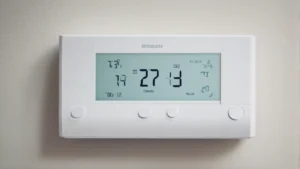
One product that neatly sums up the value of these trends is the Check price on Amazon. It’s an easy swap for an old thermostat, works with Alexa and Ring, and can save an average of $90 per year on energy bills according to EPA estimates. That alone makes it worth a look if you’re ready to upgrade.
Geofencing: Heat That Follows You

Geofencing uses your phone’s location to tell your heating system when to turn on. Set a virtual fence around your home — say a half-mile radius — and the thermostat switches to Away mode when you leave that zone. It kicks back to Home mode when you re-enter. Simple in concept, but the real magic is in the timing.
Most geofencing systems let you set a buffer. You arrive home at 6:00 PM. The system could start warming up at 5:45. That’s enough to bring a room from 60°F to 68°F in most houses, even on a cold day. The result is comfort without waste. You don’t heat an empty house, and you don’t walk into a cold one.
Where geofencing stumbles: phone battery drain and multiple users. If your partner leaves while you stay home, the system needs to handle conflicting signals. Good smart thermostats now allow a ‘hold’ setting so one presence overrides the other. Battery impact is minimal on modern phones — maybe 2-3% extra per day. It’s not perfect, but it’s close.
Zoned Heating With Smart Sensors
Whole-house heating treats every room the same. That’s wasteful. You don’t need the guest bedroom at 72°F at 3 PM. Zoned heating splits your home into areas, each controlled independently. Traditional zoning required expensive duct dampers and multiple thermostats. Smart sensors changed that.
Now you place a temperature sensor in each room. The thermostat averages the readings or prioritizes the occupied room. Some systems let you set schedules per sensor: office warm during work hours, bedroom cooler at night. The Amazon Smart Thermostat supports this through Alexa — connect select Echo devices as room sensors and they adjust heating based on presence detection.
You can expect to save 15-25% on heating costs with zoned control, depending on house size and how many rooms you actually use. The trade-off is setup complexity. You need to place sensors where they get good airflow, not behind furniture or in direct sun. Calibration took me about an hour with a two-sensor setup. Worth it.
AI Learning Thermostats
Machine learning in a thermostat sounds gimmicky. It’s not. AI learning thermostats watch your schedule, temperature preferences, and even outside weather to build a heating model. Over the first week, the thermostat learns you set the heat to 68°F at 7 AM and 65°F at 11 PM. It starts pre-heating a few minutes earlier each day until it nails the timing.
The best ones also factor in weather forecasts. If a cold front hits Tuesday, the thermostat will start heating earlier to maintain the same comfort level. This goes beyond simple schedules. It’s dynamic. A study by the EPA on ENERGY STAR certified thermostats — the category the Amazon Smart Thermostat falls into — found average savings of $90 per year. That lines up with real-world reports I’ve seen.
But AI isn’t magic. If your schedule is erratic, the learning takes longer — sometimes two weeks instead of one. And if you override the temperature frequently, the algorithm gets confused. Stick to the schedule for the first week and let it settle. Then tweak.
Voice and Ecosystem Integration
Smart thermostats are only as smart as the network they talk to. The biggest trend is seamless integration with voice assistants and broader smart home ecosystems. Amazon’s solution is built around Alexa. You can say ‘Alexa, set the thermostat to 72 degrees’ and it happens. More useful: routines. A ‘Goodnight’ command can lower the thermostat, lock doors, and turn off lights simultaneously.
The real value comes from cross-device triggers. Pairing the thermostat with a Ring alarm system means the heat can drop when you arm the system as you leave. Connect it to a smart motion sensor in the living room, and the heat adjusts when someone walks in. This is the direction the industry is moving — not just a thermostat, but a heating brain that talks to everything.
Drawback: platform lock-in. If you’ve built a home around Google Home, an Alexa-only thermostat will feel limited. Most modern thermostats support both, but double-check before buying. The Amazon Smart Thermostat works with Alexa and Ring out of the box, but its compatibility with other ecosystems is narrower. That’s the trade-off for deep integration with one platform.
| Control Method | Key Benefit | Best For | Potential Downside |
|---|---|---|---|
| Geofencing | Automatic on/off based on phone location | People with predictable schedules | Multiple user conflicts; phone battery drain |
| Zoned Smart Sensors | Room-by-room temperature control | Larger homes or uneven layouts | Setup time; sensor placement matters |
| AI Learning | Adapts to your habits and weather | Schedules that vary day to day | Learning period can take 1-2 weeks |
| Voice / Ecosystem | Hands-free control and automation routines | Smart home enthusiasts | Platform lock-in; may not work with all assistants |
Can I control my heater remotely from my phone?
Yes, that’s the baseline for any smart thermostat. You connect it to your home Wi-Fi, then use the manufacturer’s app — or a third-party app like Alexa — to adjust temperature, set schedules, and check energy usage from anywhere. The remote heater control guide at HeaterGuides walks through the exact steps for different brands. The Amazon Smart Thermostat app is straightforward: tap to adjust, and it updates within a few seconds over cellular.
Do smart thermostats really save money on heating bills?
They do, but the amount depends on your habits. EPA figures show ENERGY STAR certified models save about $90 per year on average. That’s a 10-15% reduction for most homes. The real savings come from automating away waste — turning down heat when you sleep or leave. If you already manually adjust your thermostat twice a day, you’ll see smaller savings. If you never touch it, expect the full amount. The Amazon Smart Thermostat qualifies for ENERGY STAR, and Amazon sends email details about possible rebates from local energy providers after purchase. Check with your utility before buying.
What’s the difference between a smart thermostat and a programmable thermostat?
A programmable thermostat lets you set a fixed schedule — 68°F at 7 AM, 65°F at 10 AM, etc. It follows that schedule every day unless you override it. A smart thermostat adds internet connectivity, remote control, and adaptive features like learning, geofencing, and integration with other smart home devices. The Amazon Smart Thermostat is a true smart thermostat: it can automatically adjust based on presence detection from select Alexa devices, not just a pre-set time. In practice, the smart version uses 10-30% less energy than a programmable one because it adapts to real occupancy.
Do I need a C-wire for a smart thermostat?
Most smart thermostats require a C-wire (common wire) to provide continuous power. The Amazon Smart Thermostat explicitly requires one. If your current system doesn’t have a C-wire, you have options: install a C-wire adapter (often called a ‘power extender kit’), use a battery-powered smart thermostat, or hire an electrician to run a new wire. The adapter costs about $20 and takes 30 minutes to install. Some smart thermostats work without a C-wire by stealing power from the heating circuit, but that can cause reliability issues. Check your system’s compatibility before buying. Many manufacturers offer smart home temperature control guides that include C-wire checks.
Can I use smart controls with my existing baseboard or radiant heating?
Yes, but not always with the same thermostat used for forced air. Many smart thermostats designed for central HVAC systems are compatible with electric baseboard heaters if you use a line-voltage thermostat. But most popular models, including the Amazon Smart Thermostat, are low-voltage (24V) and work with gas furnaces, heat pumps, and oil boilers. For 120V or 240V baseboard systems, you need a separate smart relay or a line-voltage smart thermostat. Brands like Mysa and Sinopé make those. For radiant floor heating, look for a thermostat that supports floor sensors and is rated for hydronic or electric systems. Always match the voltage and amperage of your heating element to the thermostat’s rating.
What You Can Do Right Now
- Check if you have a C-wire behind your current thermostat. If not, buy a C-wire adapter — it’s cheap and easy to install.
- Choose a smart thermostat that supports the assistant you already use. If you own Alexa devices, the Amazon Smart Thermostat is a natural fit.
- Start with one zone. Put a smart sensor in the room you use most. Adjust from there.
- Set a geofence radius around your home — 500 feet to 1 mile works well. Adjust if you arrive home to a cold house.
- Enable a night schedule that drops the temperature 5-7°F. Most people sleep better in a cool room anyway.
- Look for rebates from your energy provider before buying anything. Many utilities cover half the cost of an ENERGY STAR thermostat.
- Don’t expect instant learning. Give the thermostat a full week of consistent use before judging its algorithm. Tweak one variable at a time.