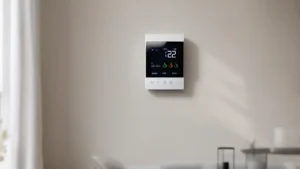
Smart Thermostat Programming For Maximum Energy Savings
On this page 5 sections
You wake up shivering, grab a sweatshirt, and wonder why your heating bill keeps climbing. Your programmable thermostat is set right — or so you thought. The problem isn’t the device. It’s how you tell it to behave.
Most people treat smart thermostats like fancy manual switches. They set one temp and leave it. That misses the whole point. A smart thermostat can cut your heating and cooling costs by 15% to 23% if programmed correctly. The difference comes down to understanding a few principles: thermal lag, setback timing, and occupancy patterns.
This article walks you through the exact programming decisions that save money. You’ll learn why certain settings work, what numbers to use, and where most people waste their savings potential.
One device that handles these tasks well is the ecobee Smart Thermostat Essential (check current price on Amazon). It’s Energy Star Certified and claims savings up to 23% annually compared to holding 72 degrees. The unit comes with a color touchscreen, app control, and free software updates. It also includes a Power Extender Kit option for homes without a C-wire. For a deeper look at how smart thermostats stack up against older models, see this energy efficiency comparison.
Your Home’s Thermal Behavior — The Missing Piece

Every house loses heat at a known rate. The colder it gets outside, the faster your indoor heat escapes. But that rate is not instant. It takes time for the temperature to drop after your furnace shuts off. That delay is called thermal lag.
Here’s the key: you don’t need to keep the house at 72 degrees all night. You only need it at 72 when you wake up. The furnace can start warming things up an hour before your alarm. Meanwhile, the house drifts down to 62 or 65 while you sleep. Every degree you lower the thermostat for eight hours saves roughly 1% on your heating bill. A 10-degree setback overnight saves about 10%.
But recovery time matters. A poorly insulated house heats up faster than a well-insulated one. You need to test your own home. Start with a 1-hour recovery buffer. Wake up at 6 AM? Set the thermostat to begin heating at 5 AM. If you wake up cold, increase the buffer by 15 minutes. If you wake up sweating, reduce it.
This same logic applies to cooling in summer. During the day, let the house warm up to 78 or 80 when you’re gone. Start cooling about 45 minutes before you return. You don’t cool an empty house.
Schedule Design That Matches Real Life
The default schedules on most smart thermostats assume a 9-to-5 job with no weekends. That works for almost nobody. You need to build a schedule around your actual comings and goings.
Start with four periods per day: Wake, Leave, Return, Sleep. For a typical weekday:
- Wake (6 AM – 8 AM): 68°F heating, 74°F cooling
- Leave (8 AM – 5 PM): 62°F heating, 80°F cooling
- Return (5 PM – 10 PM): 68°F heating, 74°F cooling
- Sleep (10 PM – 6 AM): 62°F heating, 76°F cooling
Those numbers are a starting point. Adjust based on your comfort and your home’s insulation. The bigger the gap between occupied and unoccupied temperatures, the more you save. But don’t go extreme. A 15-degree setback takes a long time to recover and might overshoot.
For weekends, you might consolidate to two periods: awake and asleep. Or keep a single comfortable temperature if you’re home all day. The goal is to avoid heating or cooling an empty house for more than an hour.
Vacation mode is its own beast. Set the thermostat to 55°F in winter (pipes won’t freeze) and 85°F in summer. That’s the lowest heating setpoint that keeps pipes safe, and the highest cooling setpoint that prevents mold. Don’t turn the system off completely. Mold grows fast above 80% humidity.
Occupancy Sensors and Geofencing — Use Them Wisely
Smart thermostats with motion sensors or room sensors can detect when you’re actually home. That’s a powerful tool, but it has limits. A sensor in the hallway might not see you in the bedroom. The ecobee Smart Thermostat Essential works with optional remote sensors (sold separately) to average temperatures across rooms. That helps — but only if you place sensors where you spend time.
Geofencing uses your phone’s location to trigger temperature changes. When the last person leaves, the thermostat switches to away mode. When the first person returns, it starts heating or cooling. This works great if your schedule is irregular. The downside: it can take 20-30 minutes to recover if your home is far from your office. That’s fine. The savings from not heating an empty house for an extra hour outweigh the brief discomfort.
Here’s a real trade-off: geofencing sometimes thinks you’re still home if your phone stays connected to Wi-Fi at work. Turn off “smart home” location when you’re far away, or set a minimum distance (like 0.5 miles) before it triggers away mode.
 Winter Heating Bill CutterSee what every heater in your home really costs, heat the rooms you use, and cut the waste in 30 days.Cost-per-hour tables for every heaterThermostat schedule and draft-proofing planRunning-cost and bill calculator (Excel)
Seasonal Adjustments That Actually Matter
Winter and summer require different strategies. In winter, a larger setback works well because the temperature difference between indoors and outdoors is smaller during the setback period (your house is colder, so heat loss slows down). In summer, a small setback (3-5 degrees) is more efficient. The mechanical cooling system works harder to overcome high humidity if you let the house get too hot.
For summer, set the cooling below 50% relative humidity if possible. Many smart thermostats show humidity. If your system can run the fan without cooling, run it occasionally to circulate air. That prevents hot spots and reduces the load when you return.
Spring and fall are the easiest: you can often turn the system off entirely and open windows. But if you have a heat pump, avoid deep setbacks. Heat pumps are most efficient when maintaining a steady temperature. A 10-degree setback forces the backup electric resistance heat to kick in, which is expensive. For heat pumps, keep the setback at 3-5 degrees max.
| Strategy | Winter Savings | Summer Savings | Comfort Impact | Best For |
|---|---|---|---|---|
| Constant 68°F / 74°F | 0% (baseline) | 0% (baseline) | Always comfortable | Heat pumps |
| 2-period setback (8°F drop while away) | 8-12% | 5-8% | Minor recovery lag | Most homes |
| 4-period setback (10°F drop at night + away) | 12-18% | 8-12% | Noticeable morning chill | Well-insulated homes |
| Geofencing with 5°F setback | 5-10% | 3-6% | Recovery when you enter | Irregular schedules |
| Extreme setback (15°F+ drop) | 18-23% | Not recommended | Long recovery, possible pipe risk | Vacation only |
The table gives rough ranges. Your actual savings depend on climate, insulation, and how long you’re away. Track your system’s runtime in the app. A drop in runtime directly translates to lower bills.
Should I set my thermostat to a low temperature when I’m away?
Yes, within reason. For heating, 55°F is the minimum safe point to prevent frozen pipes. For cooling, 85°F is a reasonable upper limit. Any farther and you risk humidity damage in summer or pipe bursts in winter. The savings diminish beyond those extremes because recovery takes too much energy.
Does turning the thermostat off completely save more money?
No. Turning the system off in winter can freeze pipes. In summer, it lets humidity build up, which forces the AC to run longer to dehumidify. Smart thermostat programming achieves the same deep setback without the risks. The system stays active enough to protect the house.
How long does it take a house to recover from a setback?
It depends on your heating system and insulation. A typical gas furnace can raise the temperature 1°F every 3-5 minutes. So a 10°F setback takes 30-50 minutes. A heat pump takes longer — about 1°F every 8-10 minutes. Set your recovery start time accordingly. The ecobee uses Smart Recovery to learn your home’s behavior and start early. Let it do that.
Should I use ‘hold’ or keep the schedule running?
Use the schedule for regular patterns. Use ‘hold’ only when you temporarily need a different temperature (like when you’re sick at home). Many people accidentally hold a temperature for days, which eliminates all savings. If you adjust the temperature manually, double-check that the schedule will resume at the next period. Most smart thermostats have a ‘resume schedule’ button.
Is there a benefit to manually adjusting versus letting automation handle it?
Manual adjustments waste savings if you forget to change them back. Automation (schedules + geofencing) is more reliable. But you should still override the schedule occasionally — for example, if you work late or have guests. The best approach is to let the thermostat learn your patterns over two weeks, then tweak the schedule. For more specific programming tips, check this detailed guide.
Five Things You Can Do Right Now
- Set your thermostat to run a 4-period schedule: wake, leave, return, sleep. Use a 10°F setback in winter and a 5°F setback in summer.
- Enable geofencing if your thermostat supports it. Set the away temperature 5-7°F from your comfort zone. Disable it if your phone’s location is unreliable.
- Test your home’s recovery time. Wake up 15 minutes earlier than your thermostat currently starts heating. Adjust until you wake to a comfortable temperature.
- For heat pump owners: limit setbacks to 5°F. Steady temperatures save more than aggressive setbacks that trigger expensive electric resistance heat.
- Check your thermostat’s built-in energy reports. Compare runtime week over week. If runtime drops but comfort stays the same, you’re on the right track. If not, tweak one degree at a time.
- Install a remote sensor in the room you use most. Average temperatures across zones, not just the hallway where the thermostat sits.
- Never turn your system off when leaving for a weekend. Use vacation mode. Set heating to 55°F, cooling to 85°F. That’s safe and efficient.
Smart thermostat programming is a set of levers you pull based on your home’s behavior. Pull them too far and you waste money recovering. Pull them too little and you save nothing. The numbers in this article give you a proven starting point. Adjust from there, track your runtime, and let the device do the fine-tuning. For more on how thermostat programming connects directly to savings, read this article on thermostat programming and savings.