Smart Thermostat Vacation Mode: Save Energy While Away
On this page 6 sections
To set up a thermostat for vacation mode, access the settings, select ‘Vacation’ or ‘Away’ mode, and adjust the temperature to save energy while you’re away.
Going on vacation? Don’t forget to set your thermostat properly before leaving. Vacation mode helps maintain safe temperatures while reducing energy costs. This guide covers everything from ideal settings to smart thermostat features.

What Is Vacation Mode on a Thermostat?
Vacation mode is a special setting that maintains your home at energy-efficient temperatures while you’re away. Unlike simply adjusting the thermostat, vacation mode:
- Locks in your preferred away temperatures
- Prevents unnecessary system cycling
- Often includes freeze protection features
- May allow remote adjustments via app
According to Home World Design, this feature can save 5-15% on energy bills during extended absences.

How to Activate Vacation Mode
On Smart Thermostats
Most smart models like Nest, Ecobee or Honeywell offer vacation mode through:
- The thermostat touchscreen (Settings > Vacation)
- Mobile app (Look for “Away” or “Vacation” options)
- Voice commands if connected to Alexa/Google Home
On Programmable Thermostats
Older models may require manual programming:
| Step | Action |
|---|---|
| 1 | Press “Hold” or “Vacation” button |
| 2 | Set desired temperature |
| 3 | Enter return date if available |
Ideal Vacation Temperature Settings
Summer Settings
In warm months, set your thermostat to:
- 85°F maximum (78-85°F range recommended)
- 7-10° warmer than normal settings
This prevents humidity damage while saving energy. Consider a whole-house air purifier to maintain air quality while away.
Winter Settings
In cold weather, maintain:
- 50-55°F minimum (60°F for pipe-prone areas)
- No lower than 45°F to prevent freezing
For homes with boiler systems, ensure proper freeze protection settings are enabled.
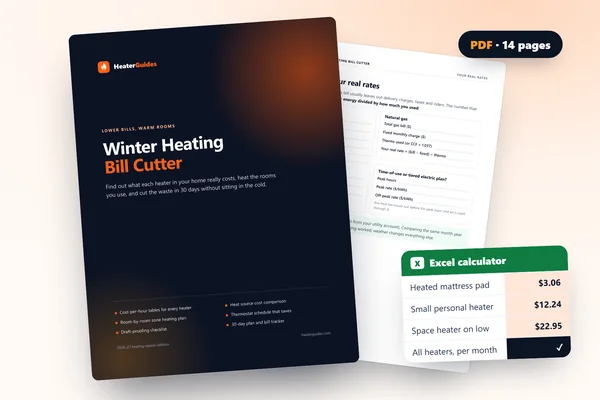 Winter Heating Bill CutterSee what every heater in your home really costs, heat the rooms you use, and cut the waste in 30 days.Cost-per-hour tables for every heaterThermostat schedule and draft-proofing planRunning-cost and bill calculator (Excel)
Advanced Vacation Mode Features
Modern thermostats offer smart capabilities:
Remote Monitoring
Check and adjust temperatures from anywhere using your smartphone.
Auto-Return
Some models detect your return via geofencing and resume normal operation.
Freeze Protection
Automatically activates heating if temperatures drop dangerously low.
Energy Reports
Track savings from vacation mode usage over time.
Additional Vacation Prep Tips
- Close blinds/curtains to reduce heat gain
- Unplug unnecessary electronics
- Consider smart plugs for lamps
- Adjust water heater settings
- Arrange for periodic home checks
For pet owners, the ENERGY STAR recommends maintaining comfortable temperatures for animals staying home.
Troubleshooting Vacation Mode
Common issues and solutions:
| Problem | Solution |
|---|---|
| System not maintaining setpoint | Check for HVAC malfunctions |
| Can’t access remotely | Verify WiFi connection |
| Unexpected temperature swings | Calibrate thermostat sensors |