For a hardwired towel warmer or infrared heating panel, the WarmlyYours four-setting countdown switch is the clearest timer pick: it offers 30-minute, 1-, 2- and 4-hour shutoffs. For whole-home heating, use a programmable thermostat instead; this switch does not set a home heating schedule.
The essentials
Choose a programmable thermostat for a whole-home heating timetable; the listed countdown switch is for compatible hardwired heaters.
The WarmlyYours switch has four shutoff periods: 30 minutes, 1 hour, 2 hours and 4 hours.
Set heating to reach your comfort temperature when you need it, rather than assuming every home needs the same start time.
Check your heating system’s response time before setting a setback; slow systems may need longer to recover.
Use a heating pad only as its manual directs, and don’t sleep with it unless its manufacturer says it’s designed for that use.
Getting the control wrong can leave rooms cold at the wrong time or keep a heater running longer than you intended. A timer on a personal heating pad won’t control your furnace, boiler or central thermostat.
The picks below serve different jobs, so choose by the heater they control, not by the word “timer” on the box.
Heating Timers for Specific Heaters
#1Best for Fixed Heaters
WarmlyYours Countdown Timer Switch
Best for Compatible hardwired towel warmers and infrared heating panels
Four countdown presets—30 minutes, 1 hour, 2 hours, and 4 hours—make it easy to shut off a compatible towel warmer or infrared panel without setting a schedule. The press-and-hold override keeps it running until you turn it off, if a preset isn’t long enough.
Best for Small pets using an 18 × 18-inch bed, crate, or kennel
Its timer offers 2, 4, 6, 8, 12, or 24 hours, plus an Always ON setting, so you can choose a run time for a pet’s resting area. Eleven heat settings range from 70°F to 130°F; follow the manual and check that your pet can move off the pad.
Size 18 × 18 inTimer settings 2, 4, 6, 8, 12, or 24 hours; Always ONHeat settings 70°F to 130°F in 5°F incrementsPower 110V
Why it made the cut
Six timer durations plus Always ON
Eleven heat settings
Waterproof coating and scratch-resistant Oxford fabric
Good to know
Sized for small pets
Must not be folded during use
Skip it if Skip it if you need a timer for a room heater or a larger pet bed.
Best for Personal warmth at home or on the go, without a cord
Choose between 30- and 60-minute timers, then set one of six heat levels from 104°F to 149°F. The rechargeable, cordless design and LCD display suit personal use when you want to see the selected temperature and timer at a glance.
Timer settings 30 or 60 minutesHeat settings 104°F, 113°F, 122°F, 131°F, 140°F, and 149°FPower Rechargeable; Type-C chargingDisplay LCD displays temperature and vibration intensity
Why it made the cut
30- or 60-minute timer
Six heat levels
Rechargeable by Type-C and cordless
Good to know
Timer choices are limited to 30 or 60 minutes
Not a control for room or whole-home heating
Skip it if Skip it if you need a wall-mounted timer or a longer timed session.
Best for Short personal sessions with a cordless face and jaw wrap
The 15-, 30-, and 45-minute auto-shutoff options give you more timer choices for a short session than a single fixed-duration pad. Three heat levels and a cordless, rechargeable design make it a personal-use pick, not a thermostat or heater timer.
Timer settings 15, 30, or 45 minutesHeat settings 104°F, 122°F, or 140°FPower Cordless and rechargeableFit Extended V-shaped design for the chin, jawline, face, and ch
Why it made the cut
Three auto-shutoff timer settings
Three heat levels
Cordless and rechargeable
Good to know
Designed as a wearable face and jaw wrap
Timer options end at 45 minutes
Skip it if Skip it if you’re looking to time a towel warmer, heating panel, or room heater.
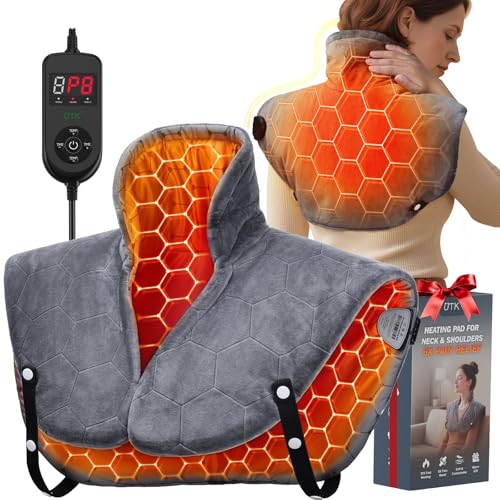
Best for Personal heating-pad use with adjustable session lengths
Its controller offers 16 timer adjustments from 15 to 240 minutes and eight heat settings, giving you a wider range of session lengths than the shorter-timer picks. The 7.9-foot cord and adjustable straps suit use at a seat or resting spot, but this is still a personal pad—not a home heating control.
Timer settings 15 to 240 minutes in 15-minute adjustmentsHeat settings Eight settings, 95°F to 159°FCord 7.9 ftCleaning Machine washable after removing the controller
Why it made the cut
16 timer adjustments from 15 to 240 minutes
Eight heat settings
7.9-foot cord and adjustable straps
Good to know
Requires a corded outlet
Must be removed from the pad before machine washing
Skip it if Skip it if you need a hardwired countdown switch or a thermostat schedule.
The optimal setting for a heating thermostat is the temperature that keeps your household comfortable while the home is occupied; there’s no single number that suits every home. For optimal heating settings, program occupied periods around your actual routine, then set back the temperature when the house is empty or everyone is asleep if your system and household tolerate the change.
When
Thermostat approach
Home and awake
Set the temperature that feels comfortable to the people in the room.
Away
Use a lower setting while the home is empty, if occupants and pets are safe and comfortable.
Asleep
Use a lower setting if it suits your household; avoid a change that leaves anyone uncomfortably cold.
Build the schedule around your day, not a generic timetable.
Give the system enough lead time to warm the home before you need it. How much time depends on the house, outdoor conditions and heating system, so adjust the start time based on what you observe rather than relying on a fixed warm-up promise.
Example Schedule
If you usually get home at 6 p.m., schedule the occupied period to begin early enough that the living area is comfortable when you arrive. If it’s still cold, move the start time earlier; if it’s already comfortable, try a later start.
Occupied periodAround your household’s arrival
AdjustmentBased on how the home responds
Keep the Controls Straight
The WarmlyYours countdown switch is not a programmable thermostat. It switches a compatible connected heater off after a chosen countdown; it can’t schedule central heating. For more help setting a daily schedule, see optimal programmable heater settings for maximum efficiency.
From HeaterGuides · our own guidePage 7 is a thermostat schedule that saves without leaving you cold.Winter Heating Bill CutterSee what every heater in your home really costs, heat the rooms you use, and cut the waste in 30 days.Cost-per-hour tables for every heaterThermostat schedule and draft-proofing planRunning-cost and bill calculator (Excel)$14.99$9.99Get it for $9.99See what's inside and watch the 2-minute video →14-page printable PDF + Excel calculator · instant download · 30-day refund
Choose the Control That Matches the Heater
For optimal heating and cooling systems, choose a control made for the equipment you want to operate: a home thermostat schedules central heating, while the listed timers and pads serve specific heaters or personal comfort. Check the equipment, timer style, shutoff choices and installation fit before you buy.
Compatible WarmlyYours towel warmers or infrared heating panels
Hardwired 120 V, 15 A in-wall switch; 30-minute, 1-, 2- and 4-hour countdown presets, plus an override.
HIRANE Portable Heating Pad; Face Heating Pad for TMJ Pain Relief; Far Infrared Heating Pad for Neck and Shoulders and Back
Personal heating
Heating pads, not whole-home thermostats.
furrybaby Pet Heating Pad, 18×18 in
Pet heating
A pet pad, not a whole-home thermostat.
These controls and heaters serve different jobs; they aren’t interchangeable.
Pick the WarmlyYours switch if you have a compatible hardwired towel warmer or infrared panel and want a countdown shutoff. Its presets end a heating session after a selected interval; they don’t create a daily schedule. The switch is hardwired, not a plug-in timer, and installation may require electrical work.
Check Before You Choose
Confirm the heater is compatible with the control.
Decide whether you need a countdown shutoff or a recurring daily schedule.
Check whether the control is hardwired and whether its installation suits your setup.
Choose a personal or pet heating pad for that specific use; none of the listed pads controls central heating.
Give Your Heating System Time to Recover
To programme a heating timer for optimal energy efficiency, set it to reach your comfort temperature when you need it—not to start at an assumed universal warm-up time. How early to start depends on insulation, outdoor conditions, the heating system and how much heat the home’s walls and floors have stored.
Start with the thermostat and heating-system instructions; use their guidance for scheduling and setbacks.
Choose a modest setback while the home is empty, then schedule heat to begin before you expect to occupy the rooms.
Check when the occupied rooms actually reach your target temperature, not just when the thermostat switches on.
If the rooms are still cool, move the start time earlier in small increments and check again under similar conditions.
Underfloor heating often needs an earlier start than a faster-response system because the floor and surrounding structure take time to warm. A cold snap can also change the recovery time. Keep notes for different weather if the schedule needs seasonal adjustment.
Avoid assuming a deep setback always helps
A large temperature drop may take longer to recover and may not suit every heating system or household. Follow the equipment instructions, especially if the system has limits on setback or recovery settings.
For guidance on choosing a whole-home temperature, see the best temperature for your HVAC system; the right timer schedule still depends on how your own rooms respond.
Keep Timer Costs in Perspective
The optimal house heating timetable can reduce time spent heating an empty home to its occupied comfort setting, but it can’t guarantee a particular bill reduction. Results depend on the building, weather, heating system and energy rates.
A thermostat setback schedule changes when whole-home heating runs and what temperature it maintains. A countdown switch, such as the WarmlyYours four-setting timer, shuts off a connected local heater after its selected interval; it doesn’t create a heating timetable for the house.
A timer controls operating time
It doesn’t change the heater’s rated power or the home’s heat loss. For an electric heater, energy use can be estimated as watts ÷ 1,000 × hours run × your electricity price per kWh. Actual use may be lower when a thermostat cycles the heater off, and the bill also includes other household loads.
Be wary of promises of a fixed percentage saved or a set amount per degree without evidence for your home and equipment. Compare your schedule and energy use across similar weather and billing periods; a colder month can obscure what the timer changed.
Check Installation and Heating Pad Safety
Safe use starts with matching the control to the heater and following the pad’s instructions. The WarmlyYours Hardwired 4-Setting Countdown Timer Switch is for a compatible hardwired heater; confirm the heater’s electrical requirements and the switch’s specifications before buying or installing it. If you’re unsure about compatibility or the wiring, have a qualified electrician check and install the switch.
Stop if anything is damaged
Don’t use a heating pad with a damaged pad, cord or controller. Unplug it if you can do so safely, and follow the manufacturer’s guidance on repair or replacement. A countdown timer doesn’t replace supervision, the product’s safety instructions or its automatic shutoff features.
Keep electric heating pads flat while they’re on; folding or bunching can trap heat. Don’t sleep with a pad unless its manufacturer says that model is designed for overnight use. That applies to personal pads such as the HIRANE Portable Heating Pad and the Face Heating Pad for TMJ Pain Relief: check each model’s instructions rather than assuming the same rules apply to every pad.
Before You Turn It On
Read the pad’s instructions for placement, use time and shutoff.
Keep the pad flat and check that its cord and controller are undamaged.
For the furrybaby Pet Heating Pad, follow the manual and don’t fold it during operation.
Confirm the WarmlyYours switch is compatible with the specific hardwired heater; arrange qualified electrical installation if needed.
For a pet pad, use the specified setup and supervision in its manual. A timer can limit operating time, but it can’t tell you whether the pad is damaged or being used correctly.
More Questions, Answered
What is the optimal temperature for heating a room?
Set the room to the lowest temperature that feels comfortable while you’re using it; the right setting depends on your activity, clothing and the room. A portable heater’s thermostat controls that room, not the rest of the house.
What is the optimal heating temperature for a home?
There isn’t one temperature that suits every household, so adjust the thermostat to comfort and occupancy. If people in the home have different temperature needs, use room-specific controls where available rather than overheating the whole house.
How do I program a heating timer for energy efficiency?
Set the timer to bring the home to your comfort temperature when you need it, then lower the setting during periods when the house is empty. Change the start time in small increments over several days; the time needed to warm up varies with the system and the home’s heat loss.
What is the best timetable for heating a house?
Build the schedule around when rooms are occupied: use a lower setting during long absences and restore comfort before people return. A house that stays occupied all day may need a different schedule from one that’s empty until evening.
How should heating settings change overnight?
Lower the setting overnight if that remains comfortable and the home can recover by morning. Avoid switching the heat off in freezing weather if doing so could let pipes or vulnerable rooms get dangerously cold.
Should heating and cooling systems use the same thermostat schedule?
They can share a thermostat, but heating and cooling usually need separate setpoints and schedules because comfort and outdoor conditions differ by season. Check that the thermostat is compatible with your equipment and that its heating and cooling modes aren’t set to work against each other.
Before you go · a welcome giftGet the Winter Heating Bill Cutter for $4.99See what every heater in your home really costs, heat the rooms you use, and cut the waste in 30 days. Normally $14.99; your welcome price saves $10.00. We'll email your link right now.or buy it now for $9.99 without the gift →One email with your link now. We never share your address.


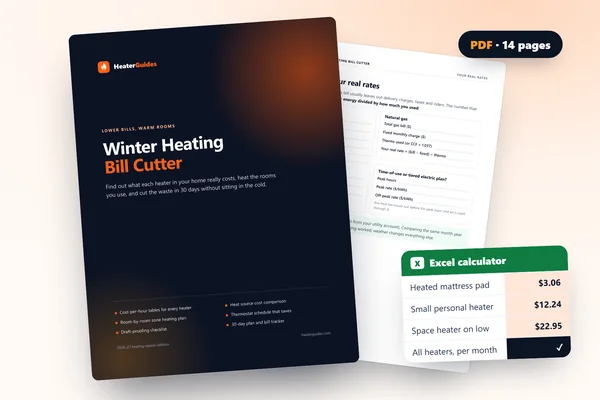 Winter Heating Bill CutterSee what every heater in your home really costs, heat the rooms you use, and cut the waste in 30 days.Cost-per-hour tables for every heaterThermostat schedule and draft-proofing planRunning-cost and bill calculator (Excel)