When to Reprogram Your Heating System for Peak Performance
On this page 5 sections
You set your thermostat once last fall, and it’s been running the same schedule ever since. Meanwhile, the sun started rising earlier, you changed your work hours, and the kids’ school schedule shifted. Your heating system doesn’t know any of that. It’s still firing up at 6 AM when nobody needs it, and cranking heat at noon while you’re out.
That disconnect costs you. Not just money, but comfort too — rooms that feel stuffy one week and chilly the next. The fix isn’t a new furnace. It’s knowing when to reprogram your heating system for peak performance. This article walks you through the exact clock settings, seasonal triggers, and signs that your current schedule is wasting energy. You’ll get numbers you can dial in today, and a honest look at which scheduling approach actually works.
I’ve worked with HVAC systems for over a decade, and I’ll tell you straight: most people set a schedule once and forget it. That’s the single biggest mistake. Your heating needs change throughout the year, and your thermostat should change with them.
A simple way to get serious about scheduling is with a reliable programmable thermostat. The Check price on Amazon gives you a 5-2 day schedule, a backlit display, and a change-filter reminder so you don’t forget maintenance. It replaces older Honeywell models and installs with the same wall plate, making the swap painless. If your current thermostat is more than five years old, this is a worthwhile upgrade.
Four Clock Settings You Must Get Right
Every programmable thermostat has four basic time periods: Wake, Leave, Return, and Sleep. Nail these and you’ve solved 80% of the comfort-versus-efficiency puzzle.
Wake (6:30 AM – 8:00 AM) set to 68°F. That’s warm enough to get out of bed without shivering, but not so hot that you waste energy. If you shower in the morning, the steam helps. No need to push it to 72°F.
Leave (8:00 AM – 5:30 PM) drop to 62°F. For most homes, 62°F keeps pipes safe and pets comfortable. Every degree lower saves about 1% on your heating bill. A six-degree setback for nine hours adds up fast.

Return (5:30 PM – 10:00 PM) back to 68°F. Set this to start 30 minutes before you actually walk in the door. A cold house takes time to warm up, especially if you have a heat pump. Program the recovery to happen while you’re still driving home.
Sleep (10:00 PM – 6:30 AM) drop to 65°F. Your body sleeps better in a cooler room. 65°F is the sweet spot — you’ll save energy and probably sleep deeper than at 70°F.
Pro tip: If someone works from home or stays home during the day, don’t use the Leave setback. Set a single daytime temperature of 66–68°F instead. Trying to force an empty-house schedule when someone’s there just leads to manual overrides, which defeats the purpose.
Seasonal Triggers for a Full Reprogram
Your heating system needs at least two full reprogram sessions per year: one when cold weather settles in, and one when it leaves. But there are other triggers that matter just as much.
Daylight Saving Time — your wake and sleep times shift by an hour. If you don’t adjust your thermostat schedule, your system will heat an empty house for an extra hour each morning or evening. That’s about 30 hours of wasted heat per month. Mark the second Sunday in March and the first Sunday in November on your calendar. Reprogram those days.
First sustained freeze — when overnight lows drop below 32°F for three nights in a row, you need to verify your setback temperature doesn’t go below 55°F if you have pipes in exterior walls. Most programmable thermostats bottom out at 40°F or 45°F, which is fine for an empty house but risky for plumbing. Keep the Sleep setting at 60°F minimum during deep freezes.
Change in occupancy — kids return to school in September, start summer break in June, or you switch to remote work. Each shift changes when your house is empty. Don’t wait for the first high bill. Reprogram the day your routine changes.
Heat pump vs. furnace — if you use a heat pump, avoid setbacks larger than 2°F at a time. Heat pumps recover slowly, and a big overnight setback forces the electric-resistance backup heat to kick in, which destroys efficiency. With a heat pump, consider a constant 68°F with a 1–2°F night setback, or use a smart thermostat that learns recovery time.
How to Tell Your Current Schedule Is Wasting Energy
You don’t have to wait for a $300 electric bill to know something’s off. Three signs point to poor scheduling.
- Short cycling — your furnace turns on for 5 minutes, off for 10, then on again. That usually means the thermostat is overshooting or the schedule is forcing the system to work in tiny bursts.
- Rooms feel uneven — the bedroom is sweltering while the living room never gets warm. A bad schedule can cause the system to run longer in one zone than needed, creating hot and cold spots.
- Manual overrides every day — if you find yourself hitting the ‘hold’ button daily, your schedule doesn’t match your life. Don’t fight it. Change the schedule.
Below is a comparison of three common scheduling approaches. Pick the one that fits your lifestyle, not the one that sounds most advanced.
| Approach | Best For | Ease of Use | Typical Energy Savings |
|---|---|---|---|
| Manual daily (no schedule) | People with chaotic hours or who forget to program | Easy — just turn it up/down as needed | 10–15% if you consistently set back when gone |
| 5-2 Programmable (fixed weekday/weekend) | Families with predictable work/school schedules | Set it once, minor tweaks needed | 15–25% over no setback |
| Smart adaptive (learning thermostat) | Homes with variable occupancy or heat pumps | Very easy after initial training period | 20–30% with optimization features |
That 5-2 approach hits the sweet spot for most households. You don’t need machine learning for a predictable routine. A simple programmable thermostat like the Honeywell RTH20B handles weekday/weekend scheduling cleanly and costs a fraction of a smart thermostat.
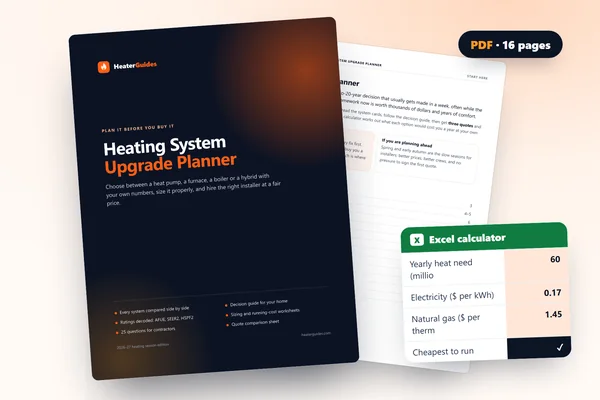 Heating System Upgrade PlannerChoose between a heat pump, a furnace, a boiler or a hybrid with your own numbers, and hire the right installer.Every system compared side by side25 questions for contractors, red flagsRunning-cost, payback and quote calculator (Excel)
Frequently Asked Questions
How often should I reprogram my heating system?
At minimum, twice a year — once in late autumn and once in early spring. But also reprogram when daylight saving time starts or ends, when your daily schedule changes (new job, school year), and when you take a vacation longer than three days. Most people would benefit from three to four reprogram events per year.
Do I need to reprogram if I’m going on vacation?
Yes. Use the vacation hold or a temporary schedule that keeps the house at 55–60°F. That protects pipes without heating an empty home to 68°F. Most programmable thermostats have a ‘hold’ feature for exactly this. Just remember to cancel it when you return, or set an end date if your thermostat supports it.
Can I use the same schedule year-round for both heating and cooling?
Technically you can, but you shouldn’t. The optimal temperatures are different. For cooling, set the thermostat to 78°F when you’re home and 82°F when away. If your thermostat only holds one schedule, switch between a heating profile and a cooling profile manually at the start of each season. The Honeywell RTH20B is designed for single-stage heat/cool systems, so you’ll want to reprogram the temperature setpoints, not just the times.
What temperature saves the most without risking frozen pipes?
55°F is the industry standard for an unoccupied home during cold weather. Below that, pipes in exterior walls or poorly insulated spaces can freeze. If your programmable thermostat has a minimum of 40°F or 45°F, do not let the schedule drop that low. Set a minimum of 55°F during the heating season. If you’re away for an extended period, 55°F is safe and saves a lot compared to 68°F.
My programmable thermostat seems complicated. Any tips for setup?
Read the quick-start card first, not the full manual. Most thermostats ship with a simplified setup sheet. For the Honeywell RTH20B, the UWP wall plate makes wiring nearly foolproof — labels are printed on the terminals. After installation, run through the schedule setup step by step. Start with just the Wake and Sleep times; you can add the Leave and Return later. If you get stuck, take a photo of your old wiring before you remove it. That single photo saves hours of confusion.
What to Do Next: Six Actions for Immediate Savings
- Set your current thermostat to a 5-2 schedule with wake/leave/return/sleep times that match your real routine — not your ideal routine.
- Drop the sleep temperature to 65°F and the away temperature to 62°F. That alone cuts 10–15% off your heating bill.
- Reprogram your thermostat during daylight saving transitions. Set a phone reminder.
- If your thermostat is over seven years old, consider replacing it with a programmable model like the Check price on Amazon for easier scheduling and filter reminders.
- Check your HVAC system age — if it’s near the end of its lifespan (15+ years), a new system paired with smart scheduling might be more cost-effective than tweaking an old one.
- Review system cleaning tips to keep your equipment running efficiently between schedule changes. Dirty filters and coils undermine even the best thermostat program.


