You know the drill. It’s 3 AM, you’re buried under three blankets, and the bedroom is still freezing. Or it’s 4 PM in July, the living room feels like a sauna, but the hallway is an icebox. The thermostat reads 72 degrees, so the HVAC system thinks everything is fine. Meanwhile, you’re reaching for a sweater or cranking the fan.
Most people treat their thermostat like a simple on/off switch. Set it to a number, hope for the best, and pay the bill. But the right setting isn’t a single number. It depends on your heating and cooling system, your local humidity, the time of day, and even which room you’re standing in. This guide walks through all of it. You’ll leave with a concrete plan for every season, not just generic advice.
Google Nest Thermostat - Smart Thermostat for…
- ENERGY STAR certified smart thermostat for home that helps you save energy and stay comfortable.Connectivity : Wi-Fi - 802.11b/g/n…
- The Nest Thermostat is designed to work without a C wire in most homes, but for some systems, including heating only, cooling only…
- Nest Thermostat turns itself down when you leave, so you don’t waste energy heating or cooling an empty home. Lock feature: No
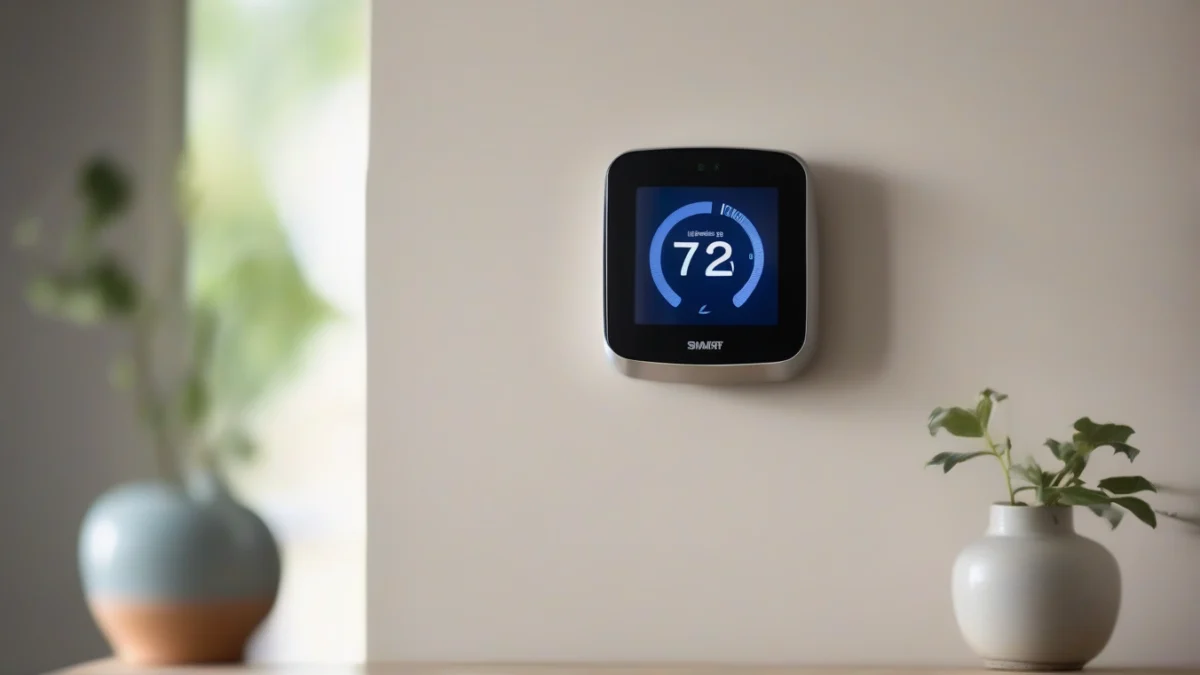
If you’re using a programmable thermostat, the smart temperature control features can handle the heavy lifting. A smart thermostat like the Google Nest Thermostat learns your schedule, turns itself down when you leave, and gives you remote control from your phone. It’s a practical tool for executing the strategies below without thinking about them daily.

The Seasonal Cheat Sheet (Quick-Reference Table)
Here are the baseline numbers most HVAC professionals recommend. Use these as starting points, then adjust based on the factors covered in the next section.
| Season | Wake Time (6 AM – 8 AM) | Daytime (8 AM – 5 PM) | Evening (5 PM – 11 PM) | Sleep (11 PM – 6 AM) |
|---|---|---|---|---|
| Winter (Heating) | 68°F (20°C) | 62–65°F (17–18°C) if away | 68–70°F (20–21°C) | 62–65°F (17–18°C) |
| Summer (Cooling) | 76°F (24°C) | 78–80°F (26–27°C) if away | 74–76°F (23–24°C) | 72–74°F (22–23°C) |
| Spring/Fall | 70°F (21°C) | 68°F (20°C) – use ventilation | 70°F (21°C) | 66–68°F (19–20°C) |
These numbers assume average humidity (30–50% in winter, 40–55% in summer). If your humidity is off, you’ll feel colder or warmer than the thermostat suggests.
Why “One Size Fits All” Fails
The table above is a starting point. Your actual ideal settings depend on three variables: your HVAC system type, your local humidity, and your daily schedule. Ignore these and you’ll either waste energy or sleep badly.
HVAC System Type (Heat Pump vs. Furnace)
Heat pumps work differently than furnaces. A furnace blasts hot air until the setpoint is reached, then shuts off. A heat pump runs longer at a lower output, moving heat from outside to inside. This means heat pumps prefer a steady temperature. Setting a big setback (like dropping from 70°F to 60°F at night) forces the heat pump to work hard for hours to recover in the morning. That recovery period often uses more electricity than you saved overnight. For heat pumps, keep the setback to 3–5°F, not 8–10°F.
Furnaces and boilers don’t care about setbacks. They recover quickly, so aggressive setbacks (8–10°F) save real money. Radiant floor systems are the opposite—they heat slowly and cool slowly. They need a consistent temperature with minimal setbacks, or you’ll be waiting two hours for the floor to warm up.
Humidity and Your Home’s Microclimate
Humidity changes how temperature feels. At 70°F with 20% relative humidity, your skin loses moisture and you feel colder than the thermometer reads. At 70°F with 60% humidity in summer, sweat doesn’t evaporate and you feel sticky and warm.
In winter, aim for 30–40% indoor humidity. If you’re at 20%, your 68°F setting will feel like 64°F. Run a humidifier or set the thermostat two degrees higher. In summer, aim for 40–50%. If you’re at 60%, your 76°F setting will feel like 80°F. The fix isn’t always lowering the temperature—it’s running the AC longer to dehumidify, or using a dehumidifier. Check your HVAC settings guide for more on matching humidity to temperature.
Optimal Settings for Winter (Heating Season)
Winter is where most people waste money. The Department of Energy suggests 68°F while awake and lower while asleep or away. But that’s a national average. Here’s a more practical breakdown.
Daytime (working from home or active): 68–70°F. This is comfortable for most people in sweaters or long sleeves. If you’re doing physical work, 66°F works fine.
Nighttime: 62–65°F. Your body temperature drops during sleep, and a cooler room helps. Most people sleep well at 65°F with a decent blanket. Going below 60°F can disrupt sleep for some, so test carefully.
Away from home: 55–60°F. You don’t need to heat an empty house. But don’t go below 55°F—your pipes can freeze, and your home’s structure (drywall, wood) can suffer from prolonged cold.
Daytime, Nighttime, and Away-From-Home Setbacks
Here’s where a programmable thermostat earns its keep. If you leave at 8 AM and return at 6 PM, set the temperature to drop to 60°F at 8:30 AM and recover to 68°F at 5:30 PM. The recovery takes about 30–60 minutes for a furnace, so the home is warm when you walk in.
Setbacks save 1–2% on your heating bill per degree of setback over 8 hours. A 10°F setback for 8 hours saves roughly 10% annually. That’s not trivial. But the recovery time matters—if your system runs for an hour to recover, you’ve eaten into the savings. For furnaces, this isn’t an issue. For heat pumps, keep the setback smaller.
Optimal Settings for Summer (Cooling Season)
Summer cooling is expensive. The AC runs constantly in humid climates, and every degree you lower the setpoint costs about 3–5% more energy. The trick is to balance temperature with dehumidification.
Set the thermostat to 78°F while you’re home and awake. That sounds warm, but with ceiling fans running, it feels like 74°F. Fans cool people, not rooms—turn them off when you leave. For sleep, 72–74°F works well. Your body cools down during sleep, and a slightly cooler room helps you fall asleep faster.
Away from home: 80–82°F. Let the house get warm. But don’t turn the AC off entirely—the heat and humidity can damage wood floors, electronics, and even your mattress. A 5–6°F setback is enough.
Balancing Dehumidification with Temperature
Here’s the nuance. An AC unit dehumidifies as it cools. If you set the thermostat to 80°F, the AC runs less, so it removes less humidity. On humid days, the air feels sticky at 80°F. The fix: run the AC at 78°F, or use a standalone dehumidifier in the basement or main living area. Many smart thermostats let you set a humidity target—if humidity exceeds 55%, the AC runs even if the temperature is satisfied. That’s a feature worth using.
The “Shoulder Seasons”: Spring and Fall
Spring and fall are the hardest seasons to manage. Outdoor temperatures swing 30 degrees between morning and afternoon. The heating and cooling costs can spike if you’re not careful.
Here’s the rule: if the outdoor temperature is between 55°F and 75°F, turn the HVAC system off entirely and open windows. Use ceiling fans and natural ventilation. For the few days when the swing is extreme, set the thermostat to 70°F with the system in “auto” mode. It’ll heat in the morning and cool in the afternoon—rarely, but efficiently.
If you have a heat pump, the shoulder seasons are actually its sweet spot. Heat pumps are highly efficient at mild temperatures. Let it run in auto mode and it’ll handle the swings cheaply.
Room-by-Room Temperature Guide
Whole-house averages hide a lot of misery. Here’s what actually works in each room:
- Bedroom: 62–65°F for sleep. Cooler rooms promote deeper sleep. If you have a baby or toddler, keep it at 68–70°F—they can’t regulate body temperature as well.
- Kitchen: 68°F in winter, 76°F in summer. Cooking generates heat, so you can set it lower than the rest of the house. The oven and stove will do the rest.
- Home office: 70–72°F. Your brain works better when you’re not shivering or sweating. This is worth the extra energy cost if you work from home full-time.
- Bathroom: 72–74°F. Stepping out of a warm shower into a 62°F room is miserable. If you have a separate thermostat or a space heater, use it. Otherwise, crack the door during showers.
- Basement: 65°F in winter, 75°F in summer. Basements are naturally cooler and more humid. If you use it as a living space, add a dehumidifier.
Zoned heating and cooling systems let you set each room independently. If you have one, use it. If you don’t, consider a smart thermostat with room sensors—they help balance temperatures across the house.
Vacation and Away-From-Home Settings
Going on a trip? Don’t turn the HVAC off. The house needs a baseline temperature to prevent damage.
Winter vacation: Set the heat to 55°F (minimum). This prevents pipes from freezing while keeping the structure safe. If you have houseplants, 60°F is safer. Make sure the temperature never drops below 50°F, or your pipes could burst.
Summer vacation: Set the AC to 85°F. This keeps humidity in check without wasting energy. If you have pets staying home with a sitter, adjust to 80°F—pets need a comfortable range too.
Smart thermostats with geofencing handle this automatically. They detect when the last person leaves and shift to your vacation settings. When you return, they start recovering so the house is comfortable before you walk in. Check your seasonal temperature adjustment options for more on this.
How Smart Thermostats Automate All of This
Smart thermostats like the Google Nest Thermostat don’t just follow a schedule—they learn. Over the first week, they observe when you wake, leave, return, and sleep. Then they build a schedule around your actual habits, not the default one you programmed.
Geofencing uses your phone’s location. When you leave the house, the thermostat switches to eco mode. When you’re 10 minutes away, it starts heating or cooling. This is more accurate than a fixed schedule because it adapts to your daily variations.
Learning algorithms also track how long your system takes to reach temperature. In winter, a furnace might take 30 minutes to go from 60°F to 68°F. The Nest learns this and starts recovery early, so you don’t wake up to a cold house. It also tracks outdoor temperatures and adjusts the recovery time accordingly—a colder day means a longer recovery.
The energy savings reports are useful too. They show how many hours your system ran compared to previous weeks, and they’ll suggest tweaks. It’s not perfect—the learning curve takes a week or two, and some people find the auto-schedule annoying. You can always override it manually.
For a deeper look at how these systems work, check out this home temperature adjustment resource.
Common Thermostat Mistakes That Cost You Money
These mistakes are shockingly common, even among people who think they’re energy-savvy.
- Cranking the thermostat to heat or cool faster. Your system runs at one speed. Setting it to 90°F won’t heat your home faster—it’ll just overshoot and waste energy.
- Leaving the fan on “ON” instead of “AUTO.” The fan circulates air constantly, which can make the house feel drafty and increases electricity use. Use AUTO unless you need constant air filtering.
- Ignoring the filter. A dirty filter restricts airflow, forcing the system to run longer. Change it every 1–3 months.
- Setting back the temperature too aggressively for a heat pump. As discussed, this causes long recovery times and negates savings.
- Not using ceiling fans. In summer, run fans counterclockwise to create a wind chill effect. In winter, run them clockwise at low speed to push warm air down from the ceiling.
- Forgetting to adjust for humidity. If your home is too humid in summer, you’ll keep lowering the thermostat instead of addressing the humidity. Lower the humidity, and you can raise the temperature.
Frequently Asked Questions (FAQs)
What is the best temperature to set my thermostat in winter?
68°F while awake and at home, 62–65°F while sleeping, and 55–60°F when away. If you have a heat pump, keep the setback to 3–5°F. If you have a furnace, you can use the full 8–10°F setback.
Is it cheaper to keep my thermostat at one temperature all day?
No. The “constant temperature” myth persists, but the physics are clear: heat flows from warm to cold. The greater the difference between inside and outside, the faster you lose heat. A setback reduces that difference for hours, so you use less energy. The exception is heat pumps, where recovery costs can offset the savings.
What temperature should I set my thermostat at night?
For most people, 62–65°F in winter and 72–74°F in summer. Your body’s core temperature drops during sleep, so you don’t need as much heating or cooling. A cooler bedroom also improves sleep quality for many people.
How does humidity affect my thermostat setting?
Humidity changes the perceived temperature. In winter, low humidity makes 68°F feel like 64°F. In summer, high humidity makes 76°F feel like 80°F. Adjust your thermostat based on humidity levels, or use a humidifier/dehumidifier to hit the right range.
Will a smart thermostat really save me money?
Most studies show savings of 10–15% on heating and cooling costs, primarily from automated setbacks and geofencing. The Google Nest Thermostat is ENERGY STAR certified, and many utility companies offer rebates for installing one. It won’t save money if you never adjust it, but the learning features handle that for you.
What to Do Next (The Short Version)
Here’s what to do tonight, without buying anything:
- Set your thermostat to 68°F for winter evenings, 62–65°F for sleep.
- In summer, set 78°F during the day, 74°F at night, and use ceiling fans.
- Check your humidity levels. Buy a $10 hygrometer and adjust accordingly.
- If you have a heat pump, stop using aggressive setbacks.
- Change your HVAC filter if it’s been more than 3 months.
- Set a vacation schedule if you’re leaving for more than 24 hours.
- If you’re shopping, look for a smart thermostat with geofencing and humidity control—the Nest Thermostat is a solid option, and you can check the current price on Amazon.
Related guides
Top 5 Game-Changing Devices for Home Temperature Control
For homeowners, the best devices for home temperature regulation enhance comfort and efficiency. Effective temperature management is essential…
Smart Home Temperature Regulation for Summer Comfort
To maintain comfort during summer, use fans, air conditioning, and proper insulation to regulate home temperature effectively. Keeping…
7 Key Factors That Impact Home Temperature Consistency
Home temperature consistency is influenced by insulation quality, HVAC system efficiency, outdoor climate, window types, and air leakage…