

You walk into a conference room at 9:00 AM. It’s freezing. Someone set the thermostat to 62°F yesterday for a meeting that got moved. You adjust it, but the space won’t warm up for another hour. Sound familiar? Most facilities waste thousands of dollars a year on this exact problem — not because the HVAC equipment is bad, but because the control strategy is dumb.
Smart temperature control systems fix that by combining precise sensors with automated decision-making. But here’s the catch: precision and automation are not the same thing, and they don’t always need each other. A system can be highly precise but require constant manual input. Another can be fully automated but swing 4°F because it’s reacting to a cheap sensor. This article walks through the engineering trade-offs, the real costs, and the payback math so you can choose the right balance for your building.
You’ll also get a practical comparison of sensor types, wireless protocols, and retrofit strategies. Plus the security steps most installers skip. No fluff, just numbers.
The Evolution of Temperature Control: From Manual to Intelligent
Old pneumatic thermostats were mechanical. A bimetal strip bent with temperature changes, opening or closing a valve. They held a setpoint within ±2°F on a good day and drifted worse as they aged. Digital thermostats improved accuracy to ±1°F but still ran on simple schedules — the same setpoint at 6:00 AM every day, whether the building was occupied or empty.
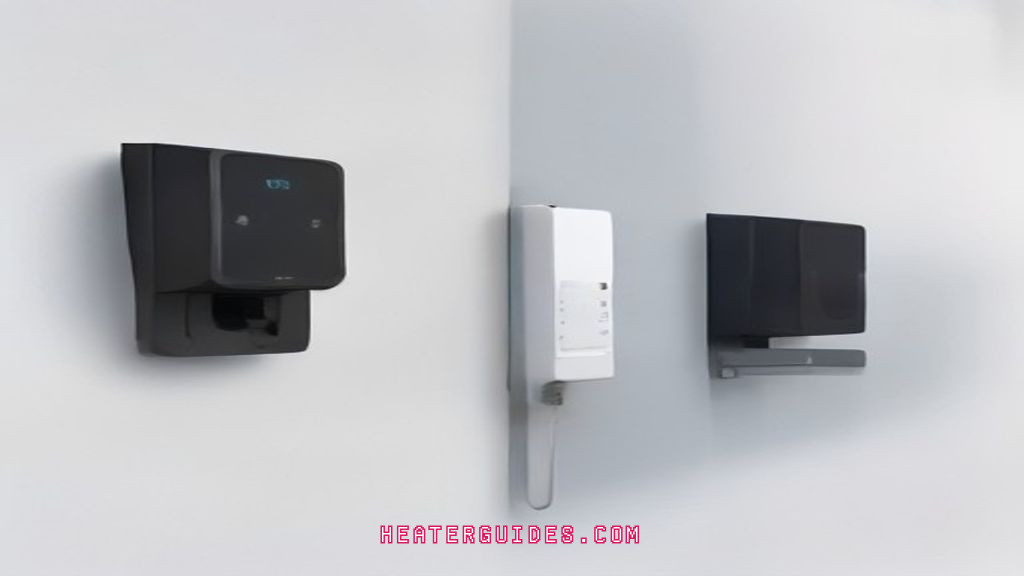
Modern smart systems layer on three things: sensing density, communication, and logic. Instead of one thermostat in a hallway, you get multiple sensors in each zone. Instead of a fixed schedule, you get occupancy detection and weather forecasts. Instead of a local controller, you get cloud-based optimization that learns how the building responds to solar gain, equipment heat, and outside air temperature.
The result is not just comfort. It’s energy savings of 10–30% on HVAC, which is typically 40% of a commercial building’s total energy use. That’s the headline number. But getting there requires understanding the components.
Core Components of a Smart Temperature Control System
Every system, regardless of brand, has four parts: sensors, controllers, actuators, and the network connecting them. Each part has real trade-offs that affect accuracy, cost, and reliability.
Sensors: Accuracy, Placement, and Multi-Functionality
Temperature sensors come in three common types. Thermistors are cheap and accurate within ±0.2°F over a narrow range, but they drift over time. Resistance temperature detectors (RTDs) are more stable and accurate to ±0.05°F, but cost five to ten times more. Thermocouples handle extreme temperatures but offer poor accuracy (±2°F) for normal HVAC ranges.
Placement matters more than sensor type. A sensor mounted near a supply air diffuser reads 70°F while the occupied zone sits at 74°F. That’s a 4°F error caused by location, not sensor quality. Rule of thumb: mount sensors on interior walls, five feet above the floor, away from direct sunlight, equipment, and doorways. For open-plan spaces, use multiple sensors and average the readings — one sensor per 300–500 square feet gives good resolution without breaking the budget.
Modern sensors often combine temperature with humidity, CO2, and occupancy detection. CO2 sensors are particularly useful because they indicate real occupancy — if CO2 levels are low, the space is likely empty, even if motion sensors missed someone sitting still. This multi-functionality reduces installation cost because you run one wire instead of three.
Controllers and Actuators: The Decision-Making Brain
The controller receives sensor data and decides what to do. Simple controllers use a proportional-integral-derivative (PID) loop. The proportional term reacts to the current error, the integral term corrects accumulated error, and the derivative term anticipates rate of change. Tuning a PID loop is an art — too aggressive and the system oscillates; too soft and it never reaches setpoint.
Actuators are the muscles. They open and close dampers, valves, and variable frequency drives (VFDs) on fans and pumps. The precision of an actuator matters. A damper actuator with 90-second travel time reacts slowly to a sudden load change, causing temperature overshoot. High-end actuators do the full stroke in 30 seconds or less. You pay for that speed, but in spaces with high solar gain or frequent occupancy changes, it’s worth it.
Connectivity Protocols: Z-Wave, Zigbee, and Wi-Fi Compared
Wireless protocols are where many projects get stuck. Here’s a quick comparison:
| Protocol | Range (indoor) | Bandwidth | Power Use | Best For |
|---|---|---|---|---|
| Wi-Fi | 100–150 ft | High (2–100 Mbps) | High | Single devices, easy setup |
| Zigbee | 30–60 ft per node | Low (250 kbps) | Very low | Mesh networks, many sensors |
| Z-Wave | 100–150 ft per node | Low (100 kbps) | Very low | Home automation, reliability |
| BACnet MS/TP | 4,000 ft wired | Medium (76.8 kbps) | N/A (wired) | Commercial building automation |
Wi-Fi is tempting because it’s already in the building. But Wi-Fi sensors drain batteries fast — expect 6–12 months on a coin cell, versus 2–5 years for Z-Wave or Zigbee. Wi-Fi also congestes quickly. A building with 200 Wi-Fi sensors will compete with phones, laptops, and access points for bandwidth. Zigbee and Z-Wave use dedicated mesh networks that don’t interfere with Wi-Fi, and each sensor acts as a repeater, extending range.
For commercial buildings, wired BACnet is still the gold standard for reliability. It costs more to install but eliminates wireless interference and battery replacement entirely. My advice: use wired for the core controllers and wireless for retrofit add-ons.
Precision vs. Automation: Finding the Right Balance for Your Facility
There’s a common misconception that more automation is always better. It’s not. Automation adds complexity, and complexity adds failure points. A simple programmable thermostat with a well-placed sensor and a tight deadband can achieve 80% of the savings of a fully automated system, at 20% of the cost.
Precision means holding a setpoint within a narrow range, say ±0.5°F. That requires high-accuracy sensors, fast actuators, and a tuned control loop. Automation means reacting to changing conditions without human input — turning down when the space is empty, pre-cooling before peak hours, adjusting for weather.
You need both, but the ratio depends on your building. A data center needs precision above all — a 2°F swing can shorten server life. A warehouse needs automation more than precision — nobody cares if it’s 68°F or 70°F, but they care if it’s heated all weekend when empty. A hospital needs both, with redundancy.
Ask yourself three questions before buying anything:
- What is the acceptable temperature range for each zone? Write it down.
- How often does occupancy change? Daily? Hourly?
- Who will maintain the system? Your in-house team or a contractor?
Answer those honestly, and you’ll know whether to spend money on better sensors or better scheduling logic.
Retrofitting vs. New Installation: A Cost-Benefit Analysis
Retrofitting an existing HVAC system is almost always cheaper than replacing it, but it comes with hidden challenges. Old pneumatic actuators won’t accept digital signals. You’ll need to replace them with electronic ones, which can cost $200–$500 per actuator plus labor. Existing wiring may be daisy-chained in a way that doesn’t support modern sensor polling. And the control panel might be a proprietary box that doesn’t speak BACnet or Modbus.
Before you commit, do a site survey. Check the age of the actuators, the type of control wiring, and whether the chiller or boiler has a digital interface. If the equipment is over 20 years old, the efficiency gains from new controls may be wasted on an inefficient heart. In that case, a full replacement might pay off faster.
New construction is easier. You can specify the right sensors, actuators, and controllers from day one. But it’s also where people overspend. Contractors love to sell you a building management system (BMS) with every bell and whistle. You don’t need a graphical dashboard with 3D building rendering to save energy. A simple web interface that shows zone temperatures and setpoints is enough for most facilities.
One retrofit tip: start with one floor or one zone. Install the system, measure the actual energy use for a month, and compare it to the previous year’s data. That gives you real numbers to justify scaling up.
Calculating Your ROI: Energy Savings and Payback Periods
The simplest ROI model uses three inputs: annual HVAC energy cost, expected savings percentage, and total installed cost.
Payback (years) = Installed Cost / (Annual HVAC Cost × Savings %)
Here’s a realistic example. A 20,000 sq ft office spends $40,000 per year on HVAC energy. A smart control retrofit costs $25,000 installed, including sensors, controllers, and labor. Expected savings are 20% based on similar buildings. That’s $8,000 per year in savings. Payback = $25,000 / $8,000 = 3.1 years.
But don’t stop at energy savings. Add maintenance reductions. Smart systems alert you to failing actuators before they cause a breakdown. A single emergency service call for a frozen coil can cost $1,500. If the system prevents one such call per year, add that to the annual savings. Now the payback drops to 2.6 years.
Also factor in the utility rebates. Many utilities offer incentives for smart thermostat installations, sometimes covering 30–50% of the hardware cost. Check with your local provider before you buy. That can cut the payback period in half.
One caveat: savings estimates are just estimates. The actual number depends on how often the building was over-cooled or over-heated before. A building with poor baseline control will see bigger savings than one already running efficiently. Don’t assume 30% savings; use 15–20% for conservative planning.
Addressing Security and Privacy in Connected Climate Systems
Smart temperature control systems are part of the Internet of Things (IoT), and they have the same vulnerabilities as any networked device. A hacked thermostat can tell an attacker when the building is occupied. Worse, a compromised controller can be used as a foothold to attack other systems on the same network.
Here are concrete steps to secure your system:
- Put all HVAC controllers and sensors on a separate VLAN. Do not let them talk to the main office network. This contains a breach.
- Change default passwords on every device. You’d be surprised how many installers leave the factory password in place.
- Disable remote access features you don’t use. If you don’t need to change the temperature from your phone, turn it off.
- Update firmware quarterly. Manufacturers patch vulnerabilities, but only if you install the patches.
- Monitor for unusual traffic. A sensor that suddenly starts sending data at 3:00 AM is a red flag.
Data privacy is a separate concern. Your system collects occupancy patterns, which are sensitive. If your vendor stores this data in the cloud, ask where it’s stored, who has access, and how long it’s retained. Get it in writing. Some vendors sell anonymized data to third parties; you need to opt out explicitly.
The Human Factor: User Adoption and Comfort Optimization
You can install the most precise system on the market, but if people are overriding it constantly, you’ve wasted your money. There’s a well-documented phenomenon called the “override war” — occupants get cold, they jack the thermostat to 80°F, then they leave it there. The system loses all efficiency.
The fix isn’t more automation. It’s better communication. Show occupants the actual temperature in their space, not just the setpoint. If they see it’s 72°F but they feel cold, the problem might be draft or radiant asymmetry, not the air temperature. A smart system with multiple sensors can detect that a certain desk is in a draft and adjust the diffuser, rather than raising the whole floor’s temperature.
Give people a simple way to provide feedback. A mobile app with a “too warm” or “too cold” button is better than a thermostat they can fiddle with. The system logs their feedback and learns the pattern. If someone complains every day at 2:00 PM, the system can proactively adjust the zone before they feel uncomfortable.
Set expectations during the first week. Tell occupants that the system will take a few days to learn the building’s thermal characteristics. They’re more patient if they know what’s happening. And allow a manual override for a limited time — say 60 minutes — after which the system resumes control. That gives people a sense of agency without letting them wreck the schedule.
Future Trends: AI, Predictive Maintenance, and Grid-Interactive Buildings
Machine learning is moving into HVAC control, but not in the way marketing brochures suggest. Instead of a magical “AI brain,” what you get is a model of the building’s thermal response — how fast it heats up in the morning, how much solar gain the west wing experiences at 4:00 PM. The model runs thousands of simulations to find the optimal pre-cooling schedule, shaving peak demand charges.
Predictive maintenance is more concrete. Vibration sensors on fan motors, current draw on pumps, and valve stroke time all feed into algorithms that flag degradation before failure. A valve that takes 5% longer to open every month is a valve that will fail in six months. Replacing it during scheduled maintenance costs $300. Emergency replacement on a hot July afternoon costs $3,000 and a day of discomfort.
Grid-interactive buildings are the next frontier. Utilities are starting to pay commercial customers to shed load during peak events. Your smart system can pre-cool the building to 68°F before a peak event, then let it drift to 74°F during the event, cutting HVAC load by 50% for two hours. The utility pays you for that flexibility. This is called demand response, and it’s a new revenue stream, not just a cost saving.
Making the Smart Choice for Sustainable Precision
You now have the framework to make a decision. Start with the data: measure your current energy use, identify your comfort requirements, and audit your existing equipment. Then choose components that match your needs — don’t let a vendor sell you precision you don’t need or automation that confuses your occupants.
- Precision costs money; automation saves money. Spend on the former only where comfort demands it.
- Wireless protocols like Z-Wave and Zigbee beat Wi-Fi for battery life and reliability in multi-sensor setups.
- Retrofit one zone first and measure real savings before scaling up.
- Use the payback formula: installed cost divided by (annual HVAC cost × savings %). Add maintenance savings and utility rebates.
- Secure your network with a separate VLAN, strong passwords, and quarterly firmware updates.
- Plan for the human factor — give occupants feedback tools, not thermostats.
- Watch for demand response opportunities with your utility; grid-interactive controls can turn energy costs into revenue.
Smart temperature control isn’t about buying the fanciest thermostat. It’s about matching sensing, decision-making, and actuation to your building’s actual thermal behavior. Get that right, and you’ll have comfort and savings that compound for years. For a deeper look at how the control logic works, check out how smart systems control temperature. And if you’re weighing the broader benefits, this benefits of smart temperature control guide covers the non-energy advantages. For a practical integration checklist, see integrating smart systems for temperature control.
How accurate are smart thermostats compared to traditional ones?
Typical smart thermostats have an internal sensor accurate to ±1°F, but they can connect to external sensors accurate to ±0.2°F. Traditional mechanical thermostats drift to ±3°F as they age. The bigger accuracy gain comes from placement — a smart system with sensors in multiple rooms averages out local hot spots, giving a truer picture of comfort than a single wall-mounted unit.
Will a smart temperature control system work with my old HVAC equipment?
Usually yes, but with caveats. Most smart thermostats work with standard 24V AC systems, heat pumps, and even some older furnaces. The problems arise with proprietary communicating systems (like some brands’ proprietary variable-speed units) and with pneumatic controls. You may need an adapter or a full actuator replacement. Always check compatibility before buying.
How much energy can I actually save with a smart thermostat?
Independent studies show 10–15% savings on heating and cooling for typical homes. Commercial buildings with multiple zones and occupancy sensors can see 20–30%. The savings come from reduced runtime during unoccupied periods and from avoiding overcooling or overheating due to inaccurate sensors. Your actual savings depend on how wasteful your baseline was.
What happens if the Wi-Fi goes down? Does the system stop working?
No. Smart thermostats and controllers have local memory and continue to run their programmed schedules without internet. You lose remote access and cloud-based learning, but the basic function keeps working. Some systems will revert to a default schedule if they can’t reach the cloud for a long period, so it’s wise to program a sensible fallback schedule.
Are there cybersecurity risks specific to smart temperature controls?
Yes. A compromised device can reveal occupancy patterns, and a hacked controller could potentially be used to access other devices on the same network. The biggest risks are default passwords, unpatched firmware, and devices on the same network as computers. Mitigations include network segmentation, changing passwords at installation, and regular firmware updates. It’s manageable, but it requires attention.

I am a mechanical engineer and love doing research on different home and outdoor heating options. When I am not working, I love spending time with my family and friends. I also enjoy blogging about my findings and helping others to find the best heating options for their needs.
Related guides
Smart Temperature Control Systems: Precision & Efficiency
You walk into a zone that feels like a sauna while the next room sits at a crisp…

How Smart Temperature Systems Work Remotely (And Why You Need One)
Smart systems manage temperature remotely using IoT sensors and algorithms to optimize heating and cooling for energy efficiency…
Smart Home Systems: Ultimate Guide to Temperature Device Compatibility
Smart systems like Amazon Alexa and Google Assistant seamlessly integrate with various home temperature devices for optimal climate…
