Smart Temperature Systems: Boost Efficiency & Cut Costs
On this page 9 sections
- The Real Cost of “Dumb” Thermostats
- How Smart Thermostats Actually Learn (And Why Most Don’t)
- The ROI Math: Payback Periods and Utility Rebates
- Multi-Zone vs. Single-Unit: The Hidden Efficiency Killer
- Compatibility Check: Will It Work With Your HVAC System?
- Security and Privacy: The Unspoken Risk
- Beyond Temperature: Syncing with Solar and Time-of-Use Rates
- What People Actually Ask About Smart Thermostats
- Three Steps to Start Saving Today
You set the thermostat to 72 degrees every morning, and every morning the house feels like a sauna by noon. So you walk over and drop it to 68. An hour later, it’s freezing. You repeat this dance daily, and your energy bill keeps climbing. Most people assume a smart thermostat fixes this by simply automating the schedule. That’s only half the story.
This article acts as a financial audit of smart temperature systems. You’ll walk away knowing exactly how much money you can save, how to calculate your payback period, which HVAC systems won’t work without expensive adapters, and where the real security risks hide. No vague promises about “eco-friendliness” — just hard numbers and honest trade-offs.
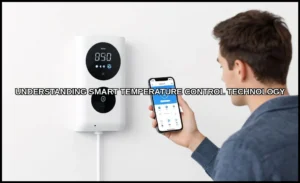
For many households, the simplest starting point is a device like the Amazon Smart Thermostat. It works with Alexa and Ring, requires a C-wire, and handles the basics of scheduling and presence detection. It’s not the most advanced unit on the market, but it’s a solid, low-cost entry point that pairs with select Alexa devices to adjust temperatures based on readings or presence.

The Real Cost of “Dumb” Thermostats
Let’s put some numbers on the problem. The U.S. Department of Energy estimates heating and cooling account for roughly 48% of a typical home’s energy use. If your monthly utility bill averages $200, that’s about $96 per month just for HVAC. A conventional thermostat — the kind with a mercury switch or a simple digital display — runs on a fixed schedule you set once and forget. It doesn’t know when you leave for work, when the sun blasts through the west windows, or when the kids come home early.

That ignorance costs you. A study from the Lawrence Berkeley National Laboratory found that programmable thermostats only save energy when people actually use the programming features. Most don’t. The default schedule gets overridden within a week, and the unit reverts to a constant temperature setting. So you’re paying for a feature you’re not using.
Worse, a dumb thermostat can’t react to unexpected events. A sudden heatwave at 3 PM means your AC runs full blast for hours while you’re at the office. A cold snap at night means the furnace kicks in at 2 AM. Every one of those wasted cycles adds up. Over a year, the difference between a well-managed schedule and a static one typically lands between 8% and 15% of your HVAC bill — that’s $90 to $180 annually for an average household.
How Smart Thermostats Actually Learn (And Why Most Don’t)
Here’s the myth-buster: most smart thermostats don’t learn your habits. They follow rules you set, or they follow simple algorithms. True machine learning — the kind that predicts your behavior from scratch — exists in only a few high-end models. The rest use two basic mechanisms: geofencing and adaptive scheduling.
The Difference Between Geofencing and True Machine Learning
Geofencing uses your phone’s location. When you leave a defined radius around home, the thermostat switches to an away mode. When you return, it starts heating or cooling to your preferred temperature. Simple, reliable, and it saves energy without any manual input. The catch? It requires your phone to have a stable GPS connection, and it fails if you forget your phone at home or if the geofence radius is set too tight.
Adaptive scheduling is a step up. The thermostat tracks your temperature adjustments over several days and builds a schedule that matches your patterns. You nudge the temperature down at 10 PM every night, and after a week, it starts doing that for you. This isn’t machine learning — it’s statistical averaging. It works, but it’s slow to adapt to schedule changes like a new job or a vacation.
True machine learning — what you’ll find in models like the Ecobee SmartThermostat Premium or the Google Nest Learning Thermostat — uses historical data plus weather forecasts, humidity sensors, and occupancy patterns to predict your comfort needs before you feel them. It might pre-cool the house before a heatwave hits, or delay the furnace start because the sun will warm the living room soon. That’s genuinely smarter, and it’s worth the premium if your schedule is irregular. But for most people with a 9-to-5 routine, geofencing plus a decent schedule captures 80% of the savings at half the price.
The ROI Math: Payback Periods and Utility Rebates
Let’s get concrete. A typical smart thermostat costs between $80 and $250. Installation runs $100 to $200 if you hire an electrician, or $0 if you DIY. The average energy savings, per ENERGY STAR, is about $90 per year for certified models. But that number varies wildly based on your climate, home size, and existing thermostat behavior.
Here’s the formula to calculate your own payback period:
- Estimate your annual HVAC cost. Look at your last 12 utility bills, find the heating and cooling months, and total those costs.
- Apply a realistic savings percentage. If your current thermostat is a manual unit with no schedule, use 15%. If you already use a programmable schedule, use 8%. If you have a smart thermostat but no geofencing, use 3%.
- Subtract utility rebates. Many energy providers offer $25 to $100 rebates for installing a smart thermostat. Check your local utility’s website or the ENERGY STAR rebate finder.
- Divide the net cost by annual savings. That gives you the payback period in years.
Let’s run an example. Your annual HVAC cost is $1,200. You’re upgrading from a manual thermostat, so savings are 15% — that’s $180 per year. The thermostat costs $150, and your utility gives a $50 rebate. Net cost is $100. Payback period: $100 ÷ $180 = 0.55 years. Under seven months. That’s a solid return.
Now the honest caveat: if you already use a well-programmed schedule, your savings drop to maybe $50 per year. Payback stretches to two years. Still positive, but less exciting. And if your HVAC system is old or oversized, the thermostat can’t fix that. It’s a control mechanism, not a repair tool.
Calculating Your Specific Annual Savings
Use this table as a rough guide. It assumes a 2,000-square-foot home in a mixed climate (not extreme cold or heat).
| Current Setup | Annual HVAC Cost | Estimated Savings | Payback Period (for $150 unit) |
|---|---|---|---|
| Manual thermostat, no schedule | $1,500 | $225 (15%) | 0.67 years |
| Programmable, but schedule unused | $1,500 | $120 (8%) | 1.25 years |
| Programmable, schedule followed | $1,500 | $45 (3%) | 3.3 years |
| Smart thermostat, no geofencing | $1,500 | $30 (2%) | 5 years |
Notice the last row. If you already own a smart thermostat but never set up geofencing or schedules, you’re leaving money on the table. The device alone doesn’t save anything. The behavioral change — setting a schedule, enabling away mode, letting the system adapt — is where the savings come from. That’s the 10% human-input factor most marketing glosses over.
Multi-Zone vs. Single-Unit: The Hidden Efficiency Killer
Here’s a problem nobody talks about: a single smart thermostat in a multi-story home creates a comfort war. The upstairs bedroom hits 78 degrees while the downstairs living room sits at 70. The thermostat, located in the hallway, reads 74 and shuts off the AC. Upstairs stays miserable, and you compensate by lowering the setpoint, which freezes the downstairs. Net result: higher energy use and no comfort.
The fix is either a multi-zone HVAC system with dampers, or a smart thermostat with remote temperature sensors. The latter is far cheaper. You place a sensor in the problem room and tell the thermostat to prioritize that sensor during certain hours. The Ecobee line does this well. The Amazon Smart Thermostat doesn’t support remote sensors natively — it relies on Alexa devices in other rooms to provide temperature readings. That’s a workaround, but it’s less precise than a dedicated sensor.
When do you need multi-zone? If your home has a single HVAC system covering more than 2,000 square feet, or if you have dramatic temperature differences between rooms (more than 4 degrees), you’ll benefit from sensors. If you have a ranch-style home under 1,800 square feet with open doorways, a single unit with good placement is usually fine.
The hidden cost of ignoring this: your HVAC system cycles longer and more frequently, wearing out components faster. A compressor that runs an extra 200 hours per year might fail a year or two early. That’s a $2,000 to $4,000 replacement bill you could have delayed with better temperature management.
Compatibility Check: Will It Work With Your HVAC System?
Before you buy anything, check your furnace and AC model numbers. Smart thermostats need a common wire (C-wire) to draw power continuously. Without it, the thermostat may power-cycle, lose Wi-Fi, or fail to energize the cooling relay. Many newer homes have a C-wire in the wall. Older homes often don’t.
If you don’t have a C-wire, you have three options. First, a C-wire adapter kit (often sold by the thermostat manufacturer) that taps into the furnace transformer. Cost: $20 to $40. Second, a power-extraction kit that uses the existing wires to steal a small amount of power. This works with most 24-volt systems but can cause issues with some heat pumps. Third, hire an electrician to run a new wire. That’s $150 to $300, and it’s the most reliable option.
The Adapter Kit Trap
Here’s the trap: some HVAC systems are incompatible with smart thermostats no matter what adapter you use. Millivolt systems (common in older wall heaters and some fireplaces) operate on 750 millivolts — too low for any smart thermostat. High-voltage (line-voltage) systems, typically baseboard heaters with 120V or 240V, also won’t work without a special line-voltage thermostat. Dual-fuel systems (heat pump plus gas furnace) need a thermostat that can switch between them based on outdoor temperature. If you buy a basic model without that feature, you’ll lose efficiency or risk running both systems simultaneously.
Before purchasing, write down your system type: conventional (gas/electric), heat pump, or dual-fuel. Count the wires at your current thermostat. If you see 5 wires including a C-wire, you’re almost certainly fine. If you see 2 or 3 wires, expect to buy an adapter kit. If you have a millivolt or line-voltage system, stop — a smart thermostat isn’t for you without a major electrical upgrade.
Security and Privacy: The Unspoken Risk
Every smart thermostat is a small computer on your network. It knows when you’re home, when you’re away, and what temperatures you prefer. That data is valuable. A 2026 report from Consumer Reports found that several smart thermostat brands shared data with third parties without clear user consent. Some used the data for targeted advertising. Others sold it to data brokers.
Worse, a compromised thermostat can serve as an entry point to your home network. If your thermostat is on the same Wi-Fi network as your laptop and your smart lock, an attacker who exploits a thermostat vulnerability could pivot to other devices. It’s not a common attack, but it’s not theoretical either.
Here’s how to protect yourself. First, set up a separate guest network or IoT VLAN for all smart home devices. Your router’s admin panel usually has this option. Second, enable multi-factor authentication on your thermostat’s companion app. Third, check the app’s privacy settings and disable any data-sharing toggles. Fourth, keep the firmware updated — manufacturers patch known vulnerabilities. Finally, if you’re privacy-obsessed, buy a thermostat that supports local control via Home Assistant or similar systems, so your temperature data never leaves the house.
Beyond Temperature: Syncing with Solar and Time-of-Use Rates
If you have solar panels or a time-of-use (TOU) electricity plan, a smart thermostat can do something a dumb one can’t: shift your energy consumption to cheaper hours. TOU rates charge more during peak demand (typically 4 PM to 9 PM) and less at night. A smart thermostat can pre-cool your home during the cheap afternoon hours, then let it coast through the expensive evening without running the compressor.
This strategy, called load shifting, can save 10% to 20% on cooling costs in TOU areas. The catch: it requires the thermostat to know your rate schedule. Some models, like the Ecobee and Nest, integrate with utility programs directly. Others require manual configuration. You set the thermostat to cool to 72 degrees at 2 PM, then allow it to drift to 76 degrees by 6 PM. The house stays comfortable because the thermal mass of the walls and furniture absorbs the coolness.
Solar integration works similarly. If your panels produce a surplus at noon, you want your AC to run then — not at 8 PM when you’re drawing from the grid. Many smart thermostats can’t see your solar production directly, but they can follow a schedule you create based on your typical generation curve. Some advanced setups connect to an energy management system that coordinates the thermostat, the inverter, and your battery. That’s the future — but you can get 70% of the benefit today with a simple schedule.
For a deeper look at how these systems handle temperature adjustments, see this guide on smart system adjustments. And if you’re weighing different control strategies, the benefits of smart temperature control article breaks down the trade-offs between sensor-based and schedule-based approaches.
What People Actually Ask About Smart Thermostats
Will a smart thermostat work with my old furnace from the 1980s?
Probably, if it’s a standard 24-volt gas furnace with at least four wires. The age of the furnace matters less than the control voltage. Check for a C-wire; if it’s missing, buy a $30 adapter kit. The only hard no-go is a millivolt system or a line-voltage baseboard heater.
How much can I really save per month?
Most households save $10 to $25 per month during peak heating and cooling seasons. That’s $90 to $180 per year per ENERGY STAR. But if you already run a tight schedule, expect closer to $5 per month. The device is a tool, not a magic wand.
Do I need multiple sensors for a two-story house?
Yes, if you have temperature differences of more than 4 degrees between floors. A single thermostat in the hallway will average the two extremes and satisfy neither. Buy a model that supports remote sensors (Ecobee, Nest) or use Alexa devices as temperature probes if you go with the Amazon unit.
Is it worth paying extra for a learning thermostat?
Only if your schedule is irregular. A learning thermostat shines when you leave and return at different times daily. If you work fixed hours, a $100 model with geofencing does the same job for less money. The learning feature saves maybe an extra 2% to 3% on top of a well-configured schedule — not worth a $150 premium for most people.
Can a smart thermostat damage my HVAC system?
Rarely, but it happens. The most common issue is short cycling — the thermostat turns the system on and off too frequently, stressing the compressor. This usually occurs due to incorrect wiring or a faulty temperature sensor. Another risk: if you set an aggressive pre-cool schedule, you run the system longer, which increases wear. Stick to reasonable setpoints and ensure proper installation, and you’ll be fine.
Three Steps to Start Saving Today
- Check your C-wire. Pull your current thermostat off the wall and count the wires. If you see a blue or black wire labeled ‘C’, you’re ready. If not, budget $30 for an adapter kit.
- Set up geofencing first. It’s the single highest-ROI feature. Enable it in the app, set the radius to about 500 feet, and verify it triggers correctly for a week.
- Apply for utility rebates. Search your provider’s website for smart thermostat rebates. Many offer $50 to $100, which cuts your payback period in half. You can also verify your thermostat’s efficiency claims on the ENERGY STAR smart thermostat page.
One more thought: don’t overthink the brand. The differences between major models matter less than whether you actually configure the features. A $100 thermostat with geofencing enabled beats a $250 learning thermostat that sits on factory defaults. Start with the basics, measure your savings over a season, and upgrade only if you find a specific gap. For more context on how these systems compare, check this overview of smart temperature control systems.