

To set home temperature presets, use your smart thermostat’s app or interface to program desired temperatures for specific times and days for optimal comfort.
Setting temperature presets on your smart thermostat helps maintain ideal comfort while optimizing energy efficiency. Whether you use a Nest, Ecobee, or other smart thermostat, creating customized presets ensures your home is always at the perfect temperature.
Why Use Temperature Presets?
Temperature presets allow you to program your thermostat for different scenarios like sleep, away, or comfort modes. This eliminates the need for constant manual adjustments while saving energy when you’re not home. According to the U.S. Department of Energy, you can save up to 10% annually by turning your thermostat back 7-10°F for 8 hours daily.
Types of Common Temperature Presets
- Comfort: Your ideal temperature when home and awake
- Sleep: Slightly cooler temperatures for better sleep
- Away/Eco: Energy-saving temperatures when no one’s home
- Exercise: Cooler temperatures for workout sessions
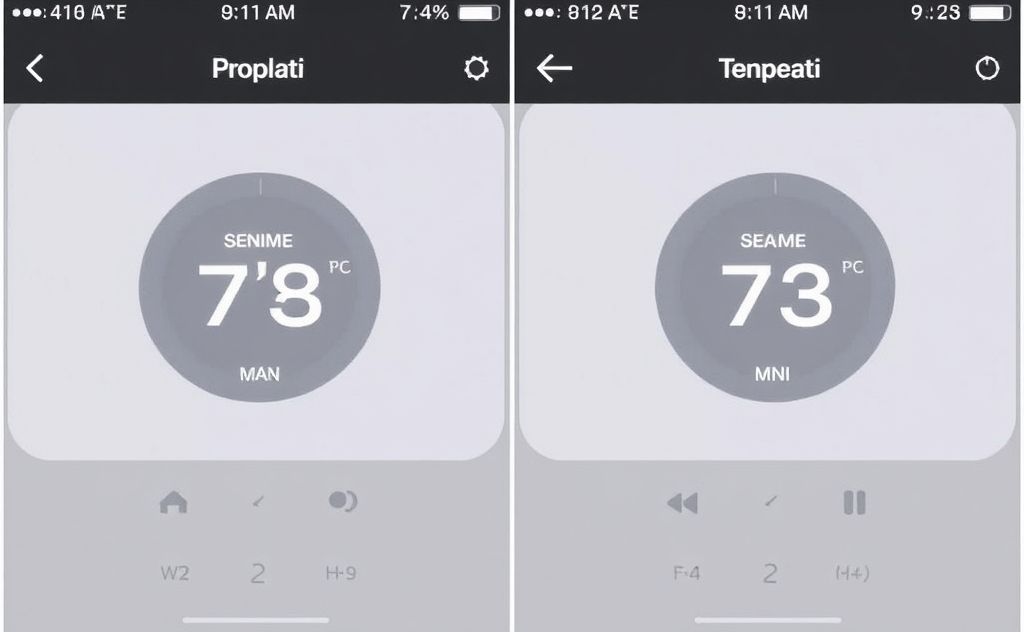
How to Set Presets on Nest Thermostats
For Nest Learning Thermostat (4th gen) and Nest Thermostat models, follow these steps:
- Open the Google Home app and select your thermostat
- Tap “Settings” then “Temperature presets”
- Choose an existing preset or create a new one
- Set your desired temperature for each preset
- Save your changes
Note that earlier Nest models like the Thermostat E don’t support presets in the Home app. For these, consider using alternative thermostat controls.
Troubleshooting Nest Preset Issues
If presets aren’t appearing in your Google Home app:
- Ensure your thermostat is in Heat, Cool, or Heat/Cool mode
- Check for app updates
- Try restarting your thermostat
- Factory reset if necessary
Setting Presets on Other Smart Thermostats
Ecobee Thermostats
Ecobee calls presets “Comfort Settings.” Access them through:
- The thermostat menu
- Ecobee mobile app
- Web portal
Honeywell Smart Thermostats
Create schedules with different temperature setpoints for various times of day. Some models support geofencing to automatically switch presets when you leave or return home.
Advanced Preset Strategies
Seasonal Adjustments
Consider creating different presets for summer and winter. The ENERGY STAR program recommends:
| Season | Home Temp | Away Temp | Sleep Temp |
|---|---|---|---|
| Winter | 68°F | 62°F | 65°F |
| Summer | 78°F | 85°F | 75°F |
Room-Specific Presets
For homes with zoned heating systems, create different presets for each zone based on room usage patterns.
Integrating Presets with Smart Home Systems
Enhance your temperature presets by connecting them to other smart devices:
- Set presets to activate when smart locks detect your arrival
- Link presets to your morning alarm routine
- Connect with window sensors to adjust presets when windows are open
Voice Control Options
Most smart thermostats work with voice assistants. Try commands like:
- “Hey Google, set my thermostat to Sleep mode”
- “Alexa, activate Away mode on Ecobee”
Maintaining Your Preset System
Regularly review and update your presets to ensure they still match your lifestyle. Consider:
- Adjusting for schedule changes
- Updating for new family members
- Modifying for home renovations or new insulation
For optimal performance, ensure your heating system is properly maintained with quality parts like reliable igniters and clean filters.
Related pick: Check price on Amazon

HeaterGuides covers home heating, water heating and HVAC: how the equipment works, what it costs to run, and how to use it safely.