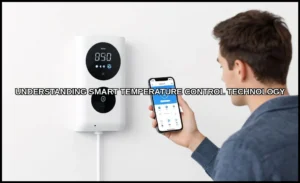
How Smart Home Systems Perfectly Balance Your Home Temperature
On this page 8 sections
- Why Your Home Feels Uneven: The Science of Thermal Dynamics
- The Core Features That Create Perfect Balance
- Seasonal Strategies for Optimal Comfort and Savings
- The Financial and Environmental ROI
- Integrating with Your Whole Smart Home Ecosystem
- Common Installation Mistakes and How to Avoid Them
- Frequently Asked Questions
- Your Path to a Perfectly Balanced Home
You know the feeling: the living room is comfortable, but the upstairs hallway feels like a sauna. The bedroom is freezing at night while the thermostat downstairs insists it’s 72 degrees. This isn’t a quirk of your house—it’s the physics of how heat moves and how a single thermostat reads only one spot in your home.
Most people treat their thermostat as an on/off switch. They set a number and hope for the best. A smart home system takes a different approach. It uses multiple data points—sensors, occupancy, outdoor weather, even your daily routine—to make continuous adjustments that keep each room closer to your ideal temperature. This article walks through the science behind uneven temperatures, the specific features that fix it, the seasonal logic you should program, and the actual financial payback you can expect. You’ll also get a troubleshooting guide for the most common installation mistakes.
If you’re starting from scratch, the Amazon Smart Thermostat is a solid entry point. It works with Alexa and Ring, supports schedules, and connects to select Alexa devices for presence detection. It requires a C-wire, so check your existing setup before buying. The ENERGY STAR certification means it meets efficiency standards that typically translate to real savings on your utility bills.

Why Your Home Feels Uneven: The Science of Thermal Dynamics
Heat doesn’t distribute evenly. Warm air rises, cold air sinks, and every wall, window, and door conducts heat at a different rate. A room with large south-facing windows heats up fast in winter afternoons but loses that heat quickly at night. An interior bathroom with no exterior walls stays stable year-round. Your thermostat, mounted on one wall in one room, only measures the air right around it.

That single measurement drives your entire HVAC system. If the thermostat sits in a hallway near the kitchen, it picks up heat from cooking and running appliances. The rest of the house gets less conditioning than needed. If it sits in a drafty corner near a window, it reads cold and runs the furnace longer, overheating the interior rooms.
Air sealing and insulation matter more than most people think. A home with poor attic insulation can lose 25% of its heat through the roof. Gaps around windows and doors create drafts that confuse your thermostat’s readings. Before upgrading hardware, walk through your home and feel for drafts. Seal what you can—it’s cheap and makes every smart feature work better.
The fix isn’t a better thermostat alone. It’s a system that gathers temperature data from multiple rooms and adjusts the HVAC output based on the whole picture, not just one spot.
The Core Features That Create Perfect Balance
Multi-Room Sensors and Zoning
The single biggest upgrade you can make is adding remote temperature sensors. These small devices sit in different rooms and report their readings back to the thermostat. Instead of the thermostat only reading its own location, it averages the sensor data or prioritizes specific sensors based on your schedule.
For example, an Ecobee system lets you place a sensor in the baby’s nursery and one in the master bedroom. At night, you tell the thermostat to prioritize the nursery sensor. The HVAC runs until that room hits your target, even if the hallway thermostat already reads 70 degrees. This directly addresses hot and cold spots that a single sensor can’t fix.
Nest takes a different approach with its Temperature Sensors. They work with the Nest Learning Thermostat and let you set a schedule for which sensor matters at which time of day. Morning hours might prioritize the bathroom sensor so the house is warm when you shower. Evening hours switch to the living room sensor for family time.
Honeywell’s Home line offers similar functionality through its T-series thermostats and wireless sensors. The key difference is how each system handles averaging. Some average all sensors equally. Others let you assign weights. If you have a room that’s naturally drafty, you might give it less weight so it doesn’t dominate the HVAC cycle.
Pro tip: place sensors away from direct sunlight, kitchen appliances, and exterior doors. A sensor near a drafty window will read cold and run your system more than necessary.
Geofencing and Occupancy Detection
Geofencing uses your phone’s location to tell the thermostat when you’re away. Leave a defined radius—usually around 500 feet—and the system switches to an energy-saving mode. Return, and it starts heating or cooling so the house is comfortable by the time you walk in.
The Amazon Smart Thermostat ties into Alexa’s presence detection. If you have Echo devices in multiple rooms, Alexa can determine which rooms are occupied and adjust the temperature accordingly. This is more granular than simple geofencing—it’s room-by-room occupancy detection.
This feature directly impacts your energy bills. The U.S. Department of Energy suggests you can save up to 10% annually on heating and cooling by turning your thermostat back 7-10 degrees Fahrenheit for 8 hours a day. Geofencing automates that setback without you thinking about it.
One limitation: geofencing requires everyone in the household to carry a phone with location services enabled. If someone forgets their phone at home, the system might think you’re away and let the house drift to an uncomfortable temperature. Most modern systems let you add multiple phones, so this is manageable.
Seasonal Strategies for Optimal Comfort and Savings
Summer Cooling Logic
Smart thermostats shine when you set them up for the specific way your home behaves in summer. The goal isn’t just to keep the house cool—it’s to keep it cool efficiently.
Start with a higher setpoint when you’re away. 85°F is fine for an empty house. The system should start cooling about 30-45 minutes before you arrive, depending on how well your home holds cool air. A well-insulated home can recover from 85°F to 74°F in about 20 minutes. A leaky older home might need 60 minutes.
Use the “smart recovery” or “adaptive recovery” feature if your thermostat has it. This learns how long your HVAC takes to reach a target temperature and starts early enough to hit the setpoint exactly when you want it. Without this, the system either starts too late (you come home to a hot house) or too early (it wastes energy maintaining a cool temperature while you’re still away).
Humidity control matters more than raw temperature in summer. A thermostat that also reads humidity can run the AC longer to remove moisture, even if the temperature has already dropped. This makes the air feel cooler at a higher setpoint. Set your humidity target around 50%—below 40% feels too dry, above 60% feels sticky.
Winter Heating Logic
Winter presents the opposite challenge. Your home loses heat constantly, and the HVAC needs to run more often to maintain a stable temperature.
Set your away temperature to 60-62°F. This prevents pipes from freezing while saving energy. The key is the recovery time. A home that’s been at 62°F for 8 hours needs more time to reach 70°F than one that’s only been at 65°F for 2 hours. Smart recovery handles this automatically, but you can help it by keeping your schedule consistent.
Consider a lower overnight setpoint. Dropping to 66°F at night saves energy and many people sleep better in cooler rooms. The thermostat should start warming the house about 30 minutes before your wake time. If you wake at 6:30 AM, schedule the warm-up for 6:00 AM.
One thing to watch in winter: short cycling. If your thermostat is near a heat vent or a sunny window, it reads warm quickly, shuts off the furnace, and then reads cold again a few minutes later. This constant on-off cycling wastes energy and wears out your HVAC compressor. Proper thermostat placement prevents this—more on that below.
The Financial and Environmental ROI
Smart thermostats aren’t cheap. A good one with sensors runs $150-$350. But the payback is real, and you can calculate it precisely for your home.
Calculating Your Payback Period
First, find your average monthly heating and cooling bill. Let’s say it’s $200. The EPA estimates ENERGY STAR certified thermostats save an average of $90 per year, or about 8% of your heating and cooling costs. That’s a conservative number—homes with poor insulation or inconsistent schedules often save more.
Your payback period is simple: purchase price divided by annual savings. A $200 thermostat with $90 in annual savings pays for itself in about 2.2 years. If your bill is $300 per month, the savings scale up to roughly $135 per year, and the payback drops to 1.5 years.
Don’t forget utility rebates. Many energy providers offer $50-$100 rebates for installing a smart thermostat. The Amazon Smart Thermostat’s rebate program emails you details about what’s available in your area. That can cut your effective cost in half on day one.
There’s also the environmental angle. Heating and cooling account for about 40% of the average home’s energy use. Cutting that by 8-10% reduces your carbon footprint by roughly 500-700 pounds of CO2 per year, depending on your energy source. If you have a heat pump or electric heating, the savings are even larger.
One honest caveat: a smart thermostat won’t fix a poorly insulated home. If your heating bill is high because you’re losing heat through single-pane windows and an attic with no insulation, the thermostat can only manage the waste, not eliminate it. Spend money on air sealing first, then upgrade the thermostat.
Integrating with Your Whole Smart Home Ecosystem
Smart Vents, Fans, and Shades
A thermostat alone can’t force air into a closed bedroom or block it from a sunny living room. That’s where complementary devices come in.
Smart vents replace your standard floor or ceiling registers. Each one has a motorized damper that opens or closes based on commands from your smart home hub. If the thermostat detects that the south bedroom is 5 degrees warmer than the rest of the house, it can close the vent in that room and force more air to the cooler rooms. This is the closest you get to true zoned HVAC without installing duct dampers.
Smart ceiling fans work with your thermostat to improve air circulation. In summer, run fans counterclockwise to create a wind-chill effect. This lets you raise the thermostat setpoint by 3-4 degrees without noticing the difference. In winter, run fans clockwise at low speed to push warm air trapped at the ceiling back down to floor level.
Motorized shades are the forgotten piece. In summer, close south-facing shades during peak sun hours to block solar heat gain. In winter, open them to let sunlight warm the house naturally. Smart shades can automate this based on the sun’s position and the current indoor temperature. A home with good shades and a smart thermostat can reduce cooling loads by up to 15%.
These integrations work best when they share a common platform. Alexa, Google Home, and Apple HomeKit all support these devices, but you need to set up the automation rules yourself. For example: “If the living room temperature exceeds 78°F and the sun is setting, close the west-facing shades.” This is where the system becomes genuinely smart, not just remote-controlled.
For a deeper look at how these components work together, check out this smart thermostat integration guide.
Common Installation Mistakes and How to Avoid Them
Most smart thermostat problems trace back to installation, not the device itself. Here are the three most common mistakes and how to fix them.
Mistake 1: Bad placement. Mounting the thermostat on an exterior wall, near a supply vent, or in direct sunlight guarantees inaccurate readings. The fix: move it to an interior wall in a room you use most, about 5 feet off the floor. Avoid kitchens and bathrooms—appliance heat and steam will drive it crazy.
Mistake 2: Ignoring the C-wire. Many older homes lack a common wire, which provides continuous power to the thermostat. Without it, the thermostat may operate on battery power alone, but features like Wi-Fi and display backlighting drain batteries fast. The Amazon Smart Thermostat requires a C-wire. If yours is missing, you have two options: run a new wire from your HVAC system or use a C-wire adapter kit. The adapter is easier and costs about $20.
Mistake 3: Setting it and forgetting it. A smart thermostat learns from your adjustments. If you constantly override the schedule, the learning algorithm gets confused. Spend the first week manually adjusting the temperature when you feel uncomfortable. The system uses those inputs to build a better schedule. After that, leave it alone and let it work.
Short cycling—the system turning on and off every few minutes—usually points to a placement issue or an oversized HVAC unit. If you’ve ruled out placement, call an HVAC technician to check the system’s capacity.
For more on how these systems maintain temperature over time, see this temperature maintenance guide.
Frequently Asked Questions
Will a smart thermostat work with my existing HVAC system?
Most smart thermostats work with standard central heating and cooling systems—gas furnaces, electric furnaces, heat pumps, and central AC. They won’t work with 240-volt baseboard heaters or window units. Check your system’s compatibility before buying. The Amazon Smart Thermostat lists its compatible systems clearly, and most brands have online compatibility checkers.
How many remote sensors do I need?
Start with one sensor for each room you care about most—typically bedrooms and the main living area. A 2,000-square-foot home with three bedrooms usually works well with 3-4 sensors. Adding more than one per room creates redundant data that doesn’t improve accuracy.
Can a smart thermostat help with allergies or asthma?
Indirectly, yes. Better humidity control prevents mold and dust mites, both common allergens. Some thermostats also integrate with air quality monitors that track particulate matter and trigger ventilation fans. If allergies are a concern, pair your thermostat with a smart air purifier and keep indoor humidity between 40-50%.
What happens during a power outage?
Your thermostat loses its network connection but keeps your last schedule in memory. When power returns, it resumes normal operation. Some models have a battery backup that maintains the clock and settings. Your HVAC system won’t run without power anyway, so there’s no risk of damage.
Do smart thermostats actually save enough energy to justify the cost?
For most homes, yes, but it depends on your habits. If you already manually adjust your thermostat when you leave and sleep, the savings shrink. If you leave it at one temperature 24/7, a smart thermostat with geofencing and scheduling can save you 8-10% on your energy bills. The payback period is typically 1.5 to 3 years, before any utility rebates.
Your Path to a Perfectly Balanced Home
- Start with a home energy audit. Find and seal drafts before spending money on smart hardware.
- Place your thermostat on an interior wall, away from vents, windows, and sunlight.
- Add remote sensors to the rooms where comfort matters most—bedrooms and living areas.
- Enable geofencing so the system adjusts automatically when you leave and return.
- Use seasonal schedules: higher setpoints in summer, lower setpoints in winter, with smart recovery enabled.
- Pair your thermostat with smart vents, fans, or shades if you have persistent hot or cold spots.
- Check for utility rebates in your area—they can cut your upfront cost by half.
Perfect temperature balance isn’t a single number on a wall. It’s a system of sensors, schedules, and complementary devices working together. Set it up right, and you’ll stop thinking about the thermostat altogether—which is exactly how it should be.
For an overview of how smart systems influence temperature control, take a look at this smart systems temperature guide.