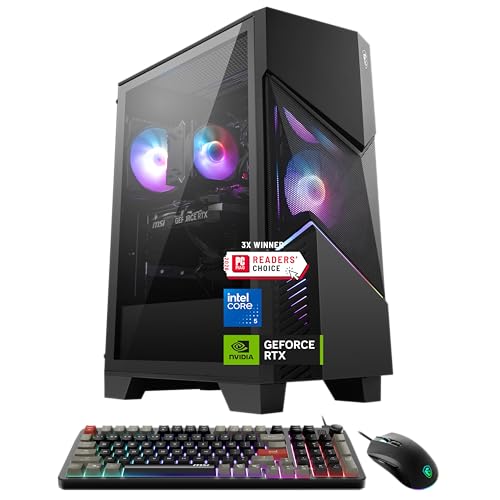
You’re building a gaming PC. The CPU is the brain, and it gets hot. Really hot. Keeping it cool isn’t just about preventing crashes; it’s about unlocking consistent, high performance for those long gaming sessions. While liquid cooling grabs headlines, modern air coolers are often the smarter, more reliable choice for most gamers.
They offer incredible performance, legendary reliability, and often, better value. For a stunning example of this value, look no further than the Thermalright Peerless Assassin. It’s a dual-tower cooler that routinely competes with coolers twice its price, making it a top-tier recommendation for anyone seeking high-end cooling without the high-end cost.
Why Choose an Air Cooler for Your Gaming PC?
Simplicity is king. An air cooler is a single, cohesive unit: a metal heatsink with heat pipes and a fan. There are no pumps to fail, no liquid to leak, and no maintenance required beyond occasional dusting. This inherent reliability is a massive win for a system you depend on. The performance gap has also narrowed dramatically. A high-quality dual-tower air cooler can handle even the hottest gaming CPUs, keeping your CPU temperature gaming well within safe limits.
You also get better noise-normalized performance in many cases. This means for a given noise level, a good air cooler can match or beat an All-in-One (AIO) liquid cooler. And let’s talk budget. You can find the best budget air cooler for under $50 that outperforms basic 120mm AIOs. Its a compelling argument for value-focused builders.
Key Factors for Choosing Your Gaming Air Cooler
Don’t just buy the biggest cooler you see. Compatibility and performance needs are everything. Heres your checklist.
Compatibility: The Non-Negotiables
First, check your CPU socket. An LGA 1700 cooler won’t fit an AM5 socket. Next, measure your case. Check its maximum CPU cooler height. A massive tower cooler is useless if your side panel won’t close. Finally, examine RAM Clearance. Low-profile RAM might be necessary with wide dual-tower designs. This is especially critical for builds with tall, RGB memory sticks.
Performance & Acoustics
Match the cooler’s rated Thermal Design Power (TDP) to your CPU’s heat output. Exceeding it is good. The heart of cooler thermal performance lies in its construction. Look for multiple heat pipes (6 or more is great) and a dense fin stack. The CPU fan matters too. Larger fans (120mm or 140mm) move more air at lower RPMs, making them quieter. If you want a quiet PC cooler, prioritize models known for their acoustic performance.
Always use quality thermal paste. Many coolers include a decent tube, but for the best results, a separate application of a high-performance paste can shave off a degree or two. Every bit helps.
Top 5 Best Air Coolers for PC Gaming (2026)
Based on performance, noise, and value, here are the top contenders for your next build.
1. The Value Champion: Thermalright Peerless Assassin 120 SE
We mentioned it for a reason. This dual-tower, dual-fan cooler is a phenomenon. It delivers cooling performance that rivals high-end AIOs for a fraction of the price. It’s arguably the best budget air cooler under $50 for gaming that can also handle flagship chips. A must-consider for any build.
2. The Performance King: Noctua NH-D15
The benchmark for air cooling. Its legendary build quality, near-silent fans, and unmatched cooling make it a top choice for overclockers. It’s large and requires careful checking of RAM Clearance, but for raw power, it’s often the best you can buy.
3. The Balanced All-Rounder: Deepcool AK620
A direct competitor to the Peerless Assassin, the AK620 offers stunning aesthetics with its black top cover and superb performance. Its fans are exceptionally quiet under load, making it perfect for gamers who hate fan noise. It’s a fantastic choice for a best air cooler for Ryzen 7 7800X3D build.
4. The Low-Profile Specialist: Noctua NH-L9a-AM5
For small form factor (SFF) builds, you need a cooler that fits. This low-profile cooler is designed specifically for AMD’s AM5 socket and provides the best possible cooling in a tiny package. It proves that powerful cooling can come in small sizes.
5. The Quiet Contender: be quiet! Dark Rock Pro 4
If your goal is a whisper-quiet system, look here. With its sleek, all-black design and incredibly silent fans, the Dark Rock Pro 4 focuses on Noise Normalized Performance. It cools powerfully while barely making a sound, a strong candidate for the quietest air cooler for gaming PC 2024.
Air Cooler vs. All-in-One Liquid Cooler: The Real Story
The air cooling vs liquid debate is nuanced. Let’s break it down.
For 99% of gamers, a high-end air cooler is more than sufficient. It’s simpler, more reliable, and often quieter at typical gaming loads. AIOs excel in two specific scenarios: extreme overclocking where you need to shed heat from a tiny surface area quickly, and in cases with exceptional front or top radiator mounting that provides fresh, cool air directly to the radiator.
So, air cooler vs liquid cooler for gaming which is better? For pure gaming, an air cooler usually offers better value and equal performance. An AIO can be a better fit for specialized, high-heat workloads or specific aesthetic goals. For a deep dive, this authority guide is an excellent official source.
Performance Comparison Table
| Feature | High-End Air Cooler | 240mm/280mm AIO |
|---|---|---|
| Peak Cooling | Excellent for gaming | Slightly better for sustained max loads |
| Noise (Gaming Load) | Often quieter | Pump noise + fan noise |
| Reliability | Very High (fewer parts) | Good (pump is a potential point of failure) |
| Installation | Can be bulky/tricky | Radiator mounting can be challenging |
| Price | Generally lower | Generally higher |
Installation Guide & Maintenance Tips
Installing a PC air cooler is straightforward with patience. Read your manual first. Always.
Step-by-Step Installation
- Prepare the motherboard. Install the backplate and mounting brackets before the motherboard goes in the case. This is much easier.
- Apply thermal paste. A pea-sized dot in the center of the CPU IHS is the universal, safe method.
- Mount the cooler. Lower it straight down onto the CPU. Alternate tightening the screws in a diagonal pattern to ensure even pressure.
- Connect the fan. Plug the CPU fan header into the correct 4-pin connector on your motherboard labeled “CPU_FAN.”
Keeping It Running Cool
Maintenance is simple. Every 6-12 months, power down and use compressed air to blow dust out of the heatsink fins. Good case airflow with proper intake and exhaust fans reduces dust buildup significantly. That’s it. No fluid changes, no pump checks. Just like finding the best space heaters at Walmart, it’s about reliable, simple operation.
Choosing the right cooler is a balance of your CPU’s needs, your case’s limits, and your personal tolerance for noise. For most gamers seeking powerful, reliable, and quiet cooling, a modern dual-tower air cooler is the undisputed champion. It delivers exceptional CPU cooler gaming performance without the complexity or cost of liquid systems. Start with your case and CPU compatibility, then let performance and acoustics guide you to the perfect match. Your frames per second will thank you.